On this page
- Key Takeaways
- Why Is the Phone Harder With More Than One Location?
- How Do You Route Callers to the Right Location?
- How Do Per-Location Calendars Work With an AI Receptionist?
- How Do You Keep Every Location Sounding the Same?
- How Should a Multi-Location Owner Measure Each Site?
- Do You Need Enterprise, or Is Premium per Location Enough?
- When Is an AI Receptionist the Wrong Fit for a Multi-Location Group?
- How This Guide Was Sourced
- Frequently Asked Questions
- Conclusion
The simplest way to run an AI receptionist across several locations is one phone number, one AI agent and one calendar per location, all working from the same master script. Callers already reach the right site because each location's listing shows its own number. Each agent books into its own location's diary and alerts that location's manager. You then compare the locations side by side. On Starter or Premium, that means one agent per location, each on its own plan. Enterprise is for multiple agents across locations managed together under one account, plus custom training, an API and compliance items.
This guide is for owners and operations managers running two or more clinics, salons, studios or home services territories, including franchise groups. It covers routing callers to the right location, keeping scripts consistent, per-location calendars, reporting, and an honest look at which plan you actually need.
Key Takeaways
- One location, one number, one agent. In Voksha, one agent answers one phone number, and each agent books into exactly one calendar or booking system (Voksha docs: running several agents, retrieved 2026-11-03).
- Callers are already routed by your listings. If each location's Google listing, website page and signage shows its own number, the call lands at the right place before any AI is involved.
- Consistency is a process, not a setting. Editing one agent never changes another, so keep a master script and copy changes to every location on the same day.
- Starter or Premium: one agent per location. Each location runs its own agent on its own plan. Three locations on Premium cost $297 a month, against a single receptionist's 2025 median of $38,010 a year (BLS, retrieved 2026-11-03). ANALYSIS
- Enterprise is for central control. Multiple agents across locations managed together under one account, custom training, API access and the compliance items (HIPAA with BAAs, GDPR, CCPA, 99.9% uptime SLA) come with Enterprise, from $990/month.
Why Is the Phone Harder With More Than One Location?
Every location has its own front desk problem, and you cannot stand at all of them. One site answers every call. Another has one person checking in clients while the phone rings out. A third sends everything after 6pm to voicemail. Callers called "your business," so one weak desk hurts the whole brand.
Operators also face three problems single-site owners do not: wrong-location calls, drift (each site quoting different policies), and no comparison, because nobody counts which site loses calls. An AI receptionist helps with all three if you set it up per location from the start.
How Do You Route Callers to the Right Location?
Give each location its own number and make every listing show it. Routing then happens before the call is answered.
A few practical rules:
- Check every listing. Each location's Google Business Profile, website page, directory listings and signage should show that location's number. The guide to using call data for your Google Business Profile covers the listing side.
- Handle wrong-location calls in the script. Give each agent the other locations' addresses and numbers. "That's our south branch. Their number is..." solves most of it.
- Keep the main brand number honest. If you also advertise one central number, it can only book into one calendar on a standard setup, because one agent uses one connector (Voksha docs: one connector per agent, retrieved 2026-11-03). Have it ask which location the caller wants, take the details and alert that location, or point the caller to the right number.
- Forward, don't replace. Each location keeps its existing number and forwards it to its agent, so nothing on your signs or trucks changes (how to forward your business phone).
For more routing patterns, including ring groups and remote staff, read the guide to multi-location call routing.
How Do Per-Location Calendars Work With an AI Receptionist?
Each agent connects to the calendar or booking system for its own location. That is the whole design. Voksha's docs list "one per location" as a reason to run a second agent: "Each books into that location's own diary" (Voksha docs: running several agents, retrieved 2026-11-03).
What that looks like for common operators:
| Operator | Typical setup per location | What the agent books | Notes |
|---|---|---|---|
| Salon or spa group | Mindbody, Square Appointments or Booker per location | Services with the right stylist or room | These three connect from the dashboard on Premium |
| Clinic group | Google Calendar, Outlook or iCloud per location; practice software set up with Voksha support | New-patient and routine visits | HIPAA with BAAs is Enterprise only |
| Home services franchise | Google Calendar or Outlook per territory; ServiceTitan or Housecall Pro set up with Voksha support | Estimate visits in that territory | Emergency calls go to that territory's on-call tech on Premium |
| Fitness or studio chain | Mindbody per location | Intro sessions and classes | One connector per agent |
Booking and integrations are Premium features. On Starter, each agent answers, captures the caller's details and sends a summary, but it does not book. If a location only needs messages taken, Starter at $14/month can be the right choice for that site.
How Do You Keep Every Location Sounding the Same?
You keep one master script and copy it to every agent. In Voksha, "Editing one agent never changes another" (Voksha docs, retrieved 2026-11-03). That is good for safety and bad for drift, so build a habit around it:
- Write the master script once: greeting, questions, policies and escalation rules. See the guide to writing an AI receptionist script.
- Add a short location block at the bottom: address, hours, services, and the manager to alert.
- Change every agent on the same day when a policy changes, and note the date.
- Give managers access only to their own site. Team membership is granted per agent, so a location manager can see their own calls without seeing the others (Voksha docs: team, retrieved 2026-11-03).
- Test-call each location after every change. Five minutes per site catches most mistakes.
How Should a Multi-Location Owner Measure Each Site?
Compare the same numbers across locations every month: calls answered by hour, bookings made (Premium), calls escalated and why, wrong-location calls (a sign a listing shows the wrong number), and calls over plan, flagged by usage alerts at 75% and 90% of included calls.
Notifications are set per agent, so each location's summaries can go to its own Slack or Google Chat channel while you watch all of them. Premium adds analytics and reporting. If you want call data pulled into your own dashboards across all sites, API access is an Enterprise feature. The AI receptionist ROI metrics guide explains which numbers matter most.
Do You Need Enterprise, or Is Premium per Location Enough?
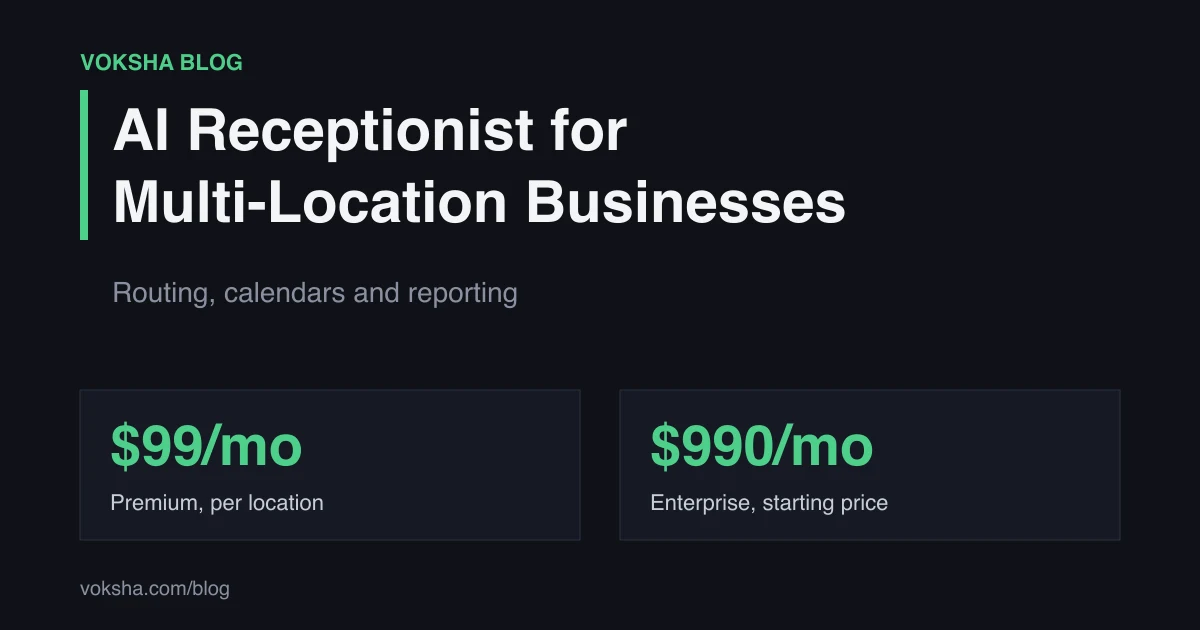
Often Premium per location is enough. On Starter or Premium, each location runs one agent, and each agent has its own plan and its own line on the invoice. Here is the honest arithmetic at base price, before any calls over 150 per location:
| Locations | Premium per location ($99 each) | Enterprise | One receptionist's median pay, per location |
|---|---|---|---|
| 2 | $198/month | From $990/month | $6,335/month |
| 3 | $297/month | From $990/month | $9,503/month |
| 5 | $495/month | From $990/month | $15,838/month |
| 10 | $990/month | From $990/month | $31,675/month |
ANALYSIS. Premium and Enterprise prices from Voksha pricing. Receptionist column uses the BLS 2025 median of $38,010 a year ÷ 12 = $3,167.50 per location per month, wages only (BLS, retrieved 2026-11-03). A fully loaded cost would be higher: about $54,300 a year using a 70% wage share of compensation. An AI receptionist answers the phone; it does not replace everything a front desk person does in the building.
One agent per location on Premium (or Starter, for sites that only need messages taken) fits when each location can run as its own line, with its own number and calendar; English plus one other language covers your callers; and you are not handling patient information that needs a BAA.
Enterprise (from $990/month) fits when:
- You need HIPAA with BAAs, GDPR or CCPA compliance, or a 99.9% uptime SLA. These are never on Starter or Premium.
- You want multiple agents across locations managed together under one account, with custom training for your business.
- You need API access and webhooks to feed central reporting.
- Your callers need many languages, or you want Enterprise-only features such as texting callers, taking payments or reminder calls for pre-scheduled appointments.
When Is an AI Receptionist the Wrong Fit for a Multi-Location Group?
- A central team already answers every site well. An AI may add little beyond after-hours coverage.
- Your locations share one calendar and number by design. You need one agent, not several.
- Most calls need licensed or clinical judgement. The AI takes the request; your people make the call.
How This Guide Was Sourced
This guide was written by the Voksha team. Voksha builds AI receptionists for small businesses. We are not a neutral reviewer and do not pretend to be.
Sources and retrieval dates:
- BLS Occupational Outlook Handbook, Receptionists: 2025 median pay of $38,010 a year ($18.27 an hour). Retrieved 2026-11-03.
- Voksha docs: running several agents, one connector per agent, team. Retrieved 2026-11-03.
- Voksha pricing: plan prices and features. Retrieved 2026-11-03.
No Voksha call data is used in this guide. Every figure above is external or a Voksha price, and is linked. Cost comparisons are marked ANALYSIS with the arithmetic shown. The fully loaded figure divides the BLS median wage by a 70% wage share of total compensation.
Frequently Asked Questions
Can one AI receptionist answer for several locations?
One agent answers one number and books into one calendar, so the usual setup is one agent per location, all on the same master script.
How does the AI know which location the caller wants?
Mostly from the number they dialed, because each location's listings show its own number. Each agent also knows the other locations' details, so it can point a wrong-location caller to the right one.
Do I need Enterprise for multiple locations?
Not always. On Starter or Premium, you run one agent per location, each on its own plan. Enterprise, from $990/month, is for multiple agents across locations managed together under one account, and for compliance items like HIPAA with BAAs, an uptime SLA, API access, custom training, or many languages.
Can each location manager see only their own calls?
Yes. Team membership is granted per agent, so a manager added to one location's agent sees that location's calls.
Can each location book into its own system?
On Premium, yes. Each agent connects one calendar or booking system, such as Google Calendar, Outlook, iCloud, Mindbody, Square Appointments or Booker. Other platforms are set up with Voksha support.
Conclusion
Treat each location as its own line: its own number on its own listings, its own agent and its own calendar. Then hold them together with one master script, same-day changes and a monthly side-by-side report. Start with one agent per location on Starter or Premium if each site can run as its own line and you have no compliance needs. Move to Enterprise when you want multiple agents across locations managed together under one account, an API, many languages or compliance commitments in writing.
If you run several locations and want to plan the setup with someone, talk to the Voksha sales team.