On this page
- Who Calls a SaaS Sales Line?
- What Should an AI Receptionist Ask an Inbound SaaS Caller?
- How Does an AI Receptionist Separate Sales Calls From Support Calls?
- Can an AI Receptionist Book Demos Into a Sales Calendar?
- How Do Qualified Leads Get Into HubSpot or Salesforce?
- What Does It Cost Compared With Staffing the Line?
- When Should a SaaS Company Not Use an AI Receptionist on the Phone?
- How This Guide Was Sourced
- Frequently Asked Questions
- Conclusion
An AI receptionist on a SaaS sales line answers every inbound call on the first ring, asks your qualifying questions, and decides whether the caller is a prospect, a customer who needs support, or a vendor. Prospects get qualified on company size, use case and timeline. On the Premium plan, the good ones get a demo booked into your sales calendar during the call. Support callers get sorted away from your account executives. Your team gets a summary of every call, so nobody digs through voicemails for the buyer.
This guide is for founders, sales leads and RevOps at small SaaS companies that publish a phone number but cannot staff it all day. It covers who calls, what to ask, routing, demo booking, the CRM handoff, and where a person should take over.
Key Takeaways
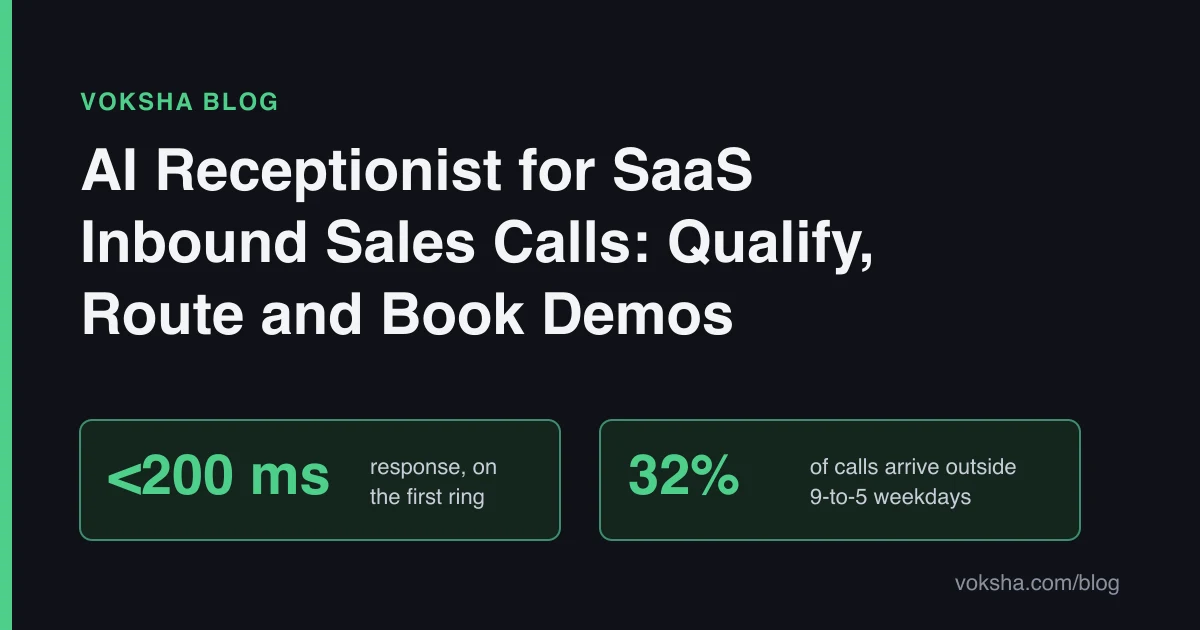
- A third of calls miss your office hours. 32% of calls in Voksha's data arrive outside 9-to-5 weekdays and 23% at weekends (Voksha After-Hours Economy Report). A prospect in another time zone calls in your evening.
- Unanswered buyers move on. About 62% of callers who do not reach a person call a competitor, and 78% buy from the first business that responds (third-party figures as reported in After-Hours Economy and Industry Benchmarks).
- Qualification works on every plan; booking is Premium. Starter ($14/month for 15 calls, then $1 per call) asks your questions and sends summaries. Premium ($99/month for 150 calls, then $1 per call) adds demo booking, integrations and live call transfer.
- HubSpot and Salesforce are set up with Voksha support. You do not connect them yourself from the dashboard; Voksha support sets up the connection on Premium or Enterprise.
- Keep humans on the hard calls. Pricing negotiation, security reviews, outages and churn conversations belong to your team.
Who Calls a SaaS Sales Line?
A phone number on a pricing page draws five groups:
- Prospects who want a demo or a straight answer before they book one.
- Existing customers who could not find the support link and called sales instead.
- Billing contacts with an invoice, a card update or a cancellation.
- Partners, resellers and job seekers.
- Vendors and cold sellers pitching their own product to you.
Only the first group is pipeline, but all five ring the same number. Prospects who call instead of filling in a form usually have a deadline or a question a form will not answer, which makes voicemail costly. Third-party research reported in Voksha's After-Hours Economy report says 80-85% of voicemail callers hang up without a message (411 Locals, 2024, and industry data).
What Should an AI Receptionist Ask an Inbound SaaS Caller?
Ask the questions your sales team would ask in the first two minutes, and stop there. Four fields cover most qualification frameworks:
| Question | Why it matters | Example answer |
|---|---|---|
| Company and role | Tells you who is buying and whether they can decide | "Ops manager at a 40-person logistics firm" |
| Company size | Routes to the right rep or plan | "About 40 staff, 12 would use it" |
| Use case | Shows fit, and which demo to run | "Replacing spreadsheets for dispatch" |
| Timeline | Separates this quarter from someday | "Our contract ends in January" |
| Current tool | Flags a switch and its likely objections | "We use a legacy tool and hate the reporting" |
Then let the AI answer pre-demo questions from your script: what the product does, who it is for, and your published plans. The guide to writing an AI receptionist script shows the format.
A few rules make qualification work on the phone:
- Ask, do not interrogate. Four or five questions, conversationally.
- Never disqualify out loud. If a caller is too small for your sales-led plan, point them to self-serve signup. They may grow.
- Flag, do not score. Ask the AI to mark the call "hot" when the timeline is under 90 days and the company fits your target size. Let your reps judge the rest.
How Does an AI Receptionist Separate Sales Calls From Support Calls?
It asks why the caller is calling, and labels the call. On every plan, the summary your team receives says whether the call is sales, support, billing or other. On Premium, you can also transfer the live call to a person, for example sending a hot prospect straight to the rep on duty.
Support calls deserve care. The AI captures the account name and problem and alerts support by email, SMS, Slack or Google Chat. It should never reset a password, change an account or confirm account details to an unverified caller. Persuasive callers ask for an executive's mobile number or a customer's plan; Voksha shares only what your script approves. More in social engineering protection for AI receptionists. For routing design in general, see the AI call routing guide.
Can an AI Receptionist Book Demos Into a Sales Calendar?
Yes, on Premium. Voksha books during the call into Google Calendar, Microsoft Outlook or Apple iCloud, which you connect yourself from the dashboard (calendar connector docs). It offers only open times. Starter does not book; it sends your team the qualified lead and the rep books the demo.
Three setup choices decide whether demo booking helps or creates noise:
- Book only qualified callers. Tie booking to your qualification rule. A caller who fits your size and timeline gets a slot; anyone else gets your self-serve link and a summary to sales.
- Use a dedicated demo calendar. One connector per agent, so point it at the calendar your reps actually work from.
- Write the confirmation line. The AI repeats the date, time and time zone back to the caller.
Premium also answers in 2 languages (you choose the second; Enterprise covers many). In Voksha's data, 33% of calls are not in English (Call Intelligence Report).
How Do Qualified Leads Get Into HubSpot or Salesforce?
HubSpot and Salesforce are set up with Voksha support. They are in the connector directory alongside dozens of other platforms, and Voksha support sets up the connection on Premium or Enterprise so lead details reach your CRM. They are not connected yourself from the dashboard, and the exact fields that land depend on that setup.
Before you ask for the connection, decide three things:
| Decision | Options | Recommendation |
|---|---|---|
| What object a call creates | Lead, contact, or an activity on an existing contact | New callers as leads, known customers as activities |
| Which fields map | Company, size, use case, timeline, source, call summary | Match the fields your reps already filter on |
| Who owns the record | Round robin, territory, or a single inbox | Whatever your reps use today, so nothing changes for them |
If you are on Starter, the handoff is the call summary by email and SMS, plus Slack or Google Chat, and a rep enters the lead. For a deeper look at field mapping and common sync problems, read the AI receptionist CRM integration guide for HubSpot and Salesforce.
What Does It Cost Compared With Staffing the Line?
| Option | Hours covered | Qualifies callers | Books demos | Monthly cost |
|---|---|---|---|---|
| Voicemail on the sales line | 24/7, messages only | No | No | $0, plus lost buyers |
| A rep or SDR answering | Their working hours | Yes | Yes | A salary, and that rep is not selling |
| Voksha Starter | 24/7 | Yes, from your script | No, sends summary | $14 for 15 calls, then $1/call |
| Voksha Premium | 24/7 | Yes, from your script | Yes, into your calendar | $99 for 150 calls, then $1/call |
A worked example, marked ANALYSIS: a SaaS company that gets 120 inbound calls a month pays $99 on Premium. At 200 calls it pays $99 + 50 x $1 = $149. Billing is month-to-month with no setup fee, usage alerts arrive at 75% and 90% of included calls, and spam and robocalls Voksha screens out do not count.
Voksha is SOC 2 compliant and ISO 27001 compliant on all plans, with AES-256 at rest and TLS 1.3 in transit. GDPR and CCPA compliance and a 99.9% uptime SLA come with the Enterprise plan, from $990/month.
When Should a SaaS Company Not Use an AI Receptionist on the Phone?
- Pricing negotiation and procurement. Discounts, contract terms and redlines are your account executive's job. The AI should capture the request and hand it over.
- Security reviews. A buyer's security team asking detailed questions about your architecture needs your engineers, not a script.
- Incidents and outages. Point callers to your status page; never let the AI guess at causes or timing.
- Churn and angry customers. A customer threatening to cancel deserves a human who can make it right.
- Pure self-serve products with no phone line. If nobody calls, you do not need an answerer. Spend the effort on your signup flow.
How This Guide Was Sourced
Written by the Voksha team (voksha.com). Voksha builds AI receptionists for small businesses. We are not neutral.
Sources and retrieval dates:
- Voksha After-Hours Economy Report: 32% of calls outside 9-to-5 weekdays, 23% at weekends; 80-85% voicemail hang-ups and about 62% calling a competitor (411 Locals, 2024, and industry data, as reported there). Retrieved 2026-11-03.
- Voksha Industry Benchmarks: 78% buy from the first business that responds. Retrieved 2026-11-03.
- Voksha Call Intelligence Report: 33% of calls not in English. Retrieved 2026-11-03.
- Voksha connector directory and calendar connectors: which integrations are connected from the dashboard and which are set up with Voksha support. Retrieved 2026-11-03.
- Voksha pricing. Retrieved 2026-11-03.
No Voksha call data beyond those published reports is used. The five caller groups describe the workflow, not a measured statistic. Derived costs are marked ANALYSIS.
Frequently Asked Questions
Can an AI receptionist qualify SaaS leads?
Yes. On every Voksha plan, it asks your qualifying questions, such as company size, use case and timeline, and sends your team a summary that flags the promising callers. On Premium, it can also book the demo.
Does Voksha integrate with HubSpot and Salesforce?
HubSpot and Salesforce are set up with Voksha support, on Premium or Enterprise. They are not connected yourself from the dashboard. Calendars such as Google Calendar, Microsoft Outlook and Apple iCloud are connected from the dashboard.
Can it transfer a hot lead to a sales rep live?
Yes, on Premium. Live call transfer to a person is a Premium feature. On Starter, the AI captures the lead and alerts your team by email, SMS, Slack or Google Chat.
Will it give out internal information if a caller pushes?
It shares only what your script approves. Leave executive phone numbers, staff schedules and customer details out of the script, and tell it to take a message for anything else.
Conclusion
A SaaS sales line is a mix of buyers, customers, billing questions and cold pitches, and a small team cannot sort them all day. An AI receptionist answers every call, qualifies prospects, separates support from sales, and on Premium books the demo and hands the lead to your CRM through a connection Voksha support sets up. Keep negotiation, security reviews and churn calls with your people. See how Voksha works for SaaS companies.