On this page
- Why the "Email Summary" Era Is Officially Dead
- How Does an AI-to-CRM Sync Actually Work?
- Why Automating Call Data Isn't Optional Anymore
- How "Agentic" Workflows Change Your Sales Game
- Step-by-Step: Setting Up Your CRM Integration
- What Are the Common Pitfalls of AI-CRM Syncing?
- Related Voksha Resources
- Frequently Asked Questions
If your business is still relying on a human receptionist to manually log calls—or worse, relying on an "email summary" that sits unread in an inbox—you are effectively burning leads.
Modern sales operations require a zero-manual-entry architecture where every inbound call acts as a live trigger for your CRM. By connecting Voksha to platforms like HubSpot and Salesforce (available on the Premium and Enterprise plans and set up with Voksha support), you turn call details into usable CRM records. Stop letting leads fall through the cracks because of administrative lag. This matters most for SaaS companies, where every missed follow-up can cost a deal.
Why the "Email Summary" Era Is Officially Dead
The old-school model of "listen, transcribe, and type" is a relic. For years, companies have been plagued by the "Data Silo" problem: phone data lived in one ecosystem, while marketing automation and sales pipelines lived in another. This disconnect created a massive visibility gap.
When a lead calls, they don't want to explain their history to three different people. And your sales team? They don't have time to hunt for context in a buried email thread.
The shift we’re seeing in 2026 is toward active, living CRM records. Instead of static transcripts, we’re moving toward dynamic data ingestion. When an AI handles the front desk, it isn’t just "answering the phone." It’s qualifying the prospect and capturing the details your sales team needs to follow up. If you aren't getting your voice channel into your CRM, you’re operating with one eye closed.
How Does an AI-to-CRM Sync Actually Work?
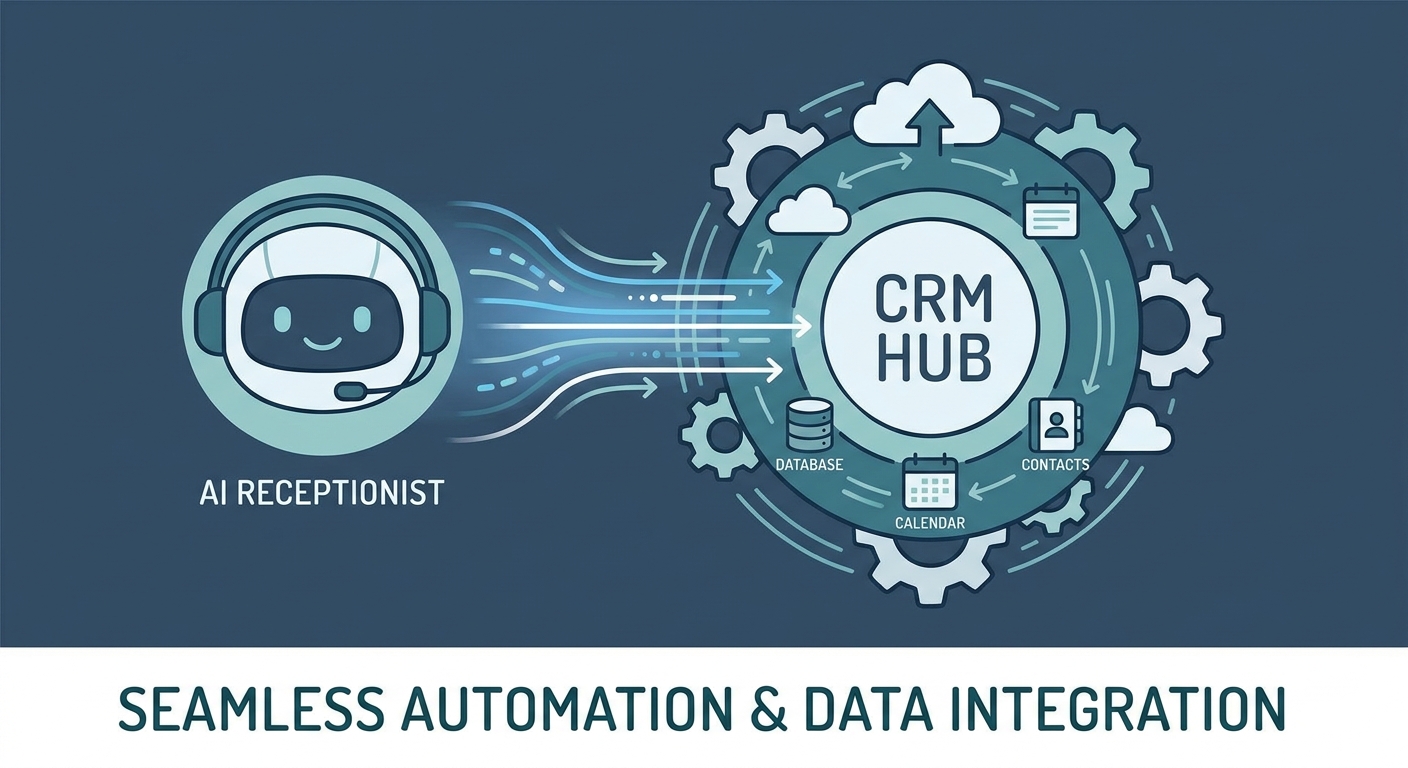
A CRM integration goes beyond simple logging. It bridges the gap between spoken language and structured CRM data. With Voksha, HubSpot and Salesforce connections are available on the Premium and Enterprise plans and are set up with Voksha support (see the connector directory).
When a caller interacts with an AI receptionist, the system performs a multi-stage process:
- Voice Input: The AI captures the raw audio in high fidelity.
- LLM Processing: The engine transcribes the conversation and extracts structured details such as intent, budget and timeline.
- Hand-off to the CRM: Through the connection configured during setup, this structured data is sent to your CRM.
- Your CRM Workflows: Your CRM can then run the workflows your team has defined in it, such as creating a new lead or a follow-up task.
The AI isn't just a passive observer; it captures what your sales team needs so they can act without manual data entry.
Why Automating Call Data Isn't Optional Anymore
The transition to automated call data is a fundamental shift in economic efficiency.
- 24/7 Lead Qualification: Human staff needs sleep, but your CRM is hungry for data around the clock. An AI receptionist can ask qualifying questions at any hour and route urgent callers to your team. See Voksha's lead qualification page for how this works.
- Zero-Manual-Entry: Manual data entry is the primary source of CRM rot. By capturing call details consistently, you reduce typos, missing fields, and human fatigue, providing a clean data set for your revenue operations team.
- Enhanced ROI: When you compare the cost of specialized AI agents against legacy human answering services, the math is undeniable. The scalability of digital agents allows you to handle massive spikes in call volume without linearly increasing your overhead, often costing a fraction of a full-time employee's fully loaded annual cost of roughly $54,300 (BLS Occupational Outlook Handbook, Receptionists plus BLS Employer Costs for Employee Compensation, ANALYSIS).
How "Agentic" Workflows Change Your Sales Game
CRM vendors are adding more automation of their own, so the CRM can act on new data rather than just store it.
When an AI receptionist captures that a prospect said, "I'm ready to move forward," that note reaches your team with the call summary, and any follow-up steps you have built in your CRM can take it from there. That shortens the gap between the first call and the next conversation.
Step-by-Step: Setting Up Your CRM Integration
Which CRM is Right for Your AI Strategy?
Choosing between HubSpot and Salesforce often comes down to your organizational complexity. For organizations prioritizing user experience and rapid deployment, HubSpot’s "Breeze" ecosystem offers a fluid, low-friction environment. For large-scale enterprises with complex, multi-layered data requirements, Salesforce provides a more robust, albeit technical, framework for managing high-volume, agentic workflows. Check each vendor's own documentation for the AI features in your plan.
How to Map Fields for Perfect Data Sync
To get the most out of your integration, you must define exactly how the AI’s observations translate into CRM data. Use this "Field Mapping Cheat Sheet" to ensure your sync is clean:
- Caller Name → Contact: First Name / Last Name
- Caller Phone/Email → Contact: Work Phone / Email
- Primary Intent → Deal: Notes / Description
- Next Action Required → Task: Follow-up Date / Priority Level
- Product Interest → Deal: Product Category
Talk to our team to see how these mappings would work for your setup.
Executing the Integration (HubSpot Focused)
Connecting your AI receptionist to HubSpot isn't a self-serve OAuth toggle: HubSpot is one of the platforms Voksha sets up with you rather than a connector you switch on yourself. Tell Voksha support which pipelines and fields you want, and the team configures the connection.
What Are the Common Pitfalls of AI-CRM Syncing?
Even with the best tools, implementation can fail if you ignore the basics of data hygiene.
- Duplicate Contacts: Ensure your sync tool uses a primary key, such as a phone number or email address, to match incoming calls to existing CRM records rather than creating a new record for every interaction.
- Industry Terminology: AI models need context. If you are in a niche industry—like medical or legal—you must train your AI with specific terminology to ensure the transcriptions and intent analysis remain accurate.
- Security and Compliance: Handling voice data calls for strong security. Ask your provider about encryption and certifications; Voksha is SOC 2 compliant and ISO 27001 compliant, and encrypts data with AES-256 at rest and TLS 1.2+ in transit. Decide up front which sensitive details should not be written to CRM records.
Related Voksha Resources
Frequently Asked Questions
Can an AI receptionist handle complex scheduling in my CRM?
Yes, on the Premium or Enterprise plan, once the integration is set up with Voksha support. On those plans Voksha reads availability and books appointments directly into Google Calendar, Microsoft Outlook, or Apple iCloud, which you connect yourself; syncing to your CRM's calendar tools, like HubSpot Meetings or Salesforce Scheduler, is configured as part of that support-assisted setup rather than a self-serve toggle.
Is it secure to sync voice data to Salesforce or HubSpot?
It can be, if the provider takes security seriously. Voksha is SOC 2 compliant and ISO 27001 compliant, and encrypts data with AES-256 at rest and TLS 1.2+ in transit. Check your CRM's own security settings as well.
What happens if the AI fails to understand a caller?
Good AI systems include smart call routing. If the AI encounters a query it cannot resolve or a complex scenario, it is programmed to immediately hand off the call to a live human agent or route the caller to a designated department, ensuring no lead is ever abandoned.
How long does the initial integration take to implement?
Integrations are part of the Premium and Enterprise plans, and setup time depends on the connector. Voksha's self-serve calendar connectors, Google Calendar, Microsoft Outlook, and Apple iCloud, can be completed in minutes with a sign-in. HubSpot and Salesforce are set up with Voksha support rather than a self-serve, no-code toggle, so field mapping and triggers are configured with the team.
Do I need a developer to map these data fields?
No. With Voksha, HubSpot and Salesforce field mapping is configured with Voksha support as part of setup, so you tell the team which fields you want and they handle the configuration.