On this page
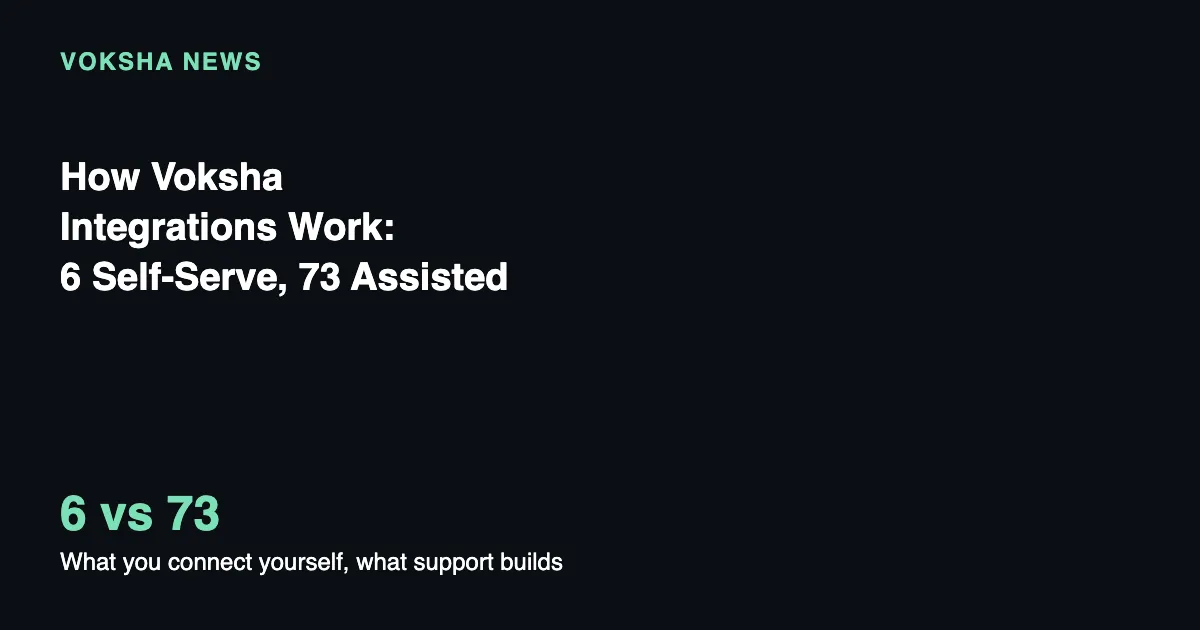
Voksha's integration list has two distinct tiers, and knowing which one a platform falls into changes what setting it up actually involves. Six connectors, all calendar or appointment-booking platforms, are turned on from the dashboard with your own credentials. The other 73 platforms on the list, everything from CRMs to legal, dental and home-services software, are set up with Voksha support instead. Either way, integrations come with the Premium and Enterprise plans; the Starter plan answers calls, captures caller details and follows your script, but has no integrations.
This is for any business scanning Voksha's integration directory and trying to figure out whether the platform they use is a five-minute dashboard task or a conversation with support.
Key Takeaways
- Integrations, self-serve or assisted, are included on the Premium and Enterprise plans, not on Starter.
- Six connectors are self-serve: Google Calendar, Microsoft Outlook, Apple iCloud, Mindbody, Square Appointments and Booker.
- The other 73 listed platforms, across every category from CRM to dental to home services, are support-assisted.
- For a support-assisted platform, press Connect on its card, then Contact support, and describe what a call should do.
- Every connector, self-serve or assisted, authenticates with your own account credentials, never a shared Voksha key.
- One connector books per agent. Connecting a second, including switching platforms, disconnects the first.
The Six You Connect Yourself
Every self-serve connector shares one trait: it is a diary your agent can read and write to directly. Google Calendar and Microsoft Outlook connect with a sign-in and no keys to copy. Apple iCloud uses an app-specific password instead, since Apple has no equivalent sign-in flow for this. Mindbody, Square Appointments and Booker are booking platforms rather than plain calendars, and each reads your actual services and staff before quoting a real available time (SOURCED, Voksha connectors overview). All six are set up in the same place: Dashboard, Agents, open the agent, Integrations.
They differ in what they can do once connected. Every one of the six books an appointment during the call. Square Appointments also reschedules and cancels from the dashboard. Mindbody cancels from the dashboard but needs support for rescheduling. Booker needs support for cancelling entirely, by design, since the docs note that a caller who sounds certain about which appointment they mean is sometimes wrong, with nobody on the call to double-check (SOURCED, Voksha Booker connector docs).
The 73 You Ask Support For
Everything else on Voksha's integration page, dozens of platforms across CRM, legal, dental, EHR, salon and spa, restaurant and POS, home services and more, is set up with support rather than connected yourself (SOURCED, Voksha connectors directory). That includes names as common as Salesforce, HubSpot, Clio, ServiceTitan, Toast and Vagaro. None of them have a self-serve toggle in the dashboard today.
Asking for one works the same way regardless of platform: press Connect on the platform's card, and a note opens with a Contact support button. If your tool isn't in the list at all, there is also a "Don't see your tool? Contact support" link beside the category dropdown. Either way, the docs are specific about what to bring to that conversation: tell support which platform you use and what it should do on a call, and support takes it from there.
What "Support Sets It Up" Actually Means
This is not a native or automatic integration in the way the six self-serve connectors are. Support builds the specific behavior you describe, for the specific platform and workflow you name. Two businesses on the same platform, say two law firms both using Clio, might end up with different configurations because they asked for different things: one wants every caller logged as a lead, the other wants only calls that pass a qualifying question. That flexibility is also why there is no single page describing exactly what "the Clio integration" does in the way this post can describe exactly what Square Appointments does. It depends on what you ask for.
Your Own Account, Every Time
Whether a connector is self-serve or support-assisted, it authenticates with your own credentials from your own account with that platform. Voksha never books through a shared key of its own (SOURCED, Voksha connectors overview). That has three practical consequences worth knowing. Your usage is metered on your own account, so another customer's busy day cannot slow your line down. You can revoke access from your own platform account at any time, without needing to ask Voksha. And one business having its access suspended cannot take down anyone else's, since each account stands alone.
That pattern, a scoped grant of access tied to one account rather than a shared master key, is the same one behind the sign-in flow Google Calendar and Microsoft Outlook use, where a business grants a specific, revocable scope like reading and editing calendar events rather than full account access (as described by Google's own OAuth 2.0 authentication overview, retrieved 2026-09-26). A receptionist or office manager checking a full inbound-call queue by hand has no equivalent revocation switch; a connector does.
One Connector Per Agent, Always
An agent can have exactly one connector booking at a time, self-serve or assisted. Connect a second and the first is disconnected automatically, with the displaced one recording a note explaining why and when (SOURCED, Voksha, one connector per agent). A business that genuinely needs two live diaries, for two locations or two lines, needs a second agent rather than trying to run two connectors on one.
What This Means for Small Businesses
Check the dashboard's Integrations tab first. If your platform is one of the six, you can be connected and booking within minutes using your own login or a key from your own account. If it's one of the other 73, plan for a support conversation and go in with a clear, specific ask rather than a vague "connect my CRM," since what gets built depends entirely on what you describe. Either way, nothing here is native or automatic in the sense of syncing on its own without configuration: the self-serve connectors need you to connect them, and the assisted ones need a conversation first.
The stakes are real regardless of which tier applies to your platform. The median receptionist earns $38,010 a year, per BLS's most recent data (SOURCED, BLS Occupational Outlook Handbook, Receptionists, retrieved 2026-09-26), a useful baseline for weighing the value of a call that reaches the right system against one that doesn't reach any system at all. Voksha's own post on integrating AI phone answering with a CRM (March 27, 2026) walks through what that handoff looks like in practice and is a useful next read before your own support conversation.
Frequently Asked Questions
How do I know which category my platform falls into?
Check Voksha's connectors directory. If it's not one of the six named self-serve connectors, it's support-assisted.
Can I switch from a support-assisted setup back to a calendar connector?
Yes, in the sense that connecting a calendar connector will disconnect whatever was previously booking for that agent, per the one-connector-per-agent rule. The support-assisted configuration itself isn't deleted, just no longer the one your agent uses to book.
Is there a cost difference between self-serve and support-assisted integrations?
The docs describing connectors do not state a separate integration fee for either category. Both kinds of integration need the Premium or Enterprise plan; Starter does not include integrations (Voksha pricing).
Sources
- Voksha connectors overview, retrieved 2026-09-27
- Voksha connectors directory, retrieved 2026-09-27
- Voksha Booker connector docs, retrieved 2026-09-27
- Voksha, one connector per agent, retrieved 2026-09-27
- Google OAuth 2.0 authentication overview, retrieved 2026-09-26
- BLS Occupational Outlook Handbook, Receptionists, retrieved 2026-09-26
- Voksha: How to Integrate AI Phone Answering With Your CRM in Minutes, published 2026-03-27
Published by the Voksha team. Voksha builds AI receptionists for small businesses.
See the full integration list on Voksha's integrations page.