

Booker
Connect Booker so your agent quotes real times and books the appointment while the caller is still on the phone.
Booker is Mindbody's other product, with its own accounts and its own API, which is why it is a connector of its own rather than a setting on the Mindbody one.
Where to find it
Dashboard → Agents → open the agent → Integrations → Booker.
What it does today, honestly
| Read your treatments and their lengths | Yes |
| Read which staff perform a treatment | Yes |
| Quote real open times | Yes |
| Book during the call | Yes |
| Cancel | Contact support |
Your agent quotes genuine availability from your Booker site, takes the caller's details, creates the customer record and books the appointment before the call ends. It appears in your Booker diary with its own booking number, exactly as if a receptionist had entered it.
A time offered is checked again before it is booked. A caller often spends a minute spelling a surname, and a walk-in can take that slot in the meantime. Voksha re-asks Booker the moment it books, so a caller hears "that time has just gone, how is the next one" rather than being promised something your diary will refuse.
Cancelling is yours, not the agent's
Your agent never cancels a Booker appointment by phone. Someone who sounds certain about which appointment they mean is often wrong about it, and there is nobody on the call to check.
Cancel from your Booker diary, where you can see what you are cancelling.
What you need
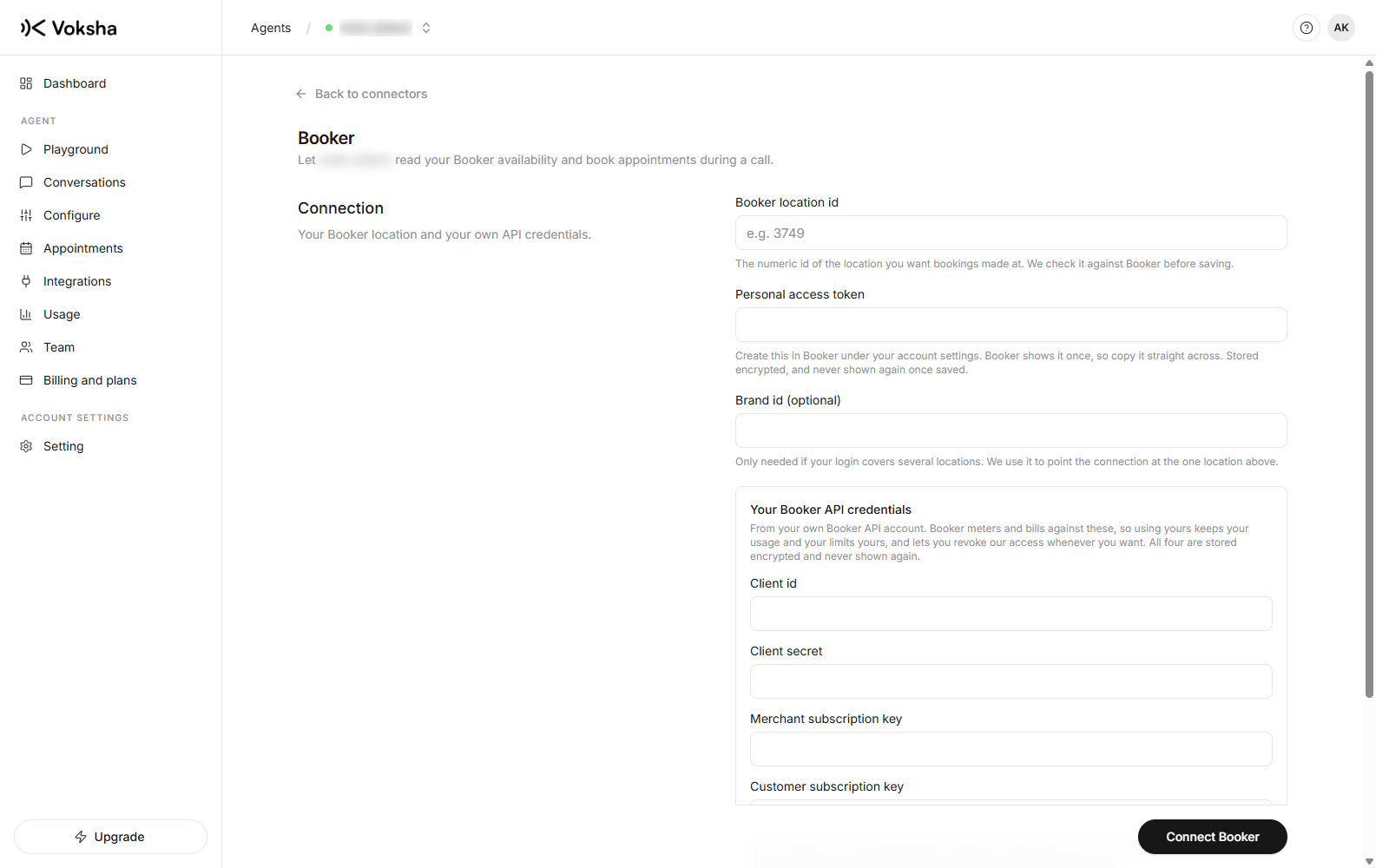
From your own Booker API account, which is what keeps your usage and your limits yours.
| What | Note | |
|---|---|---|
| 1 | Your location id | The numeric id of the location bookings should be made at |
| 2 | A personal access token | Created by hand in your Booker portal under Settings. Booker shows it once, so copy it straight across |
| 3 | Your client id and client secret | |
| 4 | Both subscription keys | One for the merchant API, one for the customer API |
| 5 | A brand id | Only if your login covers several locations |
The two subscription keys are not interchangeable
Availability and booking use the customer one.
Put a merchant key in the customer box and you get an agent that reads every service and never quotes a time, which is a confusing way to fail. The form says so, and Voksha checks the credentials against Booker before saving.
One detail that will save you a day
Booker has two online booking flags on every treatment, and they disagree. On the site we tested, 366 treatments allowed online booking and only 353 were verified visible in online booking. Availability for one of the other thirteen comes back empty for every date, forever.
Voksha only offers the verified ones, so your agent never names a treatment that can never have a time. If you expect to see a treatment and do not, check that flag in Booker first.