

Connectors
What Voksha can connect to today, what each one can do, and what a connector page tells you.
A connector is the diary your agent books into.
Where to find it
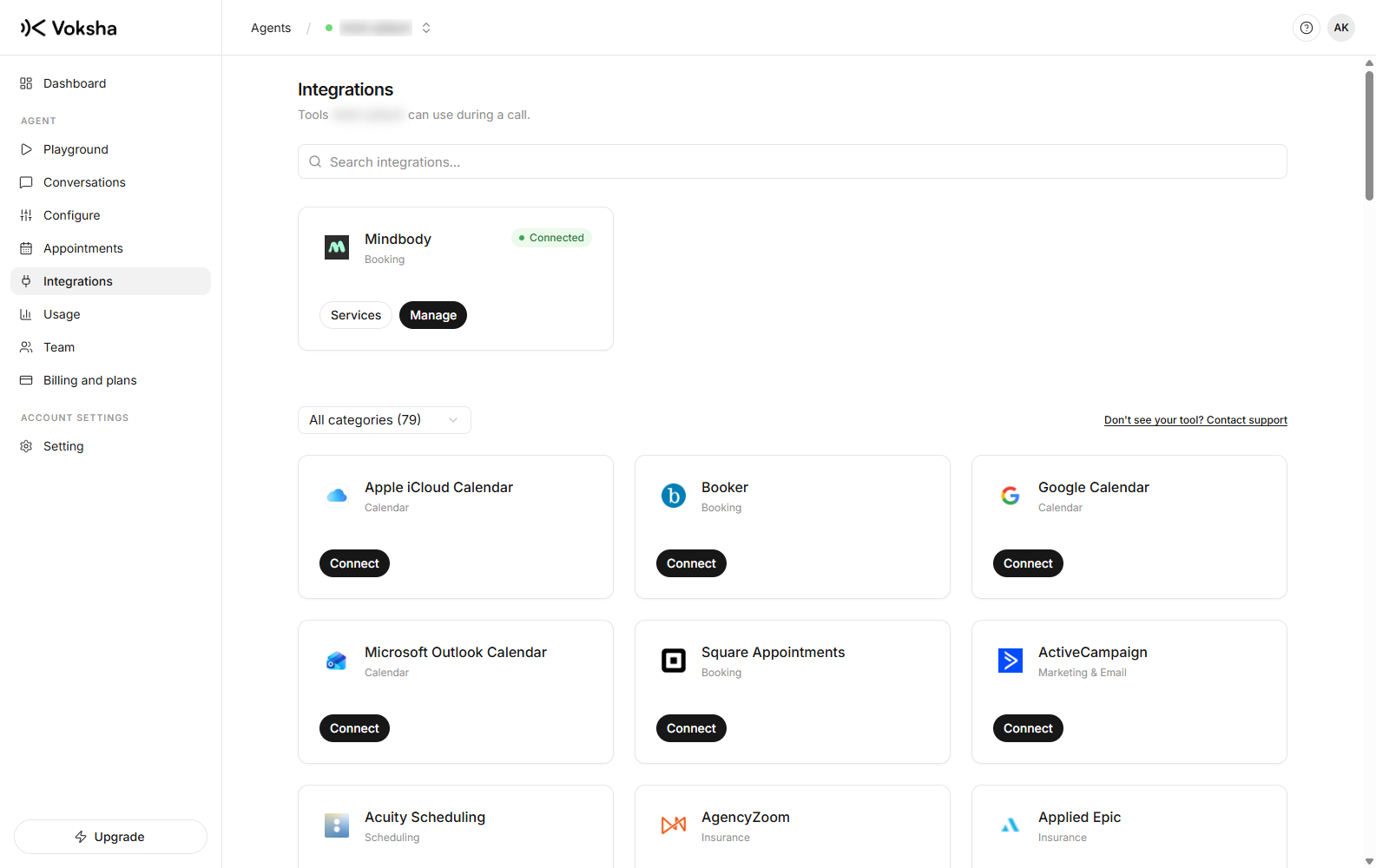
Dashboard → Agents → open the agent → Integrations. The page shows what your plan includes.
What is supported today
| Connector | Reads availability | Books on the call | Cancels from the dashboard |
|---|---|---|---|
| Google Calendar | Yes | Yes | Yes |
| Microsoft Outlook | Yes | Yes | Yes |
| Apple iCloud | Yes | Yes | Yes |
| Mindbody | Yes | Yes | Yes |
| Square Appointments | Yes | Yes | Yes |
| Booker | Yes | Yes | Contact support |
Everything else in the directory
Under those six, the page lists the rest of the directory: dozens more tools across booking, scheduling, CRM, marketing and insurance. Find one with the search box, or narrow the list with the All categories dropdown. See every platform we list for the full set.
For these, we set the integration up with you. Press Connect on the card and a short note opens with a Contact support button, which opens the support widget. Beside the category dropdown there is also a Don't see your tool? Contact support link, for anything you do not find in the list.
Tell us which platform you use and what it should do on a call, and support takes it from there.
Your own account, always
Every connector authenticates with your credentials, from your own account with that platform. Voksha never books through a shared key of its own.
| Consequence | Why it is in your favour |
|---|---|
| Your usage is yours | These platforms meter API use per account. Another customer's busy day cannot slow you down |
| You can revoke us | Remove the key or the app in your platform and our access ends immediately, without asking us |
| One suspension cannot take everyone down | Each business stands alone |
The cost is that you paste a key or approve a consent screen once during setup. Each connector page says exactly what it needs.
What "on Premium and Enterprise" means
A connector your plan does not include sits under Available on other plans, showing the plan that has it and an Upgrade button. Connecting it needs the plan. Asking about it does not.
Changing your mind
Disconnect on the connector's page. Your credentials are kept, not deleted, so reconnecting later is one click and you keep the history of when it stopped working. Your agent goes back to taking messages.