On this page
- What Is an Answering Service?
- Human vs. AI Answering Services: Quick Comparison
- The 10 Best Answering Services in 2026
- Comparison Table: All 10 Services at a Glance
- Best Answering Service by Industry
- How to Choose the Right Answering Service
- AI vs. Human: The Cost Comparison
- Common Mistakes to Avoid
- Related Voksha Resources
- Frequently Asked Questions
- Final Verdict: Which Answering Service Should You Choose?
A customer calls your business at 7 p.m. on a Friday.
Nobody answers.
They try your competitor. Someone picks up. Job booked.
That's not a rare scenario it's happening to thousands of small businesses every week. Businesses answer just 37.8% of inbound calls on average (After-Hours Economy Report, retrieved 2026-09-25), and about 62% of callers who do not get through call a competitor instead.
An answering service fixes that gap. This guide covers the 10 best options in 2026 including AI-only, live human, and hybrid services with honest pricing, strengths, and the specific businesses each one fits best.
What Is an Answering Service?
An answering service handles your incoming calls when you or your team can't. Instead of going to voicemail, callers reach a live person or a conversational AI that can take messages, answer common questions, book appointments, and qualify leads.
There are three main types:
Live answering services Real human agents answer every call on your behalf, usually billed per minute
AI answering services Voice AI handles calls automatically, typically on a monthly plan with included calls or minutes
Hybrid services AI handles routine calls; complex ones escalate to a live person
Each model has legitimate tradeoffs in cost, consistency, and caller experience.
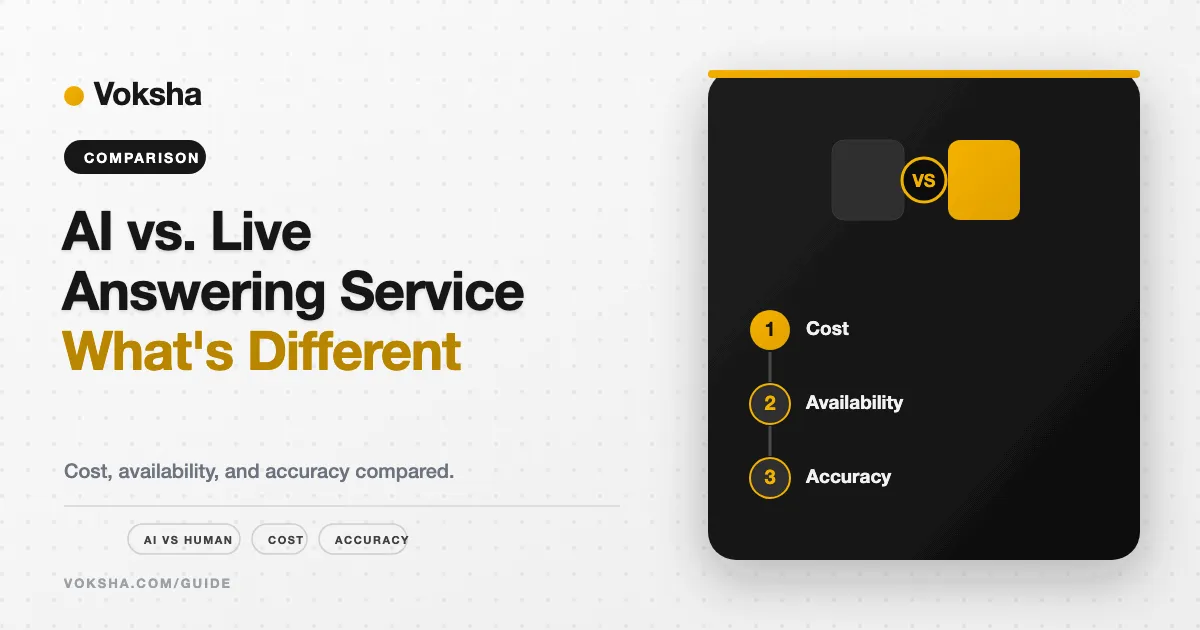
Human vs. AI Answering Services: Quick Comparison
| AI Answering | Live Human Answering | |
|---|---|---|
| Availability | 24/7 with zero variation | 24/7, but overnight quality may vary |
| Pricing model | Monthly plan with included calls or minutes, then overage | Per-minute (costs scale with call volume) |
| Speed | Picks up instantly | Pickup time varies by service |
| Consistency | Identical on every call | High, but human variation exists |
| Empathy | Limited on complex/emotional calls | Strong humans adapt in real time |
| Scalability | Low cost per extra call | Cost grows with every additional call |
| Multilingual support | Multiple languages (varies by platform and plan) | English + Spanish (most live services) |
| Best for | Routine, high-volume call types | Emotionally sensitive or complex calls |
| Starting price | $0 (Smith.ai free AI tier) to $49/month (Rosie); Voksha from $14/month | $49/month (PATLive pay-as-you-go) to $350/month (AnswerConnect) |
Prices checked September 2026.
AI answering services typically cost less than live-agent services and are available 24/7 with zero hold times.
The 10 Best Answering Services in 2026
1. Voksha
Type: AI | Best For: Small businesses wanting predictable per-call pricing and 24/7 AI call answering
Voksha is an AI-powered receptionist built specifically for small businesses. You train it on your business details services, hours, FAQs and it handles calls automatically from that point forward.
Key features: 24/7 AI call answering, lead capture, call summaries after every conversation, appointment booking on Premium and Enterprise, English on Starter, two languages on Premium, and more on Enterprise, fast self-serve setup
Pros:
Per-call pricing, no per-minute billing, with overage alerts at 75% and 90% of your plan
Consistent caller experience at any hour
Handles most routine call types cleanly (FAQs, lead capture, and bookings on Premium)
Live in under 5 minutes by forwarding your existing number
Cons:
Newer platform shorter public track record than established live services
AI has limits with emotionally complex or highly nuanced calls
Pricing: Starter $14/month (15 calls, then $1/call), Premium $99/month (150 calls, then $1/call), Enterprise from $990/month. See voksha.com/pricing.
Best industries: HVAC, dental/medical, real estate, law firms, cleaning services, contractors
Rating: -
2. Smith.ai
Type: AI + hybrid | Best For: Professional services needing AI handling with optional human backup
Smith.ai blends AI call handling with access to US-based human receptionists for complex calls. It's particularly well-regarded in legal and professional services.
Key features: AI Receptionist plan with per-call pricing, live human option for escalation, CRM integrations, call recording, bilingual support
Pros: Strong reputation for quality, human backup available, solid integrations with legal-specific tools
Cons: Per-call billing with overage charges; more expensive than pure-AI competitors
Pricing: AI Receptionist plans start free ($0/month for 25 calls), with paid tiers from $150/month for 75 calls (prices checked September 2026; see Smith.ai pricing).
Rating: -
3. Ruby Receptionist
Type: Live human | Best For: High-touch businesses where caller experience is part of the brand
Ruby has evolved into a broader customer experience platform that unifies voice and digital communication channels.
Key features: 24/7 live US-based receptionists, bilingual answering, appointment scheduling, HIPAA compliance, integrations with Clio, Zapier, Grasshopper
Pros: Excellent call quality, long track record, strong fit for law firms and medical practices, handles nuanced conversations naturally
Cons: Per-minute billing means overage rates vary by plan tier, reported at roughly $4.00 to $5.40 per additional minute beyond the monthly limit. Costs rise quickly at higher call volumes.
Pricing: Plans start at $250/month for 50 minutes (prices checked September 2026; see Ruby pricing).
Rating: -
4. AnswerConnect
Type: Live human | Best For: Tech-forward businesses needing CRM integration and 24/7 coverage
AnswerConnect emphasizes its 100% remote workforce and environmental sustainability, offering 24/7 live answering with strong integrations into popular CRM and helpdesk tools.
Key features: 24/7 live answering, Salesforce/HubSpot/Zoho integrations, appointment scheduling, bilingual support, mobile app
Pros: Strong CRM integration options, reliable 24/7 coverage, remote workforce reduces overhead costs passed to customer
Cons: Higher entry price than most live services listed here.
Pricing: Tiered plans starting at $350/month (plus a $49.99 setup fee) for 200 minutes, with overage at $2.50/minute beyond plan limits (prices checked September 2026; see AnswerConnect pricing).
Rating: -
5. PATLive
Type: Live human | Best For: Businesses needing advanced call scripting and order processing
PATLive serves businesses with high-quality answering services. Their agents handle everything from standard message-taking to complex appointment scheduling and order processing.
Key features: 24/7 live answering, advanced call scripting, order processing, appointment scheduling, mobile app
Pros: Long track record, handles complex call flows, low pay-as-you-go entry plan
Cons: Per-minute billing with overage charges; taxes and fees are billed on top.
Pricing: $49/month pay-as-you-go at $2.99/minute, or $99/month for 50 minutes with overage at $2.29/minute (prices checked September 2026; see PATLive pricing).
Rating: -
6. AnswerForce
Type: Live human | Best For: Home service businesses (HVAC, plumbing, roofing, electrical)
AnswerForce is dedicated specifically to growing the service industry, offering call and chat answering, appointment scheduling, and lead capture for home service trades.
Key features: 24/7 live answering, bilingual support, appointment booking, lead qualification, integrations with field service software
Pros: Industry-specific training for trades businesses. Strong fit for HVAC and home services.
Cons: Less versatile for businesses outside the home services niche. Pricing requires a quote.
Pricing: Pricing not published; quote-based.
Rating: -
7. MAP Communications
Type: Live human | Best For: Small businesses and startups that need budget-friendly, basic live answering
MAP Communications offers straightforward live answering aimed at businesses just getting started with an answering service.
Key features: 24/7 live answering, message taking, call routing, basic appointment scheduling, bilingual support
Pros: Simple plans, US-based agents
Cons: Fewer advanced features and integrations than premium providers. Less industry-specific training.
Pricing: Pricing not published.
Rating: -
8. VoiceNation
Type: Live human | Best For: Small businesses that want 24/7 live answering with fast, same-day setup
VoiceNation provides 100% US-based agents and 24/7 service.
Key features: 24/7 live answering, same-day activation, custom call scripts, bilingual operators, mobile app, data reporting
Pros: Fast activation, no setup fees, no long-term contracts required
Cons: More basic feature set than premium providers. Less industry specialization.
Pricing: Live answering from $165/month for 50 minutes; AI answering from $69/month for 25 calls (prices checked September 2026; see VoiceNation pricing).
Rating: -
9. Abby Connect
Type: Live human | Best For: Businesses that want a highly personalized, dedicated receptionist team
Abby Connect assigns a small, dedicated team of receptionists to each client account meaning the same people answer your calls repeatedly and get to know your business deeply over time.
Key features: Dedicated receptionist teams, 24/7 live answering, appointment scheduling, call screening, bilingual support, AI call intelligence features
Pros: High-quality caller experience, dedicated team model reduces inconsistency, strong reputation in professional services
Cons: More expensive than non-dedicated live services. Less suitable for very high call volumes.
Pricing: Plans start at $165/month for 50 Abby Minutes (prices checked September 2026; see Abby Connect pricing).
Rating: -
10. Rosie AI
Type: AI | Best For: Home service contractors that want a simple, self-configured AI receptionist
Rosie is a budget-friendly AI receptionist built around easy self-configuration for home service trades. Business owners set up call flows themselves, making it fast to launch without vendor involvement.
Key features: 24/7 AI answering, owner-configured scripts, message taking, appointment booking, bilingual support
Pros: Simple setup, affordable entry price, solid fit for contractors and field service businesses
Cons: Per-minute billing; going over your minutes reportedly moves you to a higher plan.
Pricing: $49/month for 250 minutes (prices checked September 2026; see Rosie pricing).
Rating: -
Comparison Table: All 10 Services at a Glance
| Provider | Type | AI | Live | 24/7 | Appt Booking | CRM Integration | Trial or guarantee | Starting Price | Rating |
|---|---|---|---|---|---|---|---|---|---|
| Voksha | AI | Yes | No | Yes | Premium and Enterprise | Premium and Enterprise, set up with Voksha support | Free demo call + 7-day money-back guarantee | from $14/mo (15 calls, then $1/call) | - |
| Smith.ai | Hybrid | Yes | Yes | Yes | Yes | Yes | Free AI tier (25 calls) | $0 to $150/mo | - |
| Ruby | Live human | No | Yes | Yes | Yes | Yes | Check site | $250/mo | - |
| AnswerConnect | Live human | No | Yes | Yes | Yes | Yes | Check site | $350/mo + $49.99 setup | - |
| PATLive | Live human | No | Yes | Yes | Yes | Yes | Check site | $49/mo pay-as-you-go; $99/mo for 50 minutes | - |
| AnswerForce | Live human | No | Yes | Yes | Yes | Yes | Check site | Pricing not published | - |
| MAP Communications | Live human | No | Yes | Yes | Basic | Limited | Check site | Pricing not published | - |
| VoiceNation | Live human | No | Yes | Yes | Yes | Limited | Check site | $165/mo for 50 live minutes; AI from $69/mo | - |
| Abby Connect | Live human | No | Yes | Yes | Yes | Yes | Check site | $165/mo | - |
| Rosie AI | AI | Yes | No | Yes | Yes | Limited | Check site | $49/mo for 250 minutes | - |
Competitor prices are from Voksha's pricing comparison pages, prices checked September 2026. Verify current rates with each provider before purchasing.
Best Answering Service by Industry
Law firms: Ruby or Smith.ai both offer HIPAA-adjacent sensitivity, strong intake handling, and professional caller experience
Medical and dental clinics: Ruby (HIPAA compliant, live handling), Voksha (HIPAA compliance with BAAs, GDPR and CCPA compliance, and a 99.9% uptime SLA on the Enterprise plan only)
HVAC / plumbing / electrical: AnswerForce (built specifically for home services), Voksha or Rosie AI for budget-conscious contractors
Real estate: Voksha or Smith.ai 24/7 coverage for after-hours buyer and seller inquiries
Marketing agencies and startups: Voksha or Rosie AI published plan pricing keeps costs predictable as the business grows
Restaurants: Voksha or VoiceNation fast setup, handles reservation and hours calls cleanly
E-commerce: AnswerConnect strong CRM integration for order-related calls and customer service workflows
How to Choose the Right Answering Service
1. Estimate your real call volume. Per-minute human billing can be competitive at very low volume. As volume grows, AI plans billed per call or in larger bundles usually cost less.
2. Decide what types of calls you get. Routine and predictable? AI handles these well. Emotionally charged or highly nuanced? A trained human has an edge.
3. Check your must-have integrations. If your business runs on a specific CRM, calendar, or scheduling tool, confirm how the integration works (a self-serve connector or a vendor-assisted setup) before signing up.
4. Call the demo line. Hearing the actual AI or human experience from a caller's perspective tells you more than any feature list.
5. Read the fine print on overages. Setup charges, after-hours surcharges, and overage rates can significantly increase your actual monthly cost beyond the advertised starting price.
6. Check compliance requirements. Medical and legal businesses need to confirm HIPAA compliance and request a signed Business Associate Agreement before sending protected calls through any platform. Voksha's HIPAA compliance with BAAs is on the Enterprise plan only. Confirm your obligations with your own counsel.
7. Start month-to-month. Most providers offer monthly contracts. Use that flexibility to test before committing long-term.
AI vs. Human: The Cost Comparison
| Option | Monthly Cost | Annual Cost |
|---|---|---|
| Full-time in-house receptionist | ~$4,525 (fully loaded salary + benefits) | $54,300 (BLS Occupational Outlook Handbook plus BLS Employer Costs for Employee Compensation, ANALYSIS) |
| Premium live answering service (Ruby, Abby) | Entry plans from $165–$250/mo | From $1,980–$3,000 |
| Mid-range live service (AnswerConnect, PATLive) | Entry plans from $99–$350/mo (PATLive 50 minutes; AnswerConnect 200 minutes) | From $1,188–$4,200 |
| AI receptionist (Voksha, Rosie) | Voksha $14–$99/mo plus $1 per call over the plan; Rosie from $49/mo | Voksha $168–$1,188 before overage; Rosie from $588 |
Entry prices only, prices checked September 2026; higher call volumes cost more on every service. Annual figures are monthly × 12, ANALYSIS.
At 50, 100 and 200 three-minute calls a month, the AI plans from Voksha, Rosie and Smith.ai on Voksha's pricing comparison pages cost less than the human plans from Ruby, PATLive, AnswerConnect, VoiceNation and Abby Connect at every volume shown (prices checked September 2026, ANALYSIS). Human services are most competitive at very low volumes, such as PATLive's $49 pay-as-you-go plan for occasional calls.
Common Mistakes to Avoid
Choosing only by the starting price. Per-minute plans and overages add up. At 50 three-minute calls a month, PATLive's cheapest fit works out to about $293.50, against a $99 entry price (PATLive pricing, prices checked September 2026, ANALYSIS).
Skipping the demo call. Always call the service as a test customer before committing. The difference between a natural AI voice and a robotic one is only obvious when you actually call.
Ignoring integrations. A service that doesn't connect to your calendar or CRM creates extra manual work and defeats the purpose of automating your phone.
Not checking after-hours quality. Some live services have lower-quality staffing during overnight and weekend shifts. Ask specifically about their after-hours coverage model.
Locking into a long-term contract too early. Start month-to-month and confirm the service handles your specific call types well before signing anything annual.
Related Voksha Resources
- Answering service for small business
- Small business virtual receptionist
- 10 Best AI Receptionist Software for Small Businesses in 2026
- How to Set Up an AI Receptionist for Small Business: The 2026 Setup Guide
Frequently Asked Questions
What is the best answering service in 2026? There isn't one universal winner. For small businesses wanting low-cost AI coverage, Voksha and Rosie AI are strong budget-friendly options. For businesses needing live human receptionists, Ruby and Smith.ai lead in quality and track record. For home service trades, AnswerForce is purpose-built for that use case. The best fit depends on your call type, volume, and budget not just brand recognition.
How much do answering services cost? Of the services priced here, AI plans start at $0 (Smith.ai's free tier, 25 calls), $14/month (Voksha Starter, 15 calls, then $1/call) and $49/month (Rosie). Live services start at $49 to $350/month, with overage of roughly $1.67 to $5.40 per minute depending on provider and plan (prices checked September 2026). AI services usually cost significantly less at the same call volume.
Are AI answering services worth it? For most routine small business calls appointment requests, FAQs, lead capture yes. According to Voksha's analysis of more than 1,000,000 calls, AI receptionists resolve 85% of calls without human escalation (Voksha Call Intelligence Report, retrieved 2026-09-25). For emotionally complex or highly nuanced calls, human handling still has an advantage.
Can AI replace human receptionists entirely? For most routine call types, AI now handles the job reliably. But for businesses where calls often involve distressed callers, complex legal or medical intake, or situations requiring real judgment, a human remains more effective. Most businesses are best served by AI for the majority of calls, with a human option available for exceptions.
Which answering service is best for small businesses? For budget-focused small businesses with predictable call types, Voksha (AI, from $14/month for 15 calls, then $1/call) and VoiceNation (live from $165/month for 50 minutes; AI answering from $69/month) offer strong value. For small businesses in professional services where caller quality matters most, Ruby or Abby Connect deliver a more premium live experience.
Can answering services schedule appointments? Yes. Most modern answering services both AI and live offer appointment scheduling as a standard or add-on feature. They connect with common calendar tools like Google Calendar, Calendly, and industry-specific platforms to book, confirm, and reschedule appointments in real time.
Which answering services work 24/7? All 10 services listed in this guide offer 24/7 coverage. AI services (Voksha, Rosie) are inherently 24/7 with no quality variation between daytime and overnight. Live services like Ruby, PATLive, and AnswerConnect also offer round-the-clock coverage, though overnight staffing quality can vary by provider.
Can answering services integrate with CRMs? Most can. Platforms like Smith.ai, Ruby (via Zapier), and AnswerConnect offer integrations with Salesforce, HubSpot, Zoho, Clio, and other popular tools. AI-first platforms vary in integration depth. On the Premium and Enterprise plans, Voksha connects to calendars and booking tools from the dashboard, and CRMs such as HubSpot or Salesforce are set up with Voksha support. Confirm compatibility with your specific tools before purchasing.
What industries benefit most from answering services? The industries that rely on answering services most heavily include medical and dental practices, legal firms, home services (HVAC, plumbing, electrical), real estate, e-commerce, and financial services essentially any service-based business where a missed call directly means a missed customer.
How secure are answering services? Reputable providers use encrypted call handling and can sign Business Associate Agreements (BAA) for healthcare compliance. For HIPAA-regulated businesses, always confirm the specific provider is HIPAA-compliant and will sign a BAA before routing any protected health information through the service. Voksha's HIPAA compliance with BAAs is on the Enterprise plan only. Confirm your obligations with your own counsel.
Final Verdict: Which Answering Service Should You Choose?
Choose Voksha if you run a small service business (HVAC, legal, real estate, dental) and want 24/7 AI call answering at a predictable published price ($14 or $99 a month, then $1 per call) without per-minute billing.
Choose Smith.ai if you want strong AI call handling with a human backup option available for complex calls, and your budget allows for a mid-range per-call pricing model.
Choose Ruby if you're in law, healthcare, or a high-touch field where the quality of a caller's first impression carries real weight and you can budget for a premium monthly live service.
Choose AnswerConnect if your business depends on CRM data flowing directly from inbound calls, and you want strong integration with platforms like Salesforce or HubSpot.
Choose PATLive if you want a proven live service with complex call scripting and order processing capabilities.
Choose AnswerForce if you run an HVAC, plumbing, roofing, or electrical business and want a live service built specifically around home service trade workflows.
Choose VoiceNation if you want live human answering with same-day activation and no long-term contracts at a budget-friendly starting price.
The honest advice: match the tool to your actual call types. A busy contractor missing 20 calls a week needs different coverage than a law firm handling sensitive client intake. Start with a monthly plan, test it live, and upgrade only once you're sure it fits.