On this page
- Why Missed Calls Are Costing You More Than You Think
- Why AI Receptionists Are Suddenly Everywhere
- What Is AI Receptionist Software?
- How Does AI Receptionist Software Actually Work?
- Benefits of AI Receptionists for Small Businesses
- How Much Does AI Receptionist Software Cost?
- Who Should Use an AI Receptionist?
- How to Choose an AI Receptionist (Quick Preview)
- 10 Best AI Receptionist Software for Small Businesses in 2026
- Comparison Table
- How to Choose the Right AI Receptionist
- Common Mistakes to Avoid Before Buying AI Receptionist Software
- Frequently Asked Questions
- Final Thoughts
Your phone rang six times yesterday. You were elbow-deep in a job, mid-consult with a client, or just stepping out for lunch. By the time you checked your missed calls, two of them had already booked with someone else.
That's the quiet cost most small businesses never measure. A missed call rarely just disappears: it usually shows up later as a competitor's new customer.
This is exactly why AI receptionist software has gone from a novelty to a normal business tool in the last two years. It picks up the phone when you can't, talks to your caller like a real person, and gets the job done (booking an appointment, capturing a lead, or answering a simple question) without you lifting a finger.
In this guide, we'll walk through how AI receptionists work, what they cost, and which ones are genuinely worth your money in 2026. No fluff and no sponsored rankings. One disclosure: Voksha builds AI receptionists for small businesses and is listed below, so we are not a neutral reviewer.
Why Missed Calls Are Costing You More Than You Think
Here's something most owners don't realize: most callers who hit voicemail simply hang up. They don't leave a message. They just call the next business on the list.
That means every unanswered call is a small leak in your revenue. One leak doesn't sink the ship. But add them up over a month, and you're looking at real money walking out the door.
A few reasons calls go unanswered in small businesses:
You're with another customer and can't grab the phone
It's after hours, weekends, or a holiday
Your team is short-staffed
Calls come in faster than anyone can manage
Hiring a full-time receptionist helps, but it's expensive: salary, benefits, training, and sick days all add up. That's the gap AI receptionists were built to fill.
Why AI Receptionists Are Suddenly Everywhere
A few years ago, "AI phone system" usually meant a clunky robotic menu: press 1 for sales, press 2 for support. Nobody enjoyed talking to those.
Today's AI receptionists are different. They use natural-sounding voice technology and language models that can hold an actual conversation, understand context, and respond the way a trained human would.
Add to that the rising cost of labor, the always-on expectations of customers, and improvements in voice AI quality, and it's easy to see why more small businesses are adopting this technology.
What Is AI Receptionist Software?
An AI receptionist is software that answers your business phone calls automatically using artificial intelligence instead of a human or a basic voicemail system.
LogicBalls' roundup of AI receptionist software that understands what callers want also features Voksha, highlighting how it handles callers who ramble or change topics mid-call (LogicBalls: Top 5 AI Receptionist Software).
Instead of reading from a rigid script, it listens to what the caller says, understands their intent, and responds naturally - much like a trained employee would.
Most AI receptionists today can:
Answer calls 24/7, including nights, weekends, and holidays
Book and reschedule appointments directly on your calendar
Capture caller details and qualify leads
Answer frequently asked questions about your business
Transfer urgent calls to a real person
Send call summaries or transcripts after each conversation
How Does AI Receptionist Software Actually Work?
It sounds complicated, but the setup is usually simple.
You forward your business number to the AI receptionist platform, or get a new number from them.
You train the AI with details about your business - hours, services, pricing, FAQs - often just by uploading a document or filling out a short form.
The AI answers incoming calls using natural-sounding voice technology.
It takes action, like checking your calendar for open slots or noting down a caller's contact information.
You get a summary, usually by email, text, or dashboard, so you know exactly what happened on every call.
Most platforms let you go live within a day, sometimes within an hour.
Benefits of AI Receptionists for Small Businesses
You stop losing leads to voicemail. Every call gets answered, even at 2 a.m.
It's far cheaper than hiring. The median receptionist salary is $38,010 a year (BLS Occupational Outlook Handbook, Receptionists, retrieved 2026-09-25); once benefits and payroll taxes are added (about 30% more, per BLS Employer Costs for Employee Compensation, retrieved 2026-09-25), the fully loaded cost runs closer to $54,300 a year (ANALYSIS). Most AI receptionist plans run a tiny fraction of that.
It scales without extra hiring. Whether you get 20 calls or 200 calls in a busy week, the AI doesn't get overwhelmed.
Your team stops getting interrupted. Staff can focus on the customer in front of them instead of running to grab the phone.
You get a paper trail. Call summaries and transcripts make it easy to follow up and spot patterns in what customers are asking.
How Much Does AI Receptionist Software Cost?
Pricing varies more than people expect, and the "starting price" advertised on a homepage isn't always the full story. In general, you'll see four pricing models:
Flat-rate, unlimited calls - one predictable monthly fee
Per-minute - you pay based on total call time, with overage charges if you go over
Per-call - you pay per answered call instead of by duration
Unique caller caps - unlimited minutes, but capped by how many different people call in
Based on the published prices of providers compared in this guide (prices checked September 2026), entry-level AI-only plans start around $14–$49 a month, mid-range AI plans sit around $99–$299 a month, and live-human or hybrid services start around $165–$300 a month and climb quickly with volume (ANALYSIS). Pricing on every platform changes often, so always confirm current rates before signing up, or see Voksha's pricing comparison for a side-by-side breakdown.
Who Should Use an AI Receptionist?
AI receptionists work especially well for:
Clinics and dental offices that need appointment booking and after-hours triage
Law firms that can't afford to miss a potential client's first call
Real estate agents fielding buyer inquiries on evenings and weekends
Contractors and home service businesses (HVAC, plumbing, electrical) juggling jobs and calls at the same time
Restaurants managing reservation calls during the dinner rush
Agencies and startups that don't have budget for a full front-desk team
Any small business that regularly misses calls during busy hours, see Voksha's guide for small businesses for specifics
How to Choose an AI Receptionist (Quick Preview)
Before we get into the tools, keep these in mind: your call volume, your budget, the integrations you actually need, and how natural the AI sounds on a live call. We'll go deeper into this in the buying guide below.
Deepak Gupta's 2026 comparison of five AI receptionist services for small businesses names Voksha the best overall value (guptadeepak.com: 5 AI Receptionist Services Compared).
10 Best AI Receptionist Software for Small Businesses in 2026
We looked at pricing structure, call handling quality, integrations, and who each tool actually fits best, not just brand popularity. Competitor prices below were checked in September 2026; where a vendor does not publish prices, we say so. Always double-check current pricing since plans change frequently.
1. Voksha
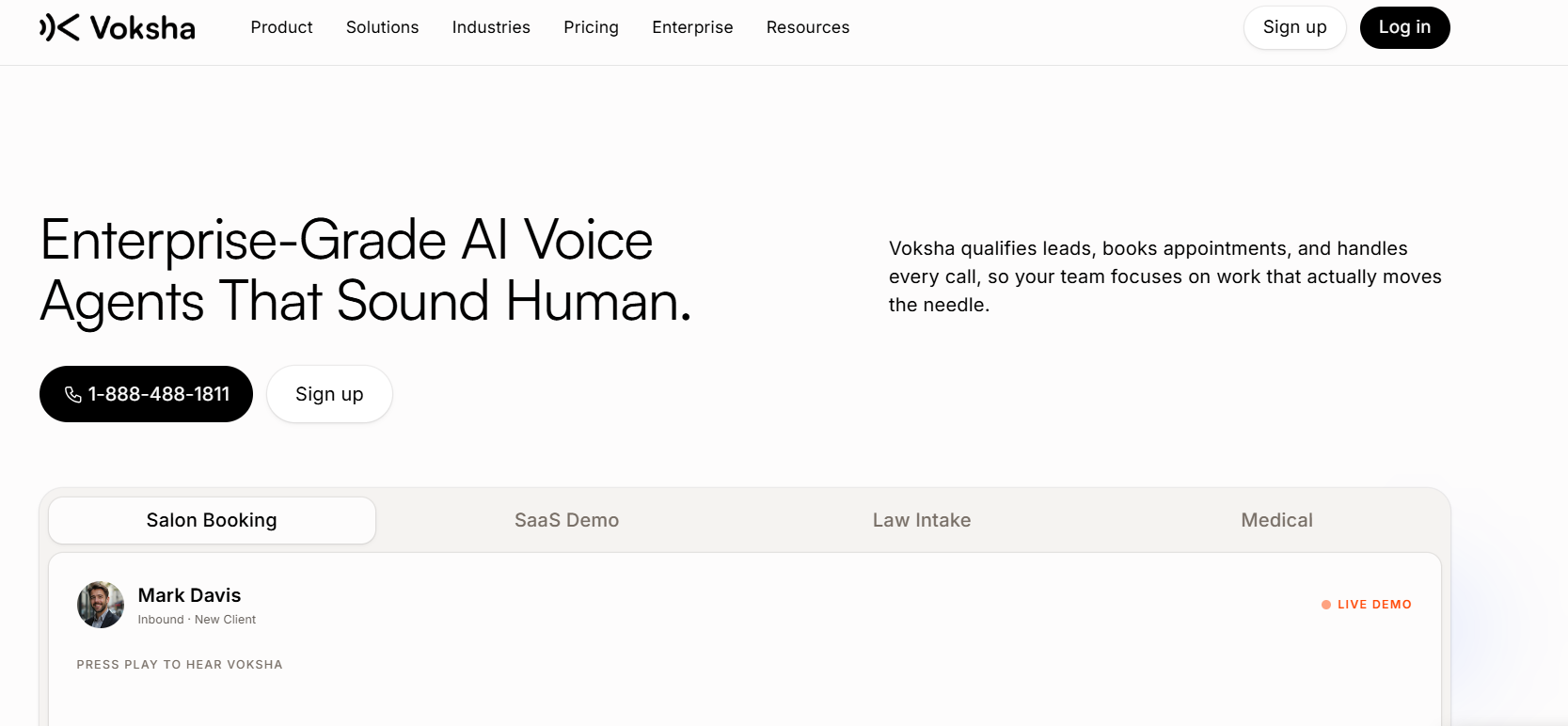
Overview: Voksha is an AI receptionist built specifically for small businesses that want predictable, per-call pricing with no per-minute meter. Every plan answers every call, captures leads and follows your call script, and the Premium plan adds appointment booking and integrations. You configure it with your own business details, hours and FAQs.
Best for: Small businesses that want simple per-call pricing and a fast setup without per-minute billing anxiety.
Key features:
24/7 AI call answering
Appointment booking during the call into Google Calendar, Microsoft Outlook, Apple iCloud, Mindbody, Square Appointments or Booker (Premium and Enterprise)
Lead capture and qualification
Smart call routing to a human when it matters
Live in under 5 minutes by forwarding your existing number
Call summaries delivered after every conversation
Pros:
Simple per-call pricing with no per-minute meter, plus overage alerts at 75% and 90% of your plan
Genuinely easy and fast to set up
Solid fit for businesses that just want reliable, no-frills call handling
Affordable entry point for very small teams
Cons:
Feature depth (advanced analytics, complex multi-step workflows) is narrower than premium platforms like Smith.ai
Newer brand with a smaller long-term track record than legacy players
Pricing: Starter is $14/month (15 calls, then $1/call), Premium is $99/month (150 calls, then $1/call), and Enterprise starts from $990/month. Month-to-month, no setup fee, with a free demo call and a 7-day money-back guarantee.
Who should use it: Budget-conscious small businesses, especially solo practitioners, local service businesses, and small clinics who want predictable costs and don't need an enterprise-grade feature set.
Rating: -
2. Smith.ai
Overview: Smith.ai is one of the most established names in this space, known for blending AI call handling with optional live human receptionists for complex calls. It's especially popular with law firms and professional services that need a human touch on sensitive conversations.
Best for: Businesses that want AI for routine calls but human backup for complex or high-stakes ones.
Key features:
AI Receptionist plan with per-call pricing
Optional live human receptionists for escalation
CRM integrations (including legal-specific tools)
Call recording and transcription
Bilingual (English/Spanish) support available
Pros:
Strong reputation, especially in legal and professional services
Genuine human backup option for complex calls
Solid CRM and intake-form integrations
Cons:
Per-call pricing with overage fees can get expensive at higher volumes
More expensive than most pure-AI competitors
Pricing: The AI Receptionist plan starts free for 25 calls a month (then $3.00 per call), with the Pro tier from $150/month for 75 calls. Human receptionist plans start at $300/month for 30 calls (prices checked September 2026; see the Smith.ai pricing breakdown).
Who should use it: Law firms, healthcare practices, and professional service businesses where some calls genuinely need a real person and where budget allows for a premium hybrid service.
Rating: -
3. RingCentral AIR
Overview: RingCentral AIR is the AI receptionist add-on built into RingCentral's broader business phone system. It's the natural pick for companies already using RingCentral for calls, messaging, and team collaboration.
Best for: Businesses already on the RingCentral phone platform that want AI answering without adopting a separate tool.
Key features:
Native integration with RingCentral's phone and messaging system
Multi-language support
Intelligent call routing based on caller intent
CRM integrations including Salesforce and HubSpot
Pros:
Easy fit if you're already a RingCentral customer
Enterprise-grade routing and integration options
No need to stitch together separate phone and AI tools
Cons:
Not a standalone product: requires a RingCentral phone plan
Less flexible and harder to customize than dedicated AI-first platforms
Overkill (and likely costlier) for a very small, simple operation
Pricing: Pricing is bundled with RingCentral phone plans and varies based on your existing subscription. Pricing not published as a standalone figure; contact RingCentral for current rates.
Who should use it: Growing businesses or small enterprises that already rely on RingCentral and want to add AI answering without switching phone systems.
Rating: -
4. Dialzara
Overview: Dialzara is one of the most budget-friendly AI receptionists on the market, built around a simple, self-serve setup that uploads your business documents to train the agent in minutes.
Best for: Solopreneurs and very small businesses that want the lowest possible entry price.
Key features:
Self-serve setup (roughly 15 minutes) using documents and URLs
50+ voice options
Support for 10+ languages with auto-detection
HIPAA-focused plans listed (confirm BAA terms directly with Dialzara)
Pros:
Among the lowest starting prices in the category
Fast, mostly DIY setup with no vendor involvement required
Wide language support for a budget tool
Cons:
- Entry-level plan includes limited minutes (about 20 three-minute calls), and per-minute overage fees can add up quickly
Pricing: Plans run from $29/month (60 minutes) up to $349/month (1,000 minutes), with per-minute overage of $0.35–$0.48 depending on plan and a 7-day free trial (prices checked September 2026; see the Dialzara pricing breakdown).
Who should use it: Freelancers, solopreneurs, and very small teams who want basic, reliable call answering at the lowest cost and don't need deep integrations.
Rating: -
5. Goodcall
Overview: Goodcall is built around a drag-and-drop workflow builder, letting business owners configure exactly how the AI should respond to different types of callers without needing technical help. It's a strong fit for businesses managing multiple locations.
Best for: Local service businesses and multi-location operators who want configurable call logic.
Key features:
Drag-and-drop call flow builder
Multi-location agent management from one dashboard
Google Business Profile integration for availability and booking
Custom intake forms
Pros:
Strong fit for businesses with several locations
Configurable without needing a developer
Google integration helps local businesses appear more responsive in search
Cons:
- Pricing is based on unique callers, which can be a constraint for lead-heavy businesses with lots of new callers
Pricing: Pricing not published in our September 2026 check; Goodcall uses a unique-caller model, so confirm current rates directly with Goodcall. See Voksha vs Goodcall for a head-to-head.
Who should use it: Multi-location local businesses (retail, home services, restaurants) that want hands-on control over call logic without hiring a developer.
Rating: -
6. My AI Front Desk
Overview: My AI Front Desk is a general-purpose AI receptionist with a clean dashboard, covering the basics of appointment booking, FAQ answering, and lead capture. It's known for built-in post-call SMS follow-up.
Best for: Businesses that want a straightforward, mid-priced AI receptionist with automated text follow-up.
Key features:
Appointment booking and call routing
Automated SMS texting after calls
Clean, simple admin dashboard
FAQ handling and lead capture
Pros:
Solid all-rounder without heavy setup requirements
Post-call SMS workflow is a nice touch for follow-up
Reasonable middle-ground pricing
Cons:
- One main self-serve plan, so there is less room to size the plan to a very low call volume
Pricing: The Business-in-a-Box plan is $99/month ($79/month billed annually) for 200 voice minutes and 100 chatbot conversations; Enterprise plans are custom quoted (prices checked September 2026; see the My AI Front Desk pricing breakdown).
Who should use it: General small businesses that want a balanced, no-frills AI receptionist with text follow-up built in.
Rating: -
7. Rosie
Overview: Rosie (sometimes called HeyRosie) is an AI receptionist built around simple, self-serve configuration for small businesses, with a particular focus on home service trades.
Best for: Home service businesses (HVAC, plumbing, electrical, pest control) that want simple, self-configured call answering.
Key features:
Owner-configured call flows and scripts
24/7 call answering and message taking
Appointment booking (on higher-tier plans)
Bilingual (English/Spanish) support
Pros:
Straightforward, beginner-friendly setup
Reasonably priced entry tier
Decent fit for trades businesses with predictable call types
Cons:
Per-minute billing means longer calls cost more
Going over your minutes reportedly moves you to a higher plan rather than billing per-minute overage
Pricing: $49/month for 250 minutes, $149/month for 1,000 minutes and $299/month for 2,000 minutes, with a 7-day free trial (prices checked September 2026; see the Rosie pricing breakdown).
Who should use it: Contractors and field service businesses with low-to-moderate call volume who want a simple, affordable entry point.
Rating: -
8. Slang.ai
Overview: Slang.ai is one of the few AI receptionists built specifically for restaurant and food service workflows, focusing on reservation handling and high call volume during rush periods.
Best for: Restaurants that need to handle reservation calls during dinner rush without tying up staff.
Key features:
Reservation handling tailored to restaurant workflows
Integration with popular restaurant reservation systems
Handles high call spikes during peak hours
Pros:
Purpose-built for restaurants: understands reservation-specific call patterns
Frees up host staff during rush hours
Cons:
Less useful outside the restaurant/hospitality niche
May be overkill for very small cafes with low call volume
Pricing: Pricing not published in our September 2026 check; confirm directly with Slang.ai, as restaurant pricing can vary by location count and call volume.
Who should use it: Restaurants and hospitality businesses fielding a steady stream of reservation calls, especially during peak hours.
Rating: -
9. Synthflow
Overview: Synthflow has positioned itself less as a turnkey receptionist and more as a voice-AI building platform. You assemble your own AI agent rather than activating a pre-built receptionist, which gives flexibility but expects some technical comfort.
Best for: Agencies and technically capable teams who want to build a fully custom voice agent rather than use an out-of-the-box receptionist.
Key features:
Usage-based, per-minute pricing
Multi-language support
White-label option for agencies
Bring-your-own-telephony flexibility
Pros:
Highly flexible and customizable for advanced use cases
Agency-friendly white-labeling
Strong multi-language capabilities
Cons:
Not plug-and-play: a non-technical small business will likely need help setting it up
Usage-based pricing can be harder to predict month to month
Steeper learning curve than turnkey competitors
Pricing: Pricing not published in our September 2026 check; Synthflow uses usage-based pricing, so confirm current rates directly. See Voksha vs Synthflow for a head-to-head.
Who should use it: Agencies, developers, and businesses with in-house technical resources who want to build a tailored voice AI rather than use a pre-configured tool.
Rating: -
10. Aircall AI
Overview: Aircall is a well-known cloud business phone system that has added AI-powered call features, including call summaries, transcription, and smart routing, on top of its existing telephony platform.
Best for: Sales and support teams that already use Aircall (or want a full phone system) and want AI features layered on top.
Key features:
AI call summaries and transcription
Smart call routing
Integrations with popular CRMs and helpdesk tools
Team-based call management (not just single-line answering)
Pros:
Strong fit for teams that need a full phone system, not just a receptionist
Reliable CRM and helpdesk integrations
Good for sales and support call analytics
Cons:
Built primarily as a phone system with AI features added, not a dedicated AI receptionist from the ground up
Pricing and plans can be more complex to navigate than single-purpose AI receptionists
May be more than a very small business actually needs
Pricing: Aircall's core plans plus AI features are priced per user/month; exact pricing varies by plan tier and add-ons, so confirm it with Aircall.
Who should use it: Growing teams that want a complete business phone system with AI call features built in, rather than a standalone receptionist tool.
Rating: -
Comparison Table
| Software | Best For | Starting Price | 24/7 Calling | Appointment Booking | CRM Integration | Free trial / guarantee | Overall Rating |
|---|---|---|---|---|---|---|---|
| Voksha | Budget-conscious SMBs | $14/mo (15 calls, then $1/call) | Yes | Premium plan ($99/mo) | Premium plan, set up with Voksha support | Free demo call + 7-day money-back guarantee | - |
| Smith.ai | AI + human hybrid | Free AI tier (25 calls); Pro from $150/mo | Yes | Yes | Yes | Free AI tier | - |
| RingCentral AIR | Businesses on RingCentral | Bundled w/ phone plan | Yes | Yes | Yes | Check site | - |
| Dialzara | Lowest entry price | $29/mo (60 minutes) | Yes | Check plan | Check plan | 7-day free trial | - |
| Goodcall | Multi-location businesses | Pricing not published | Yes | Yes | Yes | Check site | - |
| My AI Front Desk | General SMB use | $99/mo (200 minutes) | Yes | Yes | Yes | Check site | - |
| Rosie | Home service trades | $49/mo (250 minutes) | Yes | Check plan | Limited | 7-day free trial | - |
| Slang.ai | Restaurants | Pricing not published | Yes | Reservations | Restaurant systems | Check site | - |
| Synthflow | Agencies/technical teams | Pricing not published | Yes | Custom build | Custom build | Check site | - |
| Aircall AI | Sales/support teams | Per-user pricing | Yes | Via integrations | Yes | Check site | - |
Competitor prices checked September 2026. Pricing changes frequently across this industry, so confirm current rates with each provider before purchasing.
How to Choose the Right AI Receptionist
With this many options, picking the right one comes down to a handful of practical questions.
Budget. Decide on a realistic monthly range first. Plans with a fixed allowance and a known overage rate are easier to budget for; per-minute or per-call tools can be cheaper at low volume but riskier if your call volume spikes.
Business size and call volume. A solo contractor taking 20 calls a month has very different needs than a multi-location clinic taking 500. Match the plan tier to your actual volume, not just the lowest advertised price.
Integrations. If you rely on a specific CRM, calendar, or scheduling tool, check whether the AI receptionist connects to it, and whether that connection is self-serve or set up by the vendor's support team. A tool that doesn't connect to your systems just creates more manual work.
Voice quality. This matters more than people expect. A robotic-sounding AI can hurt your brand. Most providers offer a live demo line or trial: actually call it before committing.
Customization. Can you edit the AI's responses, train it on your specific FAQs, and adjust its tone? Generic, one-size-fits-all scripts often fall short for specialized businesses like clinics or law firms.
Support. When something goes wrong (a missed integration, a confused caller, a billing question), how easy is it to reach a real human at the company?
Scalability. Look ahead six to twelve months. Will this tool still work if your call volume doubles, or will you be stuck paying steep overage fees?
Common Mistakes to Avoid Before Buying AI Receptionist Software
Focusing only on the advertised starting price. A $29/month plan with steep overage fees can end up costing more than a pricier plan with more included usage once you factor in your real call volume.
Skipping the demo call. Always call the AI yourself before signing up. Reading about voice quality and hearing it are two very different things.
Ignoring integration gaps. If the tool doesn't connect to your calendar or CRM, you'll end up doing manual data entry, defeating the purpose of automating things.
Choosing based on brand recognition alone. The most well-known name isn't always the best fit for your specific industry or call volume.
Not reading the fine print on free trials. Some "free trials" require a credit card and auto-bill if you forget to cancel.
Overlooking compliance needs. If you're in healthcare, confirm HIPAA compliance and ask for a signed Business Associate Agreement before sending patient calls through any AI tool (on Voksha, HIPAA with BAAs, GDPR, CCPA and a 99.9% uptime SLA are available on the Enterprise plan). Confirm your obligations with your own counsel.
Frequently Asked Questions
What is AI receptionist software? AI receptionist software is a tool that uses artificial intelligence to answer business phone calls automatically. Instead of going to voicemail or a busy signal, callers speak with a natural-sounding AI voice that can answer questions, book appointments, capture lead information, and transfer urgent calls to a real person. It's designed to handle routine call volume so your team can focus on other work, while still giving callers a responsive, professional experience around the clock.
Is an AI receptionist better than a virtual receptionist? It depends on your needs. A virtual receptionist uses real humans working remotely to answer your calls, which can feel more personal but costs significantly more and isn't always available instantly. An AI receptionist answers every call immediately, 24/7, at a much lower cost, but may struggle with highly emotional or unusual situations. Many businesses use AI for routine calls and keep a human option, like Smith.ai's hybrid model, for complex cases.
How much does AI receptionist software cost? Pricing varies widely based on the provider and pricing model. Among the tools in this guide (prices checked September 2026), entry AI-only plans start around $14–$49 per month, mid-range AI plans run roughly $99–$299 per month, and live-human or hybrid services start around $165–$300 per month, with additional per-call or per-minute charges. Always check the provider's official pricing page, since rates and plan structures change frequently in this fast-moving market.
Can AI answer calls 24/7? Yes. One of the biggest advantages of AI receptionists is that they don't need sleep, breaks, or days off. Most platforms are built to answer calls around the clock, including nights, weekends, and holidays, which is especially valuable for businesses that get after-hours inquiries, like real estate, home services, and restaurants.
Can AI schedule appointments? Most modern AI receptionists can connect directly to your calendar and book appointments in real time during the call, rather than just taking a message. Some platforms include this on every plan, while others lock appointment booking behind a higher-tier plan, so it's worth checking the specific feature breakdown before you buy.
Does AI receptionist integrate with CRMs? Many do, though the depth of integration varies. Popular CRMs like HubSpot, Salesforce, and industry-specific tools are commonly supported, especially by more established platforms. Budget-tier tools sometimes offer more limited integration options or lock deeper CRM connections behind premium plans, so confirm compatibility with your specific software before signing up.
Can small businesses afford AI receptionists? Yes, and that's a big part of why adoption has grown so quickly. Entry-level plans in this guide start between $14 and $49 a month, which is a fraction of what it costs to hire even a part-time human receptionist once you factor in wages, taxes, and benefits. Even mid-range AI plans tend to cost less than live answering services at the same call volume.
Which AI receptionist is best in 2026? There isn't a single universal winner: the best choice depends on your industry, call volume, and budget. Budget-focused small businesses often do well with low-cost tools like Voksha or Dialzara. Businesses needing human backup for complex calls may prefer Smith.ai. Restaurants are better served by purpose-built tools like Slang.ai. The smartest approach is to match the tool to your specific business needs rather than chasing the most popular name.
Do AI receptionists sound robotic? Not anymore, for the most part. Voice AI technology has improved significantly, and most leading platforms in 2026 use natural-sounding speech with realistic pacing and tone. That said, quality still varies between providers, which is why testing a live demo call before committing is one of the smartest steps you can take.
What happens if the AI can't handle a call? Most AI receptionists are designed to recognize when a call needs a human touch (an angry customer, a complex question, or an emergency) and transfer it to you or a team member. The quality of this handoff varies by provider, so it's worth asking specifically how escalation works during your trial or demo.
Final Thoughts
There's no single "best" AI receptionist for every business: the right pick depends on your call volume, your budget, and how much human backup you actually need.
If you're a law firm or handle high-stakes calls, a hybrid option like Smith.ai might be worth the premium. If you're a restaurant drowning in reservation calls, Slang.ai is built specifically for that problem. If you already run on RingCentral, their AIR add-on saves you from juggling another tool.
But for the large group of small businesses that just want reliable call answering, appointment booking, and lead capture without overcomplicating things or blowing the budget, low-cost, AI-first tools like Voksha are worth a serious look. It won't have every enterprise bell and whistle, but for a solo practice, a small clinic, or a local service business trying to stop losing customers to voicemail, that simplicity is often exactly the point.
Whatever you choose, don't pick based on the flashiest marketing page. Call the demo line. Check the real pricing. Match the tool to how your phone actually rings, and you'll end up with software that fits your business. To try Voksha, book a free demo call or see pricing.