On this page
- Which calls should an AI receptionist finish on its own?
- Which calls should an AI receptionist hand to a person?
- How do you write a handoff trigger?
- Should the AI transfer the call or alert you?
- What happens to urgent calls after hours?
- When is an AI receptionist the wrong first answer?
- How This Guide Was Sourced
- Frequently Asked Questions
- Conclusion
An AI receptionist should finish the calls that follow a pattern and hand over the calls that need judgment. Let it finish bookings, hours, prices, directions and message-taking. Send five kinds of call to a person: emergencies, complaints, high-value deals, emotional calls and regulated questions. Write each rule as a trigger ("the caller mentions a gas smell") plus an action ("transfer now" or "take details and alert the owner"). Then decide what each rule does after hours, when nobody is there to pick up.
This guide is for owners and office managers who are setting up an AI receptionist, or who already run one and want fewer awkward calls. It covers which calls to keep with the AI, which to hand over, how to write handoff triggers the AI follows reliably, and what to do with urgent calls at 11pm. If you are still choosing between an AI-only and a staffed service, read AI-only vs hybrid answering service first.
Key Takeaways
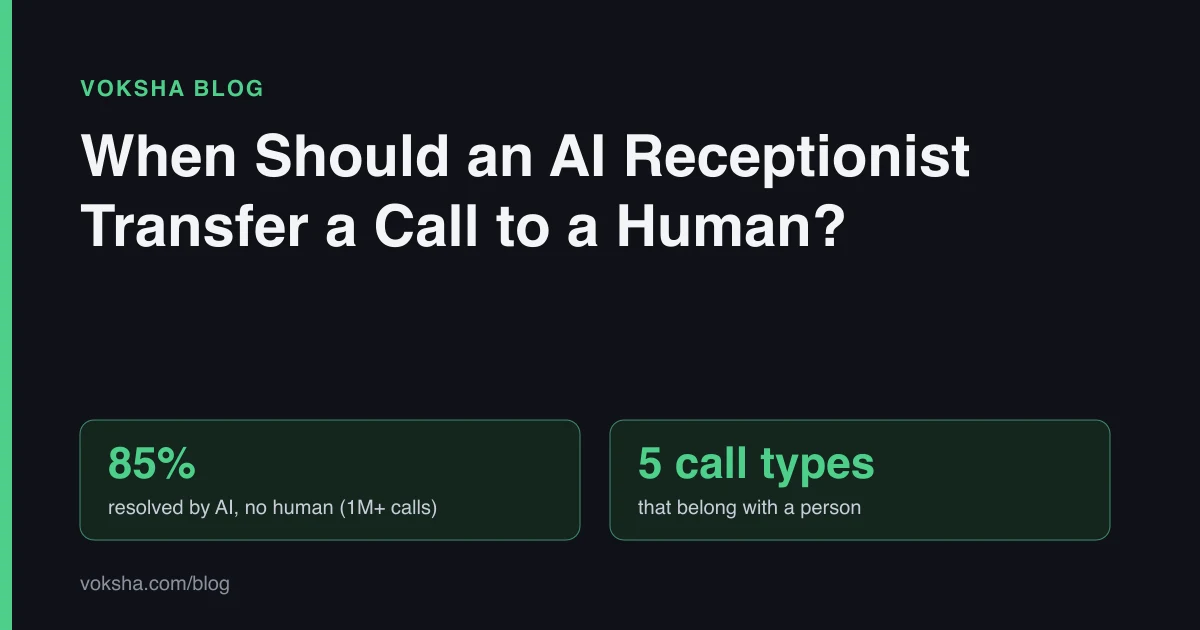
- Most calls do not need a person. Across 1,000,000+ calls, 85% were resolved by AI with no human, and the report says the remaining 15% were handed to a person (Voksha Call Intelligence Report, Dec 2025 to Jun 2026). SOURCED
- Five call types belong with a person: emergencies, complaints, high-value deals, emotional calls and regulated questions. ANALYSIS
- A good trigger names words, not feelings. "Caller says flooding, burst pipe or water through the ceiling" works. "Caller seems urgent" does not.
- Only promise a transfer someone will answer. If nobody picks up, the honest handoff is "take full details and alert the owner now".
- After hours needs its own rule. About 32% of calls arrive outside 9-to-5 weekdays (Voksha After-Hours Economy). Decide which of those wake you up and which wait for morning.
Which calls should an AI receptionist finish on its own?
Let the AI finish any call where the right answer is already written down. If you could hand a new hire a sheet of paper that covers the call, the AI can cover it too.
That usually means:
- Booking and rescheduling, where the slot and the service are clear
- Hours, location, parking and directions
- Price ranges you have written down, with what makes the price change
- "Do you do X?" questions about your services and service area
- Taking a message with a name, number and reason for calling
- Order or appointment status, if the answer is in a system the AI can see
These calls are the bulk of the volume. In Voksha's research, 66% of calls were booking requests (Call Intelligence Report). Handing them to a person by default wastes the person.
Which calls should an AI receptionist hand to a person?
Hand over any call where a wrong answer costs money, safety or trust. Five types cover nearly all of them.
| Call type | Example | Why a person | What the AI should do |
|---|---|---|---|
| Emergency | Gas smell, flooding, no heat in winter, severe pain, an injury | Safety. Time matters more than details | Tell the caller to hang up and dial 911 if life or property is at risk. Transfer or alert at once |
| Complaint | "You overcharged me", "your tech never showed up" | The fix is a decision only you can make | Listen, apologize, capture what happened, promise a named next step |
| High-value deal | Commercial contract, a large remodel, a multi-location enquiry | One call can be worth a month of small jobs | Qualify lightly, then put the caller through or book a call with you |
| Emotional call | Bereavement, a frightened pet owner, a crisis | People need a person who can respond to them | Slow down, keep it short, get them to a human |
| Regulated question | Legal advice, clinical advice, insurance coverage, "is this safe?" | Answering may be a licensed act | Say a qualified person will answer, capture the question, route it |
The last row matters most for law firms, clinics and licensed trades. An AI should never give a legal opinion, a diagnosis or a safety verdict. It can take the details so the right person answers fast. Voksha's own terms say the same thing in plain words: "The AI is not a substitute for human judgment in complex or sensitive situations" (Voksha Terms of Service, section 10, retrieved 2026-11-03).
How do you write a handoff trigger?
Write each trigger as words the caller says plus one action. The AI follows concrete instructions far more reliably than it follows a mood.
Weak triggers sound like this:
- "Transfer if the call is urgent."
- "Escalate angry customers."
- "Send important leads to me."
Each asks the AI to judge something you have not defined. Strong triggers:
- "If the caller mentions a gas smell, smoke, sparking or water coming through a ceiling, tell them to call 911 if anyone is in danger, then transfer the call."
- "If the caller says they want a refund, says we overcharged them, or says a technician did not arrive, apologize once, take their name, number and job address, and tell them the owner will contact them today."
- "If the caller asks about a commercial contract or a job for more than one property, take their details and transfer the call."
- "If the caller asks whether they have a legal case, say an attorney will advise and capture a short description."
Five habits make triggers work:
- Name the words. List the phrases your callers actually use. Read last month's call summaries for them.
- Give one action per trigger. "Transfer" or "take details and alert". Not both, not "use judgment".
- Put hard rules in one place. Voksha's docs recommend a single Guardrails block in the agent's instructions, because "a rule buried in a paragraph about tone gets treated like a preference" (What it says, retrieved 2026-11-03).
- Give it the exact words for the awkward moment. What to say when it cannot answer, when it is transferring, when nobody picks up.
- Test each trigger. Make a test call and say the trigger words. If it does not hand over, the rule is not working yet.
The AI receptionist script guide has full templates you can adapt.
Should the AI transfer the call or alert you?
Transfer only when a person will answer. Otherwise, capture the details and alert someone straight away. A promised transfer that rings out is worse than an honest message.
Voksha's setup guide puts it bluntly: "An agent that promises to transfer a caller to a phone nobody answers is worse than one that takes a message and means it" (Create an agent, retrieved 2026-11-03).
| Handoff method | Best for | Watch out for |
|---|---|---|
| Live transfer to a person | Emergencies and big deals during staffed hours | Needs a number someone answers. Have a fallback if it rings out |
| Instant alert to the owner (chat, email, SMS) | Complaints, regulated questions, after-hours urgent calls | Someone has to read it. Pick the channel you check most |
| Message for the next business day | Routine follow-ups that can wait | Never use it for anything time-sensitive |
With Voksha, live call transfer to a person is on Premium only. On every plan, including Starter, you can get a summary of each call by email and SMS, and alerts in Slack or Google Chat (Where calls are sent, retrieved 2026-11-03). Each alert includes what the caller wanted and the details you asked the agent to collect.
The guide to routing calls with AI covers sending different call types to different people.
What happens to urgent calls after hours?
After hours, a handoff is only as good as the person on the other end. So decide in advance which calls justify waking someone and which wait until morning.
This matters because after-hours calls are not rare. Voksha's research found 32% of calls arrive outside 9-to-5 weekday hours and 23% at weekends (After-Hours Economy). Those overlap, so do not add them together.
A simple after-hours plan:
- Real emergencies: the 911 instruction first, then a transfer to whoever is on call, or an alert to the on-call phone. On Voksha, after-hours emergency routing is a Premium feature.
- Urgent but not dangerous (a broken AC in mild weather, a locked-out tenant): capture the details and alert you in the channel you watch at night.
- Complaints and regulated questions: capture, alert, and tell the caller exactly when they will hear back, for example "before 10am tomorrow".
- Everything else: the AI finishes the call or books the next slot.
Tell the caller the truth about timing. If nobody is on call, say "the owner will see this first thing tomorrow" and let the caller decide. For trade-specific examples, see handling HVAC and plumbing emergency calls and dental after-hours emergency triage.
When is an AI receptionist the wrong first answer?
Some businesses should put a person on most calls and use AI only for overflow. Be honest with yourself if you see your business here:
- Most calls are emotional. Hospice, funeral homes and crisis services need a person first.
- Most calls are regulated judgment calls. If nearly every caller asks for advice only a licensed professional can give, the AI mostly takes messages.
- Every call is a big, custom deal. If you take five calls a week and each one is worth thousands, answer them yourself and let the AI catch the overflow.
For everyone else, the split is the point. The AI takes the patterned calls, you take the calls that need you, and the handoff rules decide which is which.
How This Guide Was Sourced
Written by the Voksha team. Voksha builds AI receptionists for small businesses. We are not a neutral reviewer, and this guide mentions our own product's plans where they affect handoff choices.
Sources and retrieval dates:
- Voksha Call Intelligence Report: 1,000,000+ anonymized calls, December 2025 to June 2026; 85% resolved by AI with no human, 15% handed to a person, 66% booking requests. Retrieved 2026-11-03
- Voksha After-Hours Economy: 32% of calls outside 9-to-5 weekdays, 23% at weekends. Retrieved 2026-11-03
- Voksha Terms of Service, section 10, AI Service Disclaimer. Retrieved 2026-11-03
- Voksha docs: Create an agent, What it says, Where calls are sent. Retrieved 2026-11-03
The five call types, the decision tree and the after-hours plan are editorial judgment (ANALYSIS). The only Voksha call data used comes from the two research reports above, which publish their methodology.
Frequently Asked Questions
What percentage of calls should an AI receptionist transfer to a human?
There is no right number for every business. In Voksha's research across 1,000,000+ calls, 85% were resolved by AI and 15% were handed to a person. A law firm or a clinic will hand over more; a salon taking bookings will hand over fewer.
Should the AI tell callers it is transferring them?
Yes. Say who they are being put through to and what to expect, for example "I'm putting you through to Maria in billing now." If the transfer might ring out, tell the caller what happens next if nobody answers.
What if nobody answers the transfer?
The AI should fall back to taking full details and alerting you at once. Set this fallback up before go-live, and test it by calling when nobody is at the transfer number.
Can an AI receptionist detect an emergency?
It can follow rules about words the caller uses, such as "gas", "flooding" or "chest pain". Write those words into its instructions. Do not rely on it to judge severity on its own, and always include a 911 instruction for anything life-threatening.
Does every Voksha plan include live call transfer?
No. Live call transfer to a person is on Premium only. All plans, including Starter, send call summaries to the owner by email and SMS, and alerts to Slack or Google Chat.
Conclusion
Good handoff rules are short. Let the AI finish the patterned calls. Hand emergencies, complaints, big deals, emotional calls and regulated questions to a person. Write every rule as trigger words plus one action, only promise transfers someone will answer, and give after-hours calls their own plan.
Write your five triggers this week, test each one with a call, and read a week of summaries to find the phrases you missed. To see which plan includes live transfer, see pricing.