On this page
- Why Small Businesses are Ditching Virtual Receptionists for ai
- Phase 1: Auditing Your Current Call Workflow and Needs
- Phase 2: Choosing the Right ai Receptionist Platform
- Phase 3: Step-by-Step ai Receptionist Setup Guide
- Phase 4: Testing and Transitioning from Your Old Service
- Phase 5: Measuring Success and ROI
- Final Checklist for a Seamless Migration
- Related Voksha Resources
Why Small Businesses are Ditching Virtual Receptionists for ai
Ever feel like you’re just paying someone to lose you money? It sounds harsh, but for a lot of us running small shops, that's exactly what a traditional answering service starts to feel like after a while.
Most virtual receptionist companies use per-minute billing. It sounds fair until you realize hold time and wrap-up can count toward your minutes too. These "billing traps" can blow a monthly budget fast, especially if you have a sudden spike in calls.
Then there is consistency. Shared call-center agents juggle many businesses at once, so details specific to yours, like asking for a case number or knowing which stylist does color, can get missed. For a fuller breakdown of the options, see Voksha's guide to AI receptionist vs. virtual receptionist vs. answering service and the Voksha vs virtual receptionist comparison.
"AI receptionists take on simple, repeating tasks so your team can spend more time on real conversations and handling trickier questions."
The biggest difference is speed and consistency. A virtual receptionist is a skilled person covering many businesses from a script. An ai receptionist answers from the knowledge base you give it, the same way on every call.
One big win for ai is simultaneous call handling. If five people call your dental office at 9:00 AM, a single receptionist can only take one at a time, and the rest wait on hold or go to voicemail. An ai receptionist is built to answer every call, so nobody hears "please hold."
| Handling method | What callers get | Typical result |
|---|---|---|
| Human service | One call at a time, holds at peak | Some callers hang up |
| AI receptionist | Every call answered | More leads captured |
Also, the way these tools talk to your other tech is just better. Instead of getting an email at the end of the day with a list of messages, an ai can book a slot directly into your Google Calendar while the caller is still on the line, and send you a summary of every call.
Imagine a plumbing business during a big freeze. A human service gets overwhelmed and calls go to voicemail. A homeowner isn't going to wait; they’ll call the next guy. An ai handles the surge, qualifies the emergency, and routes it to your on-call tech right then and there. It turns a missed call into a paying job.
Honestly, the shift isn't just about saving a few bucks. It’s about not letting your business's first impression be a "please hold" or a misspelled message. Next, we'll look at how you actually start the migration without breaking your current workflow.
Phase 1: Auditing Your Current Call Workflow and Needs
Before you go and buy some fancy ai software, you need to know exactly what you're trying to fix. If you don't look at your current mess first, you'll just automate the chaos and that helps nobody.
Honestly, most of us think we're doing "okay" with calls until we actually look at the logs. You might think you're only missing a couple calls a week—but have you checked what happens at 2:00 PM on a Tuesday when your office manager is at lunch?
Many callers are likely to choose another business if they don't get a human (or a helpful voice) on the first try. Now, you might think this means you need a human, but that's not the whole story. What people actually want is a "helpful voice" that gives them an immediate answer. An ai that identifies itself as an assistant sets the right expectation. Because it answers on the first ring and actually solves the problem—like booking an appointment—it satisfies that need for speed. Most people are way more patient with a bot that works than a human who puts them on hold for ten minutes.
Look at your call logs from the last month. You want to spot the "peak hours" where calls are dropping like flies. Maybe it's early morning for a dental office or late night for a plumbing company.
"A voicemail is basically a graveyard for leads. Most people hang up the second they hear 'leave a message' because they know they'll just have to call the next guy on Google anyway."
When people hang up on your old-school voicemail, they aren't just "busy." They're frustrated. You need to identify those high-value leads—like a potential new patient or a big law firm case—that are slipping through the cracks right now.
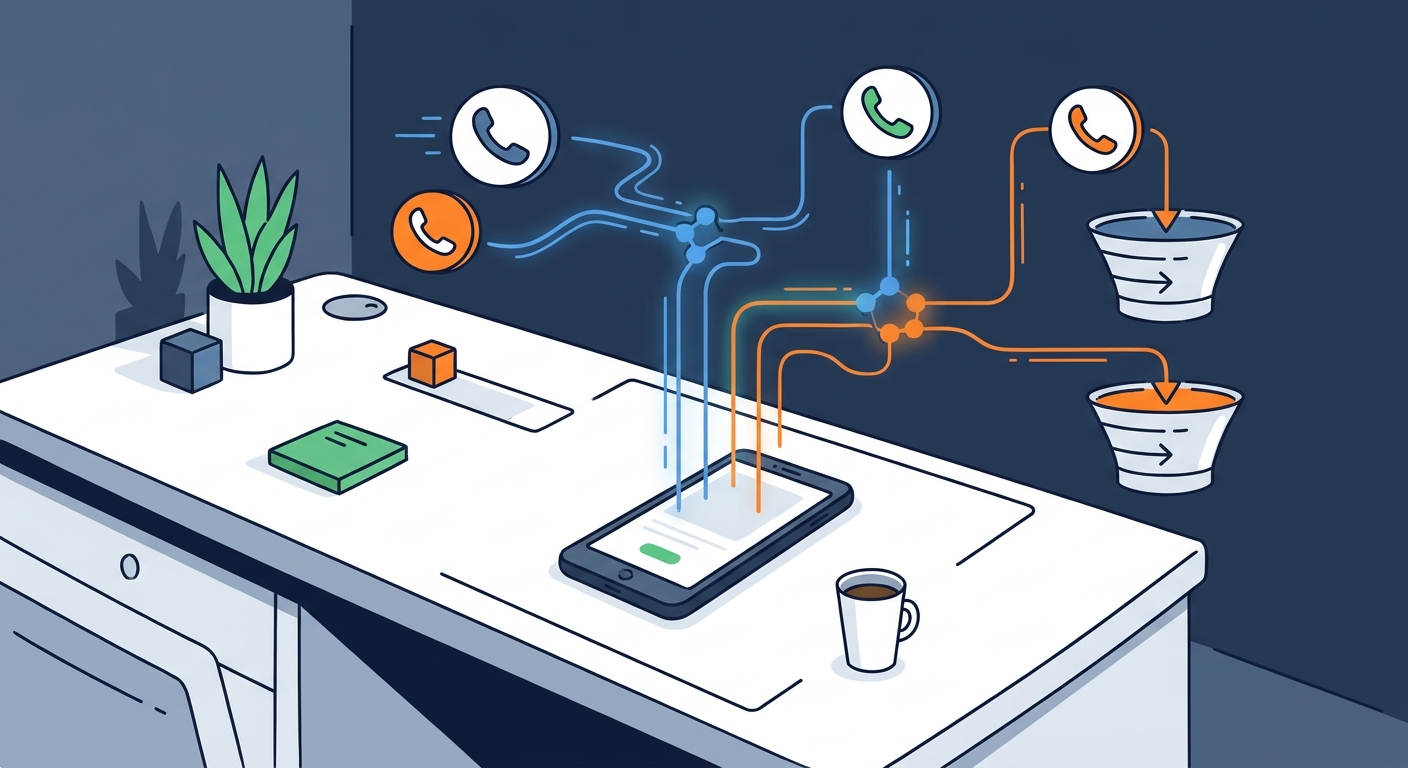
Now map out how the ai should actually think. This isn't just about answering the phone; it's about what happens next. Write down your top 10 most annoying, repetitive questions. These are your "FAQ gold." But you also need to set some ground rules for when the ai should just stop talking and hand the call to you. This is called "call routing" and it needs to be smart.
- Call received: the AI works out what the caller needs.
- Simple FAQ: the AI answers.
- Appointment: the AI books it in your calendar.
- Emergency or high value: the AI routes the call to a person's cell.
- Every call: you get a summary afterwards.
For example, if someone calls a home services business and says "my basement is flooding," you probably don't want the ai trying to explain your pricing tiers. You want that call forwarded to a human ASAP.
But if they just want to know if you're open on Labor Day? Let the ai handle it. This keeps your lines clear for the big money jobs. You're basically building a "decision tree" so the bot knows when to be the hero and when to call for backup.
Phase 2: Choosing the Right ai Receptionist Platform
Picking a platform isn't just about finding the shiniest tool on the market—it’s about finding the one that won't make you want to pull your hair out three months from now. If you choose wrong, you’re just swapping a human headache for a digital one.
Instead of just looking at marketing fluff, you need a technical checklist. If a platform doesn't have these, keep walking:
- Latency (Speed): Does the bot wait 5 seconds to respond? If so, it's garbage. You want "low latency" so the conversation feels natural.
- Voice Naturalness: Listen to the samples, or better, place a demo call. Does it sound like a 1990s GPS or a real person?
- Multi-language Support: If you have customers who speak Spanish or French, the ai should be able to pivot mid-sentence.
- Integrations: This is huge. Check which of your tools connect self-serve and which need the vendor's help. With Voksha, integrations are on the Premium and Enterprise plans: Google Calendar, Microsoft Outlook, Apple iCloud, Mindbody, Square Appointments and Booker connect from the dashboard; other platforms are set up with Voksha support. The Starter plan answers, captures caller details and follows your script, without booking.
- HIPAA/Privacy: If you're in healthcare, this is a non-negotiable. See Voksha's security and privacy protections for what to look for.
Let's talk money, because that's usually why we're here. Hiring a full-time human receptionist in 2025 or 2026 is getting expensive. When you add up salary, benefits, and the inevitable "oops, I'm sick" days, you're looking at roughly $54,300 a year on a fully loaded basis (BLS Occupational Outlook Handbook and Employer Costs for Employee Compensation, retrieved 2026-09-25). An ai receptionist usually costs a fraction of that.
- Evaluate platforms on response speed and voice quality; drop any that sound robotic or lag.
- Check integrations with the calendar and tools you already use.
- Check industry compliance (HIPAA, legal intake rules) before shortlisting.
Basically, you’re moving from a "cost center" (paying for minutes) to a "revenue generator" (capturing every single lead). For many small shops, catching two or three jobs they would've missed otherwise can cover the cost. See Voksha's pricing for current plans.
Honestly, don't overthink the tech specs too much. Focus on whether the platform plays nice with your Google Calendar and if the voice sounds like someone you’d actually want representing your brand. If it feels too "robotic" or your tools are hard to connect, keep looking.
Phase 3: Step-by-Step ai Receptionist Setup Guide
So you’ve picked your platform and you’re ready to actually build the thing. It’s a bit like move-in day—exciting, but if you don't put the couch in the right spot now, you'll be tripping over it for months.
The biggest mistake people make is writing a script that sounds like a legal deposition. Nobody wants to talk to a robot that says, "Greetings valued caller, please state your inquiry." You want to write like you actually talk when you’ve had exactly one cup of coffee—friendly, but getting straight to the point.
Start with your greeting. It should be short. "Hey, thanks for calling [Business Name], I'm their ai assistant. How can I help you today?"
Now, for the knowledge base. This is where you dump everything the bot needs to know. Don't just upload a messy 50-page PDF. Break it down into clear sections:
- Pricing: Be specific. If a haircut is $50-$80, tell the ai why it varies so it can explain it.
- Services: Don't just list "Plumbing." List "Leaky faucets, water heater repair, and drain cleaning."
- Hours: Include holiday quirks. If you close early on Fridays for team beer, tell the ai.
The Technical Handshake (How to Connect Your Apps)
If you aren't a tech wizard, don't panic. Every platform does this differently; with Voksha (booking and integrations are on the Premium and Enterprise plans), here is the 3-step breakdown:
- Connect your calendar: In the dashboard, connect Google Calendar, Microsoft Outlook or Apple iCloud, or a booking system like Mindbody, Square Appointments or Booker. These book during the call.
- Ask about everything else: CRMs and industry tools such as HubSpot, Salesforce, Clio or ServiceTitan are set up with Voksha support rather than self-serve, so request that setup early.
- Book a test appointment: Call your own number, book a slot, and check it lands in the right calendar.
The call shouldn't end when they hang up, either. Make sure each call summary reaches the right person quickly, so your team can follow up on anything the AI captured but couldn't finish. (Voksha answers live; texting callers is available on the Enterprise plan only.)
- Appointment booked: it's already in your calendar; your booking system can send its own confirmation.
- Question answered: no follow-up needed unless the summary flags one.
- Lead qualified: your team calls back from the summary while the lead is still warm.
Getting these connections right takes a little time in settings, but once it’s done, you basically have a front desk that runs on autopilot.
Phase 4: Testing and Transitioning from Your Old Service
So you’ve got your ai "brain" all trained up and ready to go, but now comes the part that makes everyone a little nervous—actually turning off the old service.
The trick is not to do it all at once. If you just yank the plug on your virtual receptionist on a Monday morning, you're asking for a headache. Be a bit more strategic about how you hand over the keys.
- The After-Hours Test: Start by only forwarding calls to the ai when your office is closed. This is a low-risk way to see if the ai actually books that dental cleaning or answers the "how much for a brake pad replacement" question correctly.
- The Overflow Method: Set your phone system to ring your office first, then the ai after 3 rings. This lets you see the ai in action during the day without it taking over every single call.
- Call Review: Most platforms let you review call transcripts or summaries. Do this!
- Start with after-hours calls only.
- Review the call transcripts or summaries.
- Fix gaps in the knowledge base.
- Move to daytime overflow.
- Complete the migration and cancel the old service.
Most virtual receptionist services have you "call forward" your main line to a specific number they gave you. To switch to ai, you just change that forwarding rule to point to your new ai number instead. It’s usually a 30-second fix in your VoIP settings (like RingCentral or Vonage).
One last thing—don't forget to check your old contract. Some of those virtual receptionist companies have 30-day notice periods. You don't want to be paying for a human service you aren't even using anymore.
Phase 5: Measuring Success and ROI
Once you've got the basics running, it is time to move past just answering the phone and start treating your ai like a key member of the team. But how do you know if it's actually working? Look at the numbers.
The real secret to a high-performing front desk isn't just picking up—it’s what happens to your bottom line. You should be tracking these specific metrics every month:
| Metric | How to Calculate | Why it Matters |
|---|---|---|
| Human Cost vs. AI | (Old Monthly Bill) - (AI Subscription) | Direct cash saved every month. |
| Lead Conversion % | (New Appointments) / (Total Calls) | Tells you if the AI is "closing" the caller. |
| Missed Call Rate | Calls that hit Voicemail / Total Calls | This should drop to near zero. |
| Cost Per Lead | (AI Monthly Cost) / (Total Leads Captured) | Tracks efficiency vs human services. |
For example, a dental office could use this to capture "price shoppers." Even if the person doesn't book a cleaning right then, the office has their info to follow up with a discount code later. It turns a "maybe" into a future patient.
Your ROI comes from two places in the call data:
- Labor savings: what you no longer pay the old service.
- Captured revenue: the after-hours and overflow jobs you would otherwise have missed.
In the home services world, like HVAC or plumbing, conversion is all about speed and urgency. If someone calls about a "burst pipe," the ai shouldn't be asking for their email address first. It should be capturing the address and routing the call to your on-call tech.
The goal here is simple: stop doing the "busy work" that a machine can do better. If you can automate the 80% of calls that are just routine questions, you and your team can focus on the 20% that actually require a human brain and a personal touch.
Final Checklist for a Seamless Migration
So, you’ve done the hard part of picking a platform and training the "brain," but don't just walk away yet. A seamless migration is less about the "go live" button and more about the boring stuff you do in the weeks after.
| Area | What to keep doing |
|---|---|
| Quality control | Read transcripts, listen to samples, fix logic errors |
| Knowledge growth | Update prices, add new services, set holiday hours |
| Performance tracking | Lead conversion rate, cost savings vs human, missed-call reduction |
Before you officially fire your old virtual receptionist service, run through this quick list. It sounds simple, but I've seen people forget the basics and end up with a week of "dead air" on their main business line.
- Verify the Forwarding: Call your main number from a cell phone and make sure it actually hits the ai, not an old voicemail.
- Check the Calendar Sync: Book a "test" appointment and make sure it shows up in your connected calendar.
- Summary Safety Net: Make sure call summaries are reaching the right person, so nothing the AI captured sits unread.
- Emergency Routing: Test your "panic" keywords. If you say "gas leak" or "legal emergency," does the ai actually ring your personal cell?
- Review ROI Monthly: Use the table in Phase 5 to make sure your "Cost Per Lead" is actually going down. If it isn't, you need to tweak your ai's script.
Moving to ai is honestly one of those things where you'll look back in six months and wonder why you waited so long to stop paying for hold music and missed calls. Stick to the data, keep the knowledge base fresh, and let the tech do the heavy lifting while you actually run your business.