On this page
- The death of the traditional voicemail in 2026
- Real cost breakdown: AI receptionist vs hiring receptionist
- Industry 1: Law firms and legal practitioners
- Industry 2 & 3: Dental and Medical Clinics
- Industry 4: Beauty Salons and Spas
- Industry 5 & 6: Home Services (HVAC, Plumbing, Electrical)
- Industry 7: Restaurants and Hospitality
- Step-by-step: How to set up AI receptionist small business
- Related Voksha Resources
The death of the traditional voicemail in 2026
Ever tried calling a plumber during a leak only to get a robotic "leave a message after the tone" recording? You probably just hung up and called the next guy on Google, right? Honestly, we're all like that now.
By 2026, the traditional voicemail isn't just annoying—it's basically a "closed" sign for your business. With ai built into so many consumer apps, people want answers now, not a callback in three hours.
The reality is pretty brutal for small biz owners. If you don't pick up, you're losing money in real-time.
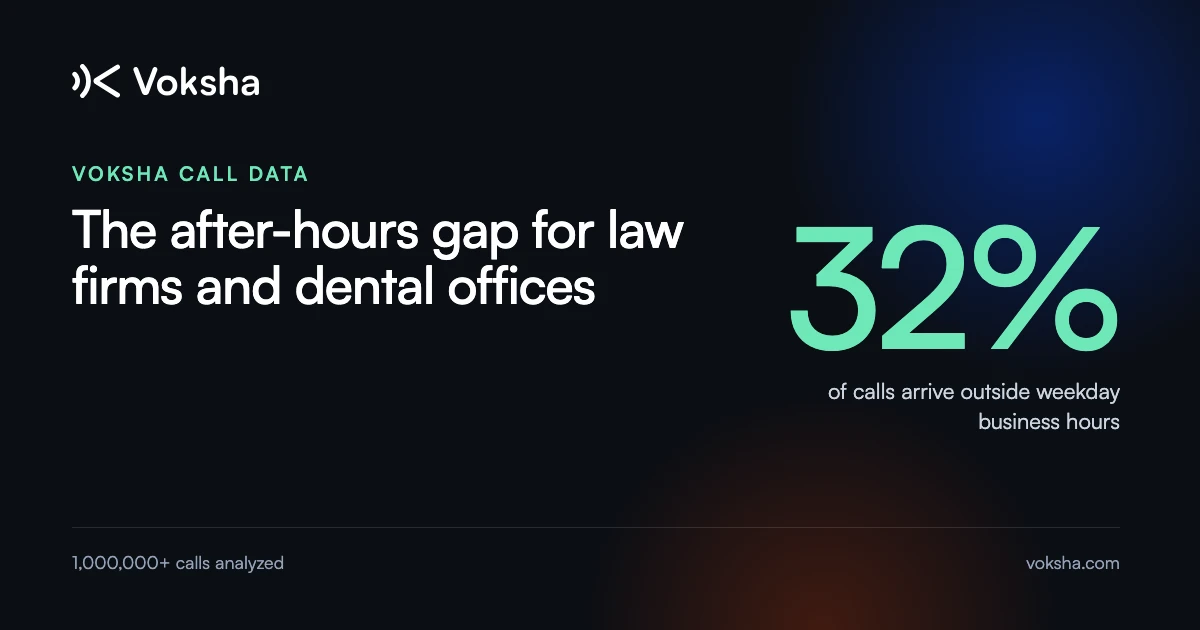
- The 80% Rule: About 80–85% of callers who reach voicemail hang up without leaving a message, as reported in the Voksha After-Hours Economy report (retrieved 2026-09-25). They aren't leaving messages; they're leaving for your competitor.
- Instant Gratification: Whether it’s a law firm or a salon, clients expect a "right now" response. If ai can answer their basic questions about pricing or hours, they stay on the hook.
- The Cost of Silence: Every missed call has a literal dollar value. If a dental lead is worth $200 and you miss five calls a week because you're busy with a patient, that's a $1,000 hole in your pocket (ANALYSIS, using a hypothetical $200 lead value).

It’s not just about being polite; it’s about survival in a world where nobody has patience anymore. But why exactly are we so fed up with waiting? Let's look at the psychology behind the "instant response" era.
Real cost breakdown: AI receptionist vs hiring receptionist
Let’s be real for a second—hiring a person to sit at a desk and answer phones is getting expensive. Between the salary, the health insurance, and the "oops, I'm sick today" calls, the costs add up way faster than most salon or law firm owners realize.
If you’re looking at a human hire in 2026, you aren't just paying an hourly wage. You’ve got payroll taxes, workers' comp, and the time it takes to train them on your booking software. A full-time receptionist's fully loaded cost, wages plus benefits, runs about $54,300 a year ($38,010 median wage divided by the roughly 70% of compensation that wages typically represent) (BLS Occupational Outlook Handbook, Receptionists, retrieved 2026-09-25; BLS Employer Costs for Employee Compensation, retrieved 2026-09-25, ANALYSIS).
Compare that to an ai phone system. Voksha's Starter plan is $14 a month for 15 calls and Premium is $99 a month for 150 calls, with $1 per call after that on both (Voksha pricing). Even Enterprise, from $990 a month, is less than the cost of a single week's worth of human labor at that fully loaded rate (ANALYSIS).
The hidden cost isn't just the salary. It's the turnover: every time a receptionist leaves, you're paying to recruit, hire, and retrain a replacement, on top of the wage you were already covering.

Now, some folks suggest a virtual receptionist—a real person working remotely. They’re cheaper than an in-office hire, but they still have "human" problems. They might be on another call when your biggest lead rings, or they might not know your specific pricing for a root canal.
An ai receptionist doesn't get overwhelmed. It answers on the first ring, every single time, even if ten people call at once during your lunch rush. For a busy restaurant or a home services biz, that's the difference between a booked job and a lost lead.
Plus, ai doesn't need a "ramp-up" period. Once you plug it into your calendar, it's ready. It’s basically like having a super-employee who never sleeps and never asks for a raise.
Let's look at how this math plays out across different industries, starting with high-stakes legal work.
Industry 1: Law firms and legal practitioners
If you've ever worked in a law office, you know that a ringing phone usually means a potential five-figure case—or a telemarketer looking for "the person in charge of the energy bill." It's a gamble every time you pick up.
For lawyers, the stakes are high because legal leads are some of the most expensive on the internet. If a personal injury lead costs you $300 in ad spend and they hit your voicemail, they’re gone. They just keep scrolling till someone answers.
The cool thing about using ai for legal intake isn't just answering the phone; it's the screening. You can set up your system to ask specific questions like "When did the accident happen?" or "Do you already have an attorney?".
- Lead Qualification: The ai can filter out the "tire kickers" who don't actually have a case, saving your paralegals hours of wasted time.
- CRM Integration: Many systems can work with practice tools like Clio or MyCase; with Voksha, those integrations are on the Premium and Enterprise plans and are set up with Voksha support. On every plan, the call details and a summary are captured so your team can follow up.
- After-Hours Goldmine: Legal emergencies don't wait for 9-to-5. Having an ai that sounds professional at 2 AM is way better than a sketchy-sounding answering service that just takes a name and number.
About 78% of legal clients buy from the first law firm that responds to their inquiry (Clio Legal Trends, as reported in the Voksha Industry Benchmarks report, retrieved 2026-09-25), so the firms that book the fastest are usually the ones who talk to a "person" (or a smart ai) immediately.

Honestly, it’s also a security thing. Good ai setups include social engineering protection that prevents data leaks. Unlike a human receptionist who might get tricked by a caller's emotional story or "urgent" tone, the ai follows strict verification protocols that can't be bypassed by manipulation. Anyway, if you're tired of the phone tag, let's look at how this works for medical offices next.
Industry 2 & 3: Dental and Medical Clinics
If you've ever tried to book a root canal while the front desk is juggling three people in the waiting room and two on hold, you know it's pure chaos. For medical and dental offices, every missed call isn't just a lost lead—it's a patient who might be in pain and needs help right now.
One of the biggest headaches for doctors is keeping things private while trying to automate stuff. You can't just have any old bot taking down social security numbers or health history. Look for a provider that encrypts data and will sign a Business Associate Agreement (BAA). Voksha, for example, is HIPAA compliant with BAAs, GDPR and CCPA compliant, and covered by a 99.9% uptime SLA on the Enterprise plan, and encrypts data with AES-256 at rest and TLS 1.2+ in transit. HIPAA obligations depend on how your practice uses the tool, so confirm your setup with your own counsel.
Operational Efficiency
- Smart Booking: The ai checks open slots in your calendar during the call (with Voksha, booking is on the Premium plan, and practice software like Dentrix or Open Dental is set up with Voksha support). It can schedule a cleaning or a consultation without the receptionist ever touching the phone.
- Morning Rush Relief: Most clinics get slammed between 8 AM and 10 AM. While your staff is checking people in, the ai handles the "are you open?" and "where do I park?" calls so the phone stops ringing off the hook.
Patient Experience/Retention
- Privacy First: These systems use secure apis to ensure patient data is never hanging out in an unencrypted log. It’s safer than a sticky note on a desk, honestly.
- FAQ Handling: "Do you take Blue Cross?" or "Should I fast before my blood work?" The ai answers these instantly so patients feel prepared and actually show up.
- Easy Rescheduling: Instead of your staff playing phone tag, patients who call to reschedule can just tell the ai, and it can offer a new slot.
Anyway, it's not just about the medical world—it's also about those high-touch service jobs where timing is everything. Let's look at how salons and spas keep their chairs full.
Industry 4: Beauty Salons and Spas
Ever notice how the most popular stylists always have their hands literally covered in hair dye when the phone rings? It’s a classic salon trap—you either stop the service to grab the call or let a new client walk away to the spa down the street.
For a busy shop, every missed call is a missed color service or a $100 haircut. By 2026, ai isn't just taking names; it’s basically your digital floor manager.
- Mid-Service Booking: When you're mid-balayage, the ai talks to the client, checks your booking calendar (with Voksha, booking is on Premium: Mindbody is a self-serve connector and Fresha is set up with Voksha support), and slots them in. No more "hold on one sec" while your client sits with a wet head.
- Late-Night Browsing: Most people book beauty appointments at 10 PM on a Sunday. If you don't have an ai to answer then, you’re losing those night-owl leads.
- VIP Treatment: You can set the system to route certain callers, like your regulars, straight to you.
Salons miss a meaningful share of their inbound calls while mid-service, and every one of those calls is potential revenue walking to a competitor. Having a bot that knows your "wash and blow-dry" takes 45 minutes saves your sanity.

Honestly, it’s just about keeping the chair full without the stress. But what about when things get really messy—like in the world of home repairs and contractors? Let's check that out.
Industry 5 & 6: Home Services (HVAC, Plumbing, Electrical)
Imagine you are halfway up a ladder fixing a blown fuse or knee-deep in a flooded basement when your phone starts buzzing. You can't exactly drop the wrench to talk about quotes, but if you don't, that lead is calling the next guy on Yelp in about thirty seconds.
For home services, the "first to answer wins" rule is basically law. By 2026, using an ai for these calls isn't just a luxury—it is how you keep your schedule full while your hands are actually busy working.
When a pipe bursts at 3 AM, people are panicking. They don't want a voicemail; they want to know a truck is coming. An ai receptionist can handle these high-stress calls by asking the right questions—like "where is the leak?" or "is the power completely out?"—and then tagging it as an emergency.
- Lead Capture in the Field: While the crew is out on a big HVAC install, the ai handles the new inquiries, so you never miss a job because you were "too busy working."
- ServiceTitan Integration: Field-service tools like ServiceTitan or Housecall Pro can be connected; with Voksha, they are on the Premium and Enterprise plans and set up with Voksha support. On any plan, the ai captures the job details so your dispatcher can schedule the visit.
- Filtering the Junk: You get a lot of "do you sell this specific part?" calls that waste time. The ai answers those FAQs so you only talk to people actually booking a service.
About 62% of callers who can't get through call a competitor instead (third-party figure as reported in the Voksha After-Hours Economy report, retrieved 2026-09-25).

It’s honestly more about being reliable than being "techy." If the ai can tell a customer that someone will be there between 2 and 4 PM, they stop calling other plumbers. This kind of instant response is also huge for restaurants when they get slammed during peak dinner hours.
Industry 7: Restaurants and Hospitality
Running a kitchen is basically like managing a controlled fire, so the last thing your host needs is the phone ringing off the hook during a friday night rush. Even with apps like OpenTable, people still call constantly because they have weird questions or just prefer hearing a voice.
By 2026, ai receptionists are basically the secret weapon for front-of-house sanity. They don't just take names; they handle the "do you have outdoor seating?" or "can I bring my own wine?" stuff that usually kills your staff's flow.
- The Human Touch (Sort of): Customers still call because they want instant confirmation for big groups. An ai can check your floor plan and book a party of 12 while your host is actually greeting the party of 4 at the door.
- Noise Reduction: Kitchens are loud. Trying to hear a muffled cell phone order while a ticket machine is screaming is a recipe for mistakes. The ai takes the order details and writes them down clearly for your staff (with Voksha, POS tools like Toast are available on Premium and Enterprise and set up with Voksha support).
- Beyond the Menu: People call about parking or if the patio is dog-friendly. Plenty of diners still prefer to book directly with the restaurant to avoid third-party fees, which makes a reliable phone line valuable for your margins.

Honestly, it just stops the "hold please" cycle that makes customers hang up. It keeps the vibe in the dining room chill while the tech handles the noise. But let's look at how you actually set this up without needing a computer science degree.
Step-by-step: How to set up AI receptionist small business
So, you've seen how this tech helps out everywhere from dental chairs to noisy kitchens, but you're probably wondering if setting it up is going to be a total nightmare. Honestly, it’s way easier than most people think—you don't need to be some silicon valley genius to get this running before your next shift starts.
- Keep your digits: Forward your existing business line to the ai so you don't have to change your business cards. With Voksha, you go live in under 5 minutes by forwarding your existing number.
- Teach it your "Vibe": This is where you write the script. You tell the ai how to greet people, what your hours are, and how to handle specific questions. If you're a law firm, you might tell it to ask about "case types," while a salon would focus on "stylist preference."
- Plug in your tools: Connect the system to your calendar (on Voksha's Premium plan, Google Calendar, Outlook and Mindbody are self-serve connectors) and, with Voksha support, your crm. This lets the ai actually book slots instead of just taking messages. On Voksha's Starter plan, it answers, captures caller details and follows your script instead.
- The 5-minute test: Call the number yourself. Pretend to be a grumpy customer or someone with a weird question. If it sounds good, hit "Go Live."

Just remember to be transparent. It’s always best practice to let callers know they’re talking to an ai assistant—most people don't mind as long as they get their appointment booked fast. Anyway, once it's live, you can finally put your phone on "do not disturb" and actually get some work done.