

Google, Outlook and iCloud
Connect an ordinary calendar and let your agent book into it.
The simplest way to let your agent book. Voksha reads your calendar to see what is free, and writes the appointment into it.
Where to find it
Dashboard → Agents → open the agent → Integrations.
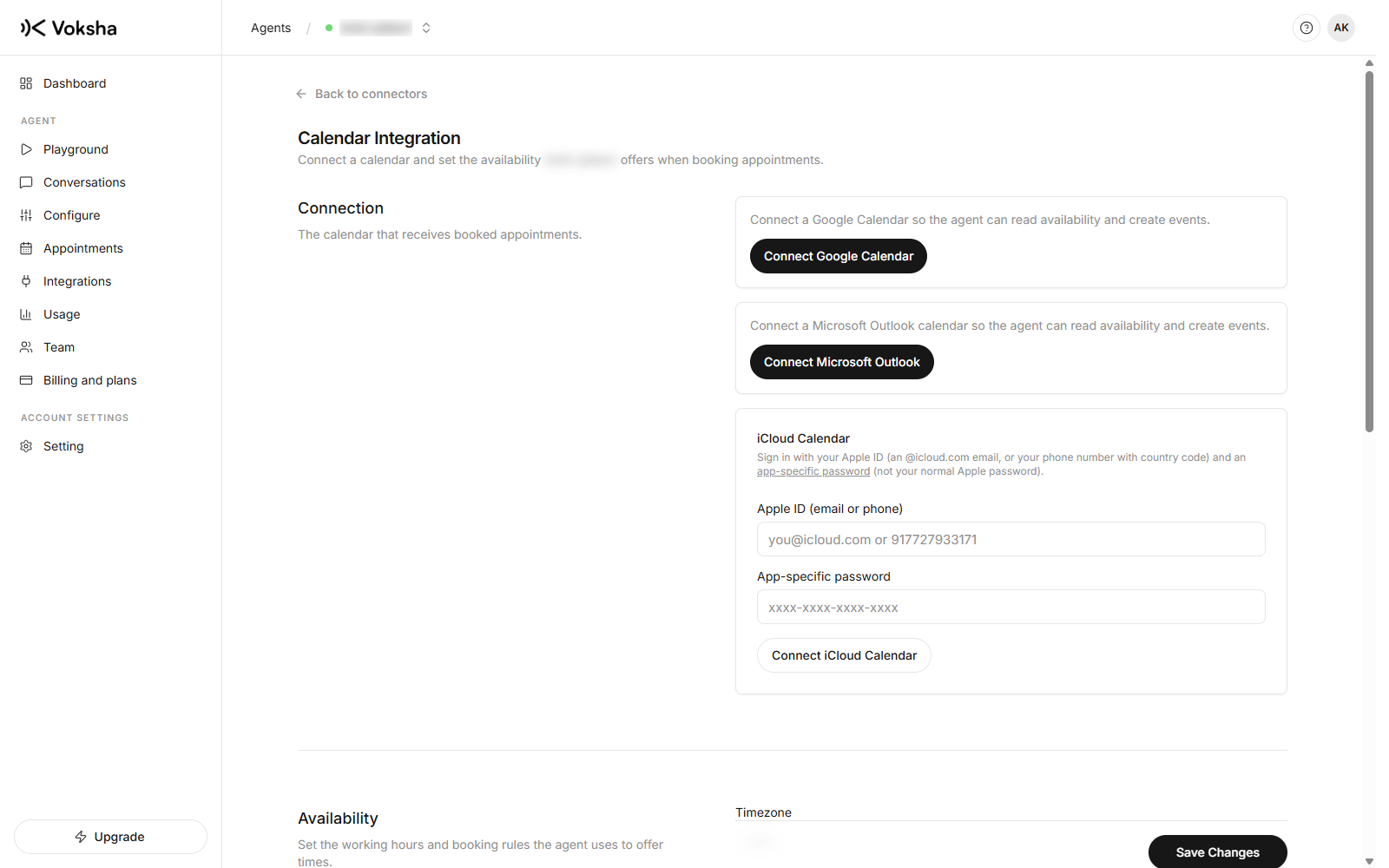
Google Calendar and Microsoft Outlook
Both connect with a sign-in. Click connect, sign in to Google or Microsoft, approve the access, and you are returned to the dashboard connected. Nothing to copy and no keys.
You are approving two things: reading your calendar to find free time, and creating events for appointments.
Apple iCloud
iCloud has no sign-in flow for this, so it needs an app-specific password rather than your Apple password.
- Sign in at appleid.apple.com
- Under Sign-In and Security, go to App-Specific Passwords
- Generate one, name it Voksha, and copy it
- Paste it into the iCloud form with your Apple ID
An app-specific password only grants what it was made for, and you can revoke it from the same page whenever you want.
After connecting
Voksha imports your working hours and timezone where the provider exposes them, so the times your agent offers usually need no adjustment. Check them anyway, particularly the timezone, on Hours and slots.
Then make a test call and ask for an appointment. Book one into a slot you know is empty and check it lands in your calendar at the time you expect.
What a calendar cannot do
A calendar has no idea what your services are. Every appointment is the same length, the one you set, and the agent cannot ask which treatment the caller wants because there is no list to choose from.
If your business sells services of different lengths with specific staff, a booking platform fits better.
| Instead use | If |
|---|---|
| Mindbody | You run a salon, spa or studio on Mindbody |
| Square Appointments | You already take payments with Square |
| Booker | Your site is on Booker |
One calendar at a time
Connecting Outlook when Google is connected disconnects Google. One agent books into one diary, on purpose. See One connector per agent.