On this page
- Key Takeaways
- Why Does a Business Line Get So Many Spam Calls?
- Does the Do Not Call Registry Protect Business Numbers?
- What Does STIR/SHAKEN Do for a Small Business?
- What Are Your Options for Screening Spam Calls?
- How Do You Report a Robocall?
- How This Guide Was Sourced
- Frequently Asked Questions
- Conclusion
Your business line gets more spam than your personal phone because your number is public and the main federal shield does not cover it. The FTC says the National Do Not Call Registry "is for personal phone numbers. Business phone numbers and fax lines are not covered" (FTC, retrieved 2026-11-03). STIR/SHAKEN helps carriers spot spoofed caller ID, but it does not answer your phone for you. The practical fix is layers: carrier labeling, block lists, a screening step, and reporting illegal calls to the FTC.
This guide is for owners and office managers whose front desk loses time to junk calls. It explains what the FCC and FTC rules actually cover for a business number, how to report a robocall, and how to screen calls without hanging up on real customers. It is general information, not legal advice.
Key Takeaways
- Business numbers are not on the Do Not Call Registry. The FTC says the Registry is for personal numbers only (FTC Do Not Call FAQs, retrieved 2026-11-03).
- Most business-to-business sales calls are exempt. Under the FTC's Telemarketing Sales Rule, "most phone calls between a telemarketer and a business are exempt," with exceptions such as sales of nondurable office or cleaning supplies (FTC, Complying with the Telemarketing Sales Rule, retrieved 2026-11-03).
- Illegal sales robocalls are still illegal. The FTC says a selling robocall is illegal unless the seller has your written permission (FTC, retrieved 2026-11-03).
- STIR/SHAKEN verifies caller ID; it does not block calls by itself. Carriers had to implement it in their IP networks by June 30, 2021, and it works alongside call blocking and spam labeling (FCC triennial report, December 19, 2025, retrieved 2026-11-03).
- Report illegal calls to the FTC. Use DoNotCall.gov if you lost no money, and ReportFraud.ftc.gov if you did or know who called.
Why Does a Business Line Get So Many Spam Calls?
Your number is published everywhere on purpose. It is on your website, your Google listing, your trucks and your invoices. Anyone building a call list can find it, and the main consumer protection does not apply to it.
Three kinds of unwanted calls tend to hit small businesses:
- Sales pitches to the business. Listing services, merchant processing, marketing offers. Many of these are legal business-to-business calls.
- Robocalls and recorded messages. Some are informational. Many sales robocalls are illegal without written permission.
- Impersonation scams. A caller claims to be a platform, a utility or a supplier and asks for money or a password. Google, for example, says it "will never ask for payment, credit card information, or account passwords," and that a caller asking for money to keep your business on Google "is not a call from Google" (Google Business Profile Help, retrieved 2026-11-03).
The cost is staff time and attention. Every spam call your front desk picks up is a moment it is not answering a real customer, and a line busy with junk sends real callers to voicemail.
Does the Do Not Call Registry Protect Business Numbers?
No. The FTC states that the Registry "is for personal phone numbers. Business phone numbers and fax lines are not covered" (FTC Do Not Call FAQs, retrieved 2026-11-03).
The FTC's Telemarketing Sales Rule (TSR) goes further on business-to-business calls. According to the FTC's business guide (Complying with the Telemarketing Sales Rule, retrieved 2026-11-03):
- "Most phone calls between a telemarketer and a business are exempt from the TSR," and the TSR "specifically exempts them from the recordkeeping requirements and from the National Do Not Call Registry provisions."
- Exception one: calls "to induce the retail sale of nondurable office or cleaning supplies are not exempt." The FTC's examples are paper, pencils, solvents, copier toner and ink.
- Exception two: calls to business lines "that solicit individual employees to buy products or services for their own use" are not business-to-business calls and are not exempt.
What this means for you: a legitimate company pitching your business is usually allowed to call. You can still ask any caller to stop calling, and many will. But registration will not stop them.
Robocalls are a separate question. The FTC's consumer guidance says a selling robocall is illegal unless the seller has written permission from you (FTC, retrieved 2026-11-03). How that applies to a specific call to a business line depends on the call and the rule involved. If a specific caller matters to you, confirm with your own counsel.
| Rule or tool | Covers your business line? | What it does | Source |
|---|---|---|---|
| National Do Not Call Registry | No | Limits sales calls to registered personal numbers | FTC |
| TSR business-to-business exemption | Applies to most sales calls to businesses | Exempts most B2B calls from the TSR and its Do Not Call provisions | FTC |
| TSR exceptions (office or cleaning supplies, pitches to employees for personal use) | Yes, these calls are not exempt | Brings those calls back under the TSR | FTC |
| STIR/SHAKEN caller ID authentication | Yes, on IP networks | Lets carriers verify the caller ID matches the caller's number | FCC |
| Carrier blocking and spam labeling | Depends on your carrier and plan | Flags or blocks suspected spam | FTC, FCC |
What Does STIR/SHAKEN Do for a Small Business?
STIR/SHAKEN makes spoofed caller ID easier to catch. It does not stop a call by itself. The FCC describes it as "designed to combat illegal caller ID spoofing" and says it works "by allowing providers to verify that the caller ID information transmitted with a call matches the caller's number" (FCC Wireline Competition Bureau triennial report, December 19, 2025, retrieved 2026-11-03).
Key facts from that report:
- The TRACED Act (2019) directed the FCC to require it. Carriers had to fully implement it in their IP networks by June 30, 2021, subject to certain exemptions.
- The originating carrier adds an attestation, A, B or C, about how well it knows the caller and the caller's right to use the number.
- It only works on IP networks. Calls that pass through older non-IP equipment can lose the authentication.
- It works with other tools. The report notes that analytics-based call blocking, spam call labeling and traceback efforts "work in tandem with STIR/SHAKEN."
For you, the practical result is better spam labels on your phone and more calls blocked before they ring. It is not a guarantee. A legal sales call from a real number will pass, and so will some spam.
What Are Your Options for Screening Spam Calls?
Start with what your carrier offers, then add a screening step for the calls that get through. The FTC advises checking "your phone provider's website or call customer service" to see which blocking or labeling services it offers; some are free and some have a fee (FTC, How To Block Unwanted Calls, retrieved 2026-11-03).
| Option | What it catches | Risk of blocking real customers | Effort for you |
|---|---|---|---|
| Carrier blocking and labeling | Known spam numbers, flagged robocalls | Low to medium, depends on settings | Turn on once |
| Call-blocking app (mobile lines) | Numbers flagged by the app's filter | Medium; aggressive filters catch real callers | Install and tune |
| Block list in your phone system | Specific repeat numbers | Low, if you only block numbers you have checked | Ongoing, a few minutes a week |
| Blocking all unknown or anonymous numbers | A lot of spam | High; new customers often call from unknown numbers | Easy, but costly |
| Human screening at the front desk | Almost everything, with judgment | Low | High; it is staff time |
| AI receptionist screening | Spam and robocalls, while capturing real callers' details | Low, if real callers are always passed through or captured | Set up once |
Do not block every unknown number. A new customer is, by definition, a number you have never seen. Blocking unknowns trades spam for lost business.
Never press a number on a robocall. The FTC says to "hang up and don't call back" and warns that pressing a number "could lead to more robocalls" (FTC, retrieved 2026-11-03).
Train staff on impersonation calls. No caller gets a password, a card number or a payment over the phone just because they name a company you work with. Hang up and call the company back on a number you already have. Our guide to social engineering protection covers this in more detail.
Do not over-screen legitimate automated calls. Google, for example, says it may "occasionally use automated calls or texts" to the number on your Business Profile to confirm details such as hours (Google, retrieved 2026-11-03). A real one never asks for money.
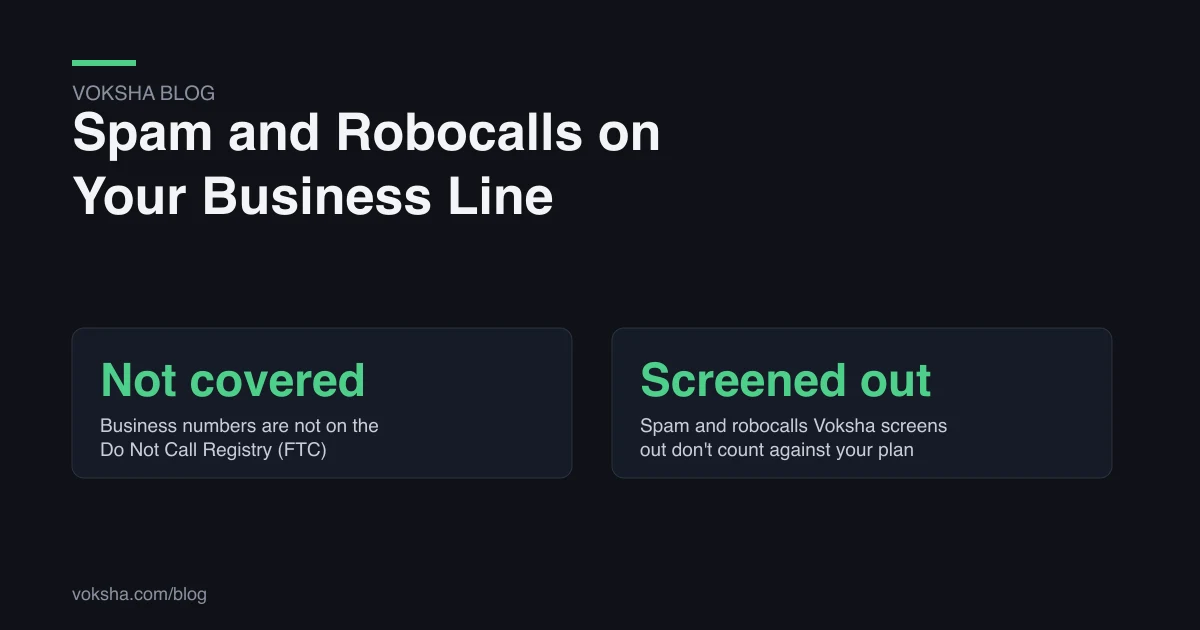
If you use an AI receptionist as the screening step, check how spam affects your bill. With Voksha, spam and robocalls that Voksha screens out don't count against your plan, so junk calls do not use up the calls you pay for.
Where AI screening is the wrong tool: if most of your callers are known contacts, such as a handful of commercial accounts, a simple allow list on your phone system may be all you need. And no screening layer replaces staff judgment on a caller who is clearly in distress.
How Do You Report a Robocall?
Report illegal robocalls and unwanted sales calls to the FTC. The FTC's guidance is (FTC Do Not Call FAQs, retrieved 2026-11-03):
- No money lost: use the reporting form at DoNotCall.gov.
- Money lost, or you know who called: report it at ReportFraud.ftc.gov.
Write down the date, time, the number shown and what the message said. Do it right after the call. A short log also helps you spot the repeat numbers worth adding to your block list.
Report impersonation of a specific company to that company too. Many publish a page on how to recognize their real calls, as Google does for Business Profile.
How This Guide Was Sourced
This guide was written by the Voksha team. Voksha builds AI receptionists for small businesses, and one of the screening options above is the kind of product we sell.
- Do Not Call Registry coverage, robocall permission rule and reporting routes: FTC, National Do Not Call Registry FAQs, retrieved 2026-11-03.
- Business-to-business exemption and its exceptions: FTC, Complying with the Telemarketing Sales Rule, retrieved 2026-11-03.
- Call-blocking options and advice not to press numbers: FTC, How To Block Unwanted Calls, retrieved 2026-11-03.
- STIR/SHAKEN purpose, June 30, 2021 deadline, attestation levels and IP-only limits: FCC Wireline Competition Bureau, Triennial Report on the Efficacy of the Technologies Used in the STIR/SHAKEN Caller ID Authentication Framework (December 19, 2025), retrieved 2026-11-03.
- Google's automated calls and payment statement: Google Business Profile Help, retrieved 2026-11-03.
- The Voksha plan fact (screened spam does not count against your plan) is from Voksha's approved product facts.
No Voksha call data is used in this guide. Every figure above is external and linked. This is general information, not legal advice; confirm with your own counsel how any rule applies to your business.
Frequently Asked Questions
Can I put my business number on the Do Not Call Registry?
No. The FTC says the Registry is for personal phone numbers and that business phone numbers and fax lines are not covered.
Are telemarketers allowed to call my business?
Usually, yes. The FTC's Telemarketing Sales Rule exempts most business-to-business calls, including from its Do Not Call provisions. Exceptions include calls selling nondurable office or cleaning supplies and calls pitching employees for their personal use.
Does STIR/SHAKEN stop spam calls?
Not by itself. It lets carriers verify that the caller ID matches the caller's number, which makes spoofing easier to catch. Carriers combine it with call blocking and spam labeling.
Should I block all calls from unknown numbers?
No. New customers call from numbers you have never seen. Block specific repeat offenders and use a screening step for the rest.
What should staff do when a caller claims to be a supplier or platform and asks for payment?
Hang up and contact the company on a number you already have. Google, for one, says it never asks for payment, card details or passwords, and that a caller asking for money to keep your business on Google is not Google.
Conclusion
You cannot register a business line out of spam. The Do Not Call Registry does not cover it, and most business-to-business pitches are legal. What works is layers: carrier blocking, a short block list, a screening step that never hangs up on a customer, and a report to the FTC for calls that break the rules. For how any specific rule applies to your business, confirm with your own counsel. To see what a screening layer costs at your call volume, see Voksha's pricing.