

Hours and slots
Set the hours you accept appointments, how long each one is, and which timezone your agent speaks in.
These settings decide which times your agent offers.
They apply when you have connected a calendar, because Voksha works out the open times itself. On a booking platform the platform's own hours and rules win, and these are ignored.
Where to find it
Dashboard → Agents → open the agent → Configure → calendar settings.
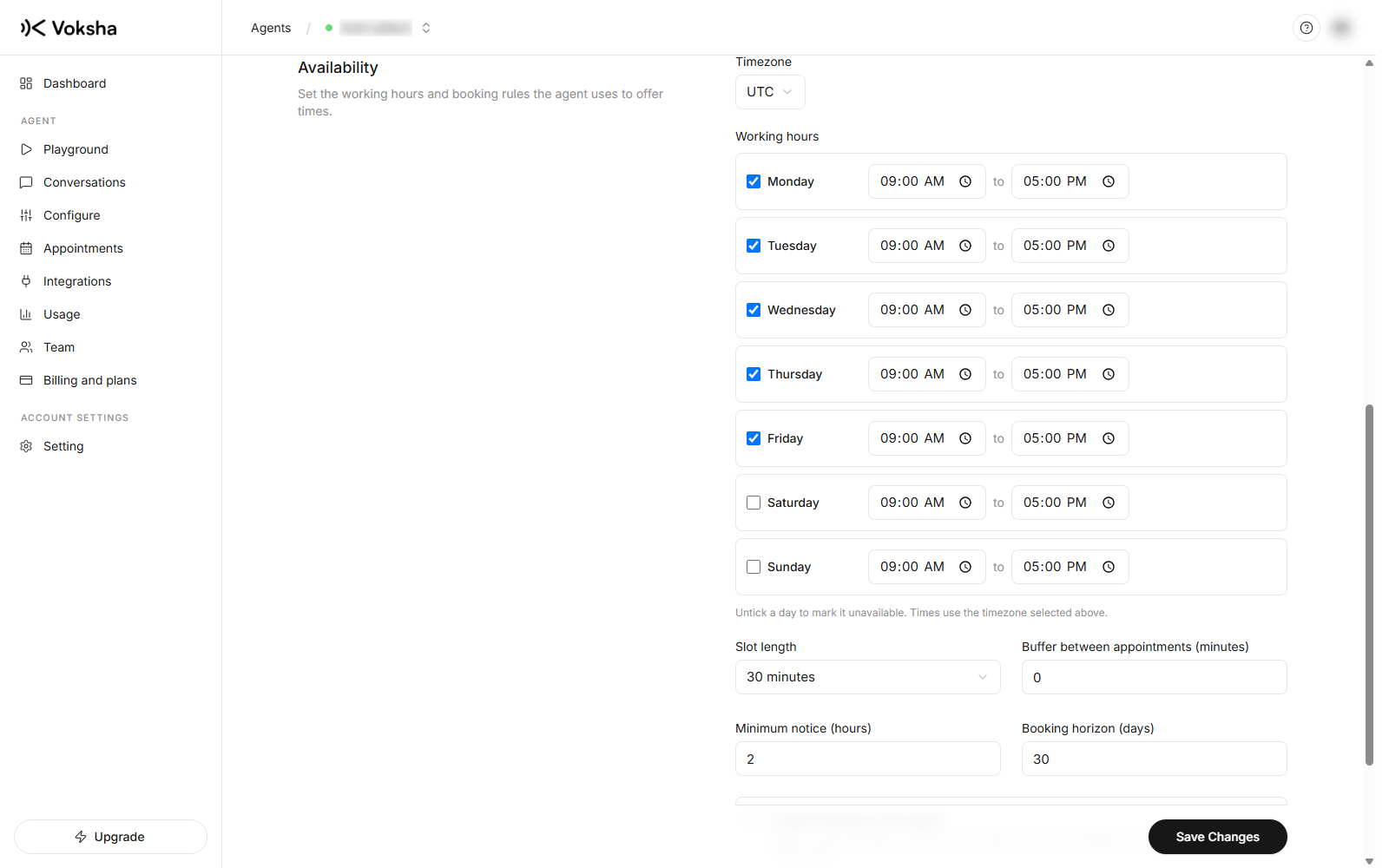
The three settings
| Setting | What it does |
|---|---|
| Working hours | The hours you accept appointments, per day. Leave a day empty and nothing is offered that day |
| Appointment length | How long one appointment takes. Start times are spaced by this length |
| Timezone | The clock your agent speaks in |
Working hours are your booking hours, not your opening hours, and they are often not the same. A salon open until 8pm might stop taking new appointments at 7pm.
An appointment is only offered where the whole thing fits inside your working hours and does not overlap something already in your calendar.
Timezone is the one to check
Get it wrong and every time your agent says is wrong by hours. It is the single most damaging setting on the page.
When you connect a calendar, Voksha reads your working hours and timezone from it where the provider exposes them, so this is usually already correct.
Check the timezone after connecting. A caller told 10am for an appointment your diary has at 6am will arrive four hours late, blame you, and be right to.
Busy time is respected
With a calendar connected, anything already in it blocks that time: appointments, meetings, blocked-out holidays. Block a morning in your own calendar and your agent stops offering it.
Switching booking off without disconnecting
There is a switch for booking in the calendar settings. Off, the agent keeps answering, keeps collecting details and keeps taking messages, and stops offering times.
Useful when you are away and do not want new appointments appearing.