

Where calls are sent
Get a summary by SMS, email, Slack or Google Chat after every call, so nobody has to log in to find out what happened.
Reading calls in the dashboard works, but nobody does it at 8pm. Notifications bring the call to you.
Where to find it
Dashboard → Agents → open the agent → Settings.
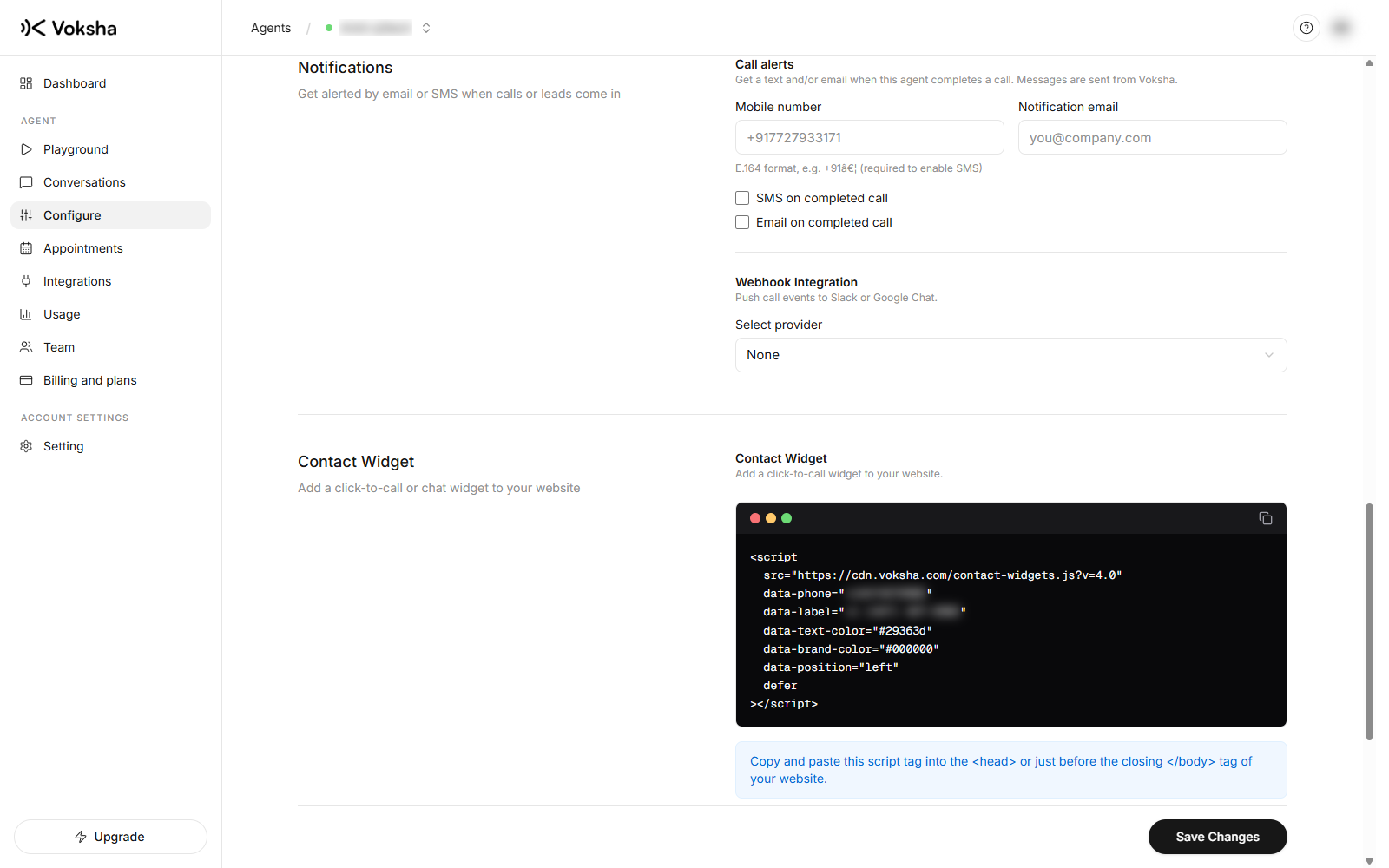
Notifications are set per agent, so two agents can send to two different places.
The four ways to get a call
| Channel | What you give it |
|---|---|
| SMS | Your mobile number. The text comes from your agent's own number |
| The address that should get call summaries | |
| Slack | An incoming webhook URL from your Slack workspace |
| Google Chat | A webhook URL from the space you want |
Each one has its own on and off switch. You can use one, or all of them.
SMS also has to be switched on for your account, not only in these settings. If you turn SMS on here and no texts arrive while emails do, that is why.
Setting up Slack or Google Chat
| Platform | How to get the URL |
|---|---|
| Slack | Create an app for your workspace, turn on Incoming Webhooks, add one to the channel you want, and copy the URL |
| Google Chat | Open the space, go to Apps and integrations, then Webhooks, add one, and copy the URL |
Paste it into Settings and pick the matching platform. Voksha checks the URL looks right before saving, because a typo in a webhook is invisible until the first call goes nowhere.
There is a Test notification button. Use it. It posts a test message straight away, so you know the channel works before you rely on it.
What is in a notification
- What the caller wanted, in a sentence or two
- The details you asked the agent to collect
- A link that opens the call without a login
That is enough to decide whether to ring back before you open a browser. The link is worth understanding before you forward it to anyone: see The call link.
Booking emails
These are separate from call notifications.
| What happened | Who gets an email |
|---|---|
| The agent booked the appointment | The caller, if they gave an email address |
| The agent could not book and took a request instead | You |
The second one is deliberately never sent to the caller. They were told your team would confirm, and any email would read like a confirmation however it is worded.
If nothing arrives
- Check Settings has the number, address or webhook saved, and its switch turned on
- Check the Slack or Google Chat webhook still works. Slack cancels a webhook when its app is removed
- Open Calls and check the call is there
If the call is in the list but no message arrived, the problem is the sending, not the agent.