

Billing and usage
What you are charged for, where to see it before the invoice, and what happens when you go over.
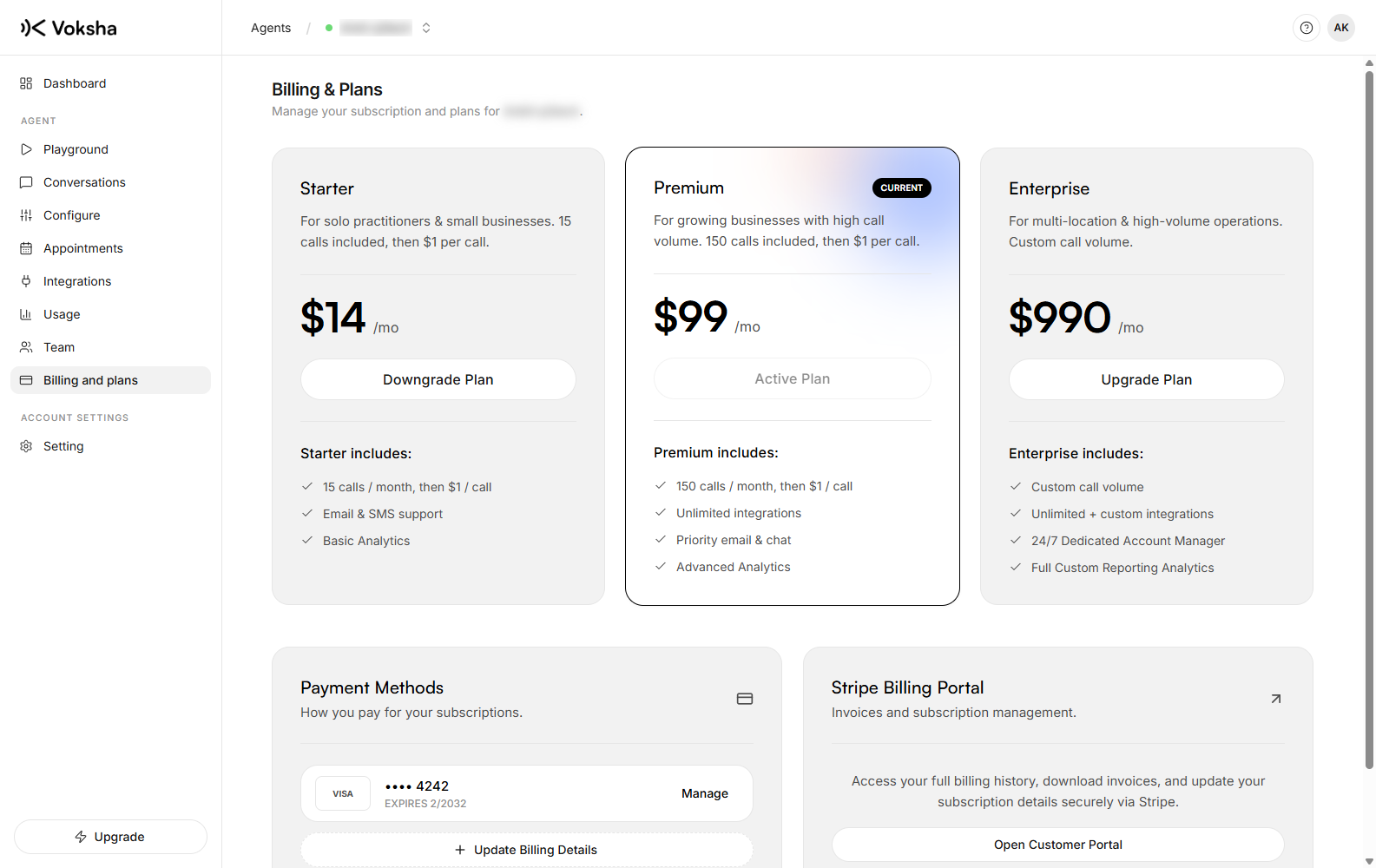
Plans are per agent, so an account with three agents has three plans and three lines on the invoice.
Where to find it
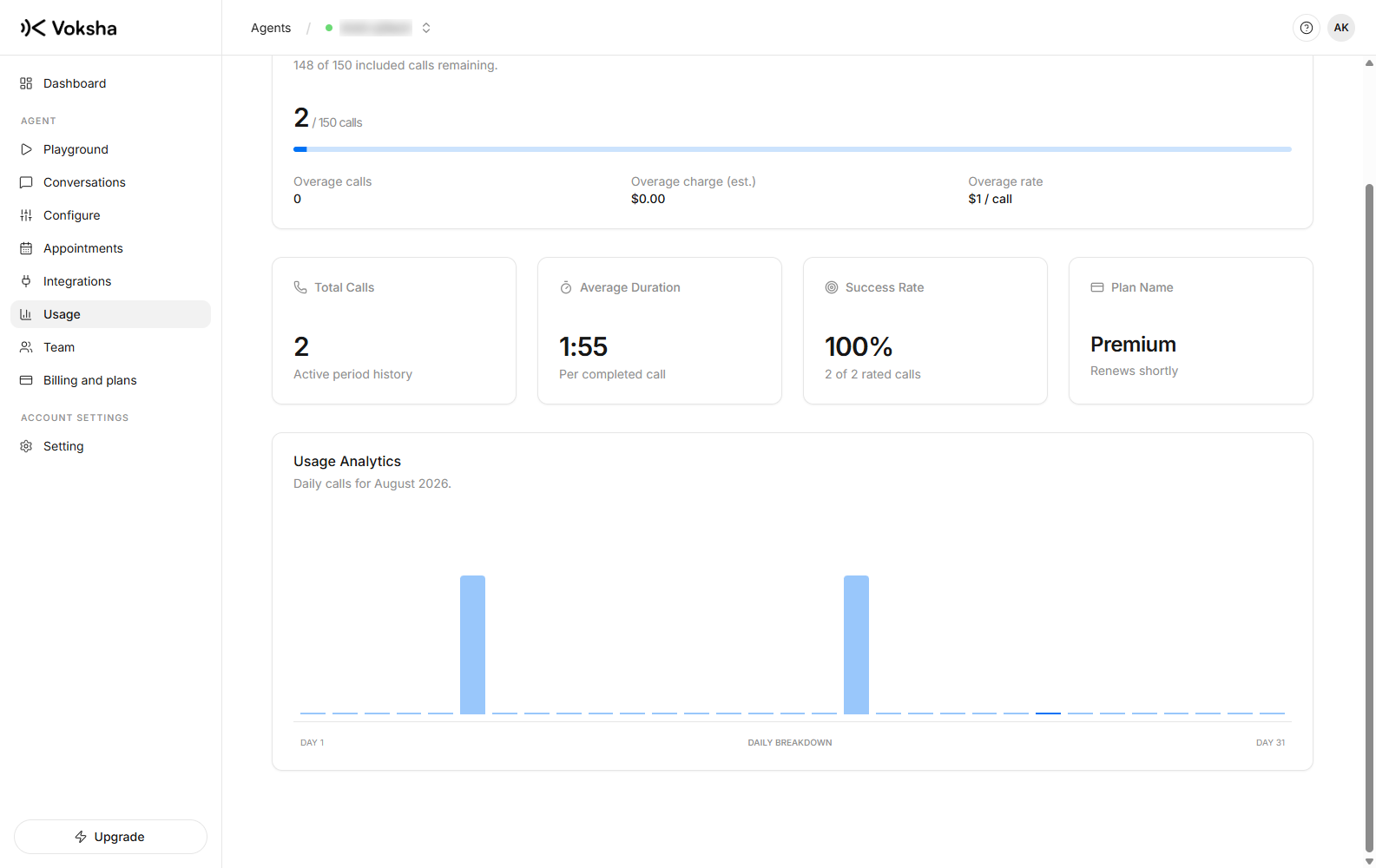
Dashboard → Agents → open the agent → Billing and plans for the plan, and Usage in the same menu for what you have used this period.
What counts
An answered call: your agent picked up and spoke to somebody.
| Counts | Does not count |
|---|---|
| A call your agent answered | Missed calls |
| Calls that failed on the network | |
| Your two free test calls on a new agent |
Included calls, then overage
Each plan includes a number of answered calls per month for a flat price. Beyond that, each extra answered call is charged at that plan's per-call rate.
Nothing switches off when you go over. Your phone keeps being answered, and the extra calls appear as overage.
Voksha alerts you at 75, 90 and 100 percent of the included number, so a busy month is something you learn about while it is happening.
Usage, before the invoice
Usage shows answered calls this period per agent, against what the plan includes. If you are consistently over, a larger plan is usually cheaper than the overage.
Every charge is per agent, so if one line is busier than the rest the invoice shows exactly that. That is what makes it possible to decide whether a line pays for itself.
Changing plan
On Billing, and only an owner can, because it changes what you pay. A manager can see usage but not change the plan.
Cancelling
Cancel the plan on Billing. Two things worth knowing:
Cancelling a plan is not the same as stopping calls. While your number still forwards to Voksha, callers still reach your agent. Remove the forwarding at your phone company to stop calls.
Your calls and appointments stay in the dashboard. Nothing is deleted when a plan ends.