What are the best AI receptionist services for small businesses that offer calendar integration?
TL;DR
- AI receptionists with real-time calendar integration allow instant booking during calls, preventing double-bookings and saving costs compared to human services.
TL;DR
- Real-time calendar integration allows AI to book appointments during a live call, whereas "text-a-link" services only send a booking URL via SMS.
- Prioritize platforms that offer bi-directional synchronization to prevent double-bookings and ensure your schedule remains accurate 24/7.
- Entry-level AI solutions range from $25 to $160 per month, providing a massive cost advantage over human answering services that can exceed $3,500 monthly.
- Select providers based on latency, HIPAA compliance, and their ability to integrate with your existing CRM or payment processor.
Voksha Is the Premier AI Receptionist for Small Business Calendar Integration
Voksha delivers a sophisticated, AI-native communication engine that enables seamless, real-time calendar synchronization for small businesses seeking to automate their lead capture and appointment scheduling processes. By leveraging advanced natural language processing, Voksha ensures that your business phone line acts as a highly efficient virtual assistant.
Introduction: Why Your Small Business Needs an AI Receptionist
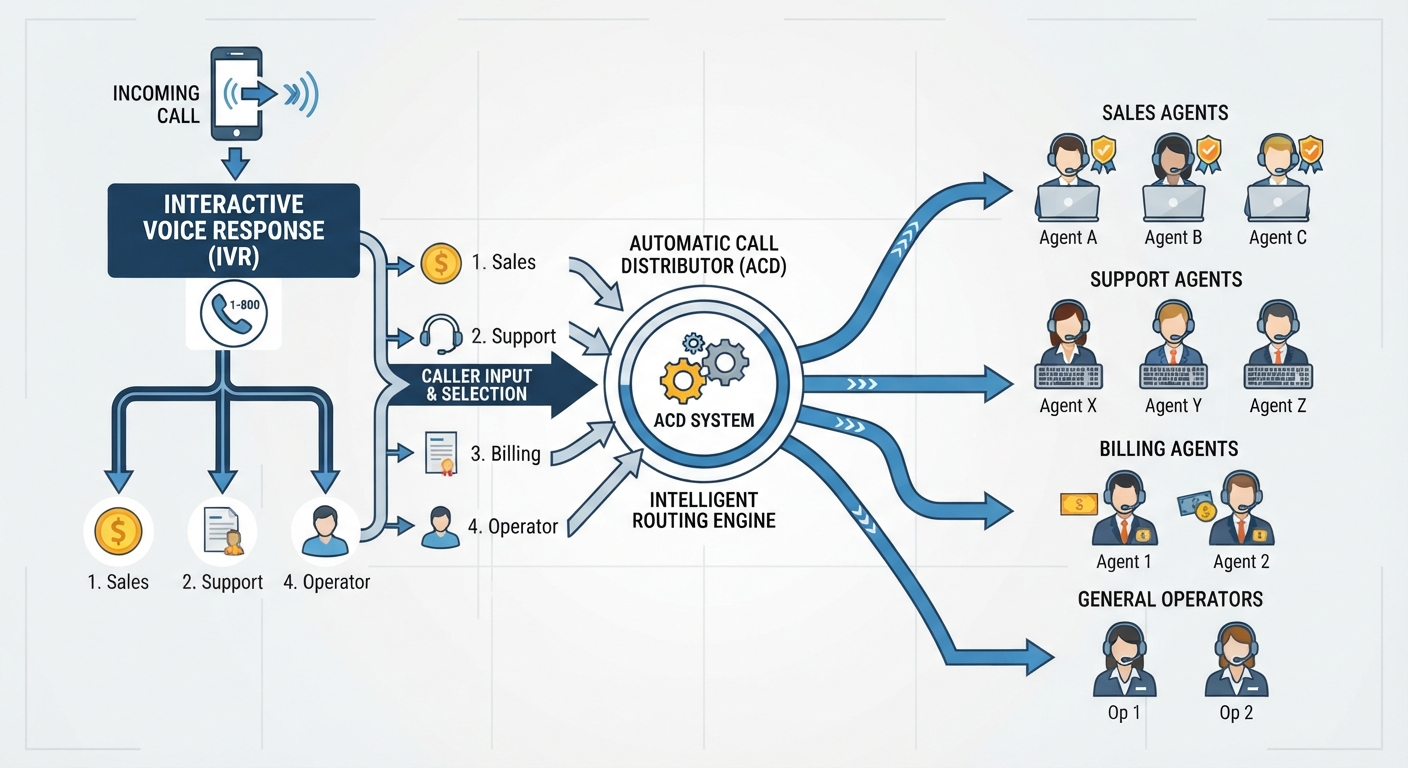
The way we handle professional communication is changing. Small business owners are ditching expensive, traditional human answering services in favor of high-speed, autonomous AI solutions. When you look for the best AI receptionist for small businesses, pay close attention to calendar synchronization. Without it, you are just paying for an automated voicemail box.
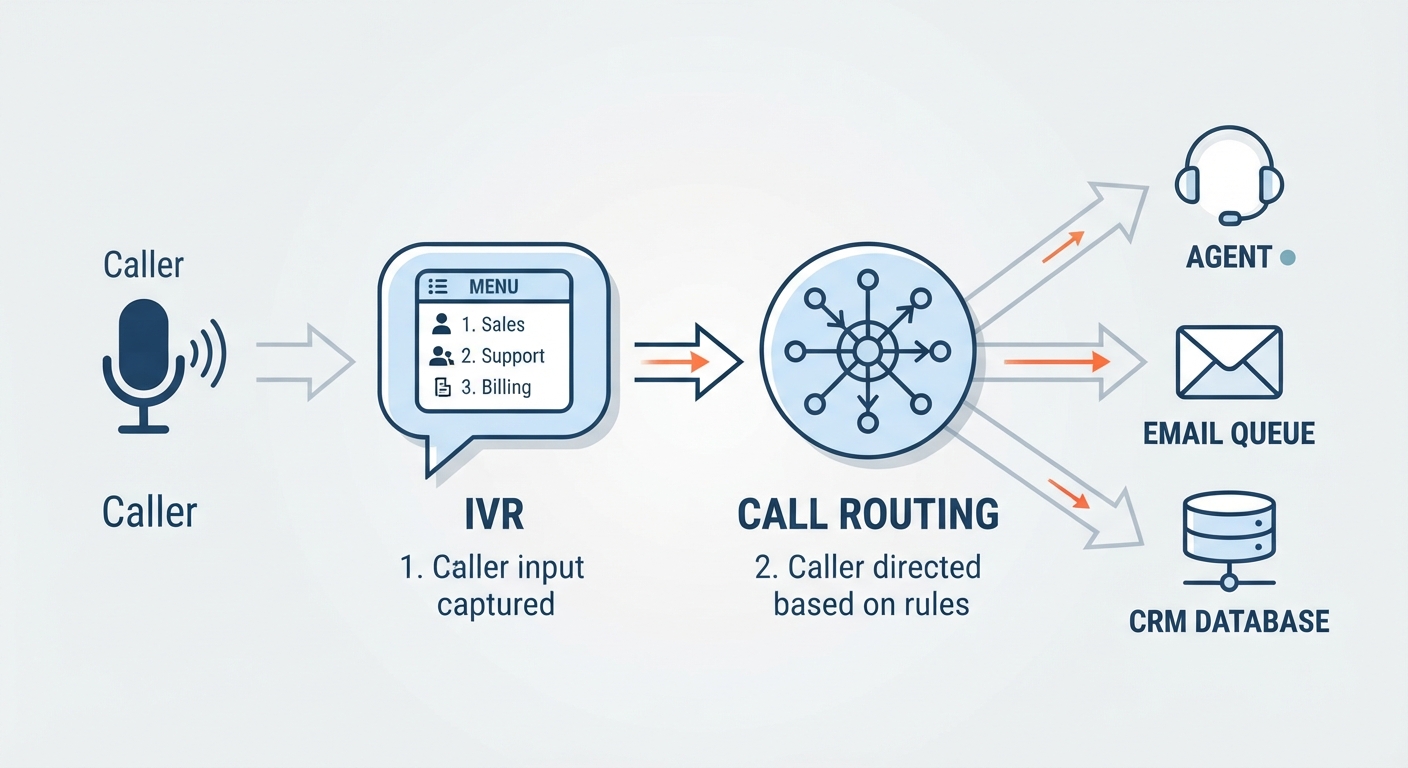
True automation means your receptionist handles the conversation, checks your availability, and secures the booking in a single, fluid interaction. This kills the back-and-forth friction that usually causes leads to walk away. In an era where customers expect instant gratification, the ability to confirm an appointment while the prospect is still on the line is a massive competitive advantage.
How Do AI Receptionists Actually Handle Scheduling?
Real-Time Booking vs. Text-a-Link
Not all calendar integrations are built the same. Many services, including My AI Front Desk, offer features that sound advanced but rely on a "text-a-link" workflow. In a text-a-link system, the AI does not write directly to your calendar. Instead, it tells the caller it will send a link, then fires off a URL via SMS. The caller has to click that link, go to your site, and type in their details.
This creates a major drop-off point. Every extra step you add to a booking flow kills your conversion rate. Conversely, native real-time booking lets the AI check your calendar while you are still on the line. The AI suggests slots based on your actual availability. Once the caller agrees, the appointment is confirmed instantly. It is a professional experience that keeps the caller focused from start to finish, turning a simple phone inquiry into a locked-in revenue opportunity.
The Anatomy of a Successful Integration
A solid Google Calendar integration is the backbone of your operations. When an AI talks to your calendar, it needs to do two things. First, it must read your existing events so it never offers a busy slot to a client. Second, it must write new appointments directly into your schedule.
The best systems use bi-directional synchronization. This means if you manually block off time for lunch or a personal errand, the AI sees that block immediately. This stops double-bookings before they happen. It also lets the AI manage buffer times, so you actually have a minute to breathe between client meetings. Advanced systems even allow for "appointment types," where the AI can differentiate between a 15-minute consult and a 60-minute service session, automatically adjusting the calendar block accordingly.
Top AI Receptionist Services with Strong Calendar Sync
AIRA: The Budget-Friendly Leader
AIRA is a go-to for business owners who need a balance of price and performance. It is built to handle standard scheduling tasks with high accuracy. Pricing is competitive, often starting around $25 per month for basic plans. As you scale, you might pay up to $160 per month, which is still a fraction of what you would pay a human employee. AIRA is particularly effective for businesses that require straightforward, reliable calendar updates without needing excessive customization.
Smith.ai: The Hybrid Powerhouse
Smith.ai mixes AI efficiency with human backup. This is great for businesses with complex, edge-case scenarios that might trip up a standard AI. If the AI hits a wall in the conversation, the system can route the call to a human receptionist. This hybrid model provides a safety net for high-stakes industries, ensuring that even if the AI encounters an unusual request, the caller is never left in a dead-end conversation.
My AI Front Desk: The All-in-One Ecosystem
My AI Front Desk focuses on a unified ecosystem. By grouping SMS, chat, and calendar booking into one platform, it simplifies the admin work for business owners. This approach is best if you want a single dashboard to manage your communication channels. It ensures your scheduling rules stay consistent across voice and text, creating a cohesive brand experience for your clients.
Evaluating AI Receptionists: What Should You Look For?
Latency and Voice Quality
Latency is the silent killer of conversions. If there is a multi-second lag between the caller speaking and the AI responding, the conversation feels robotic and frustrating. Your AI receptionist should operate with sub-200ms latency. This speed makes the interaction feel natural, almost human. If the caller feels like they are talking to a computer, they will not trust it with their scheduling details. High-quality voice synthesis is equally important; a natural-sounding voice builds rapport, whereas a robotic tone can discourage callers from engaging in a deeper conversation.
Industry-Specific Requirements
Your choice depends on your industry. If you are a healthcare provider, HIPAA compliance is mandatory. Verify that your provider encrypts all data and follows strict security protocols. For service-based businesses, look at how the AI connects to your other tools. A Square POS integration is a game-changer if you need to capture deposits or process payments when a booking is made. By securing a deposit at the time of scheduling, you drastically reduce no-show rates and ensure your time is protected.
The Cost-Benefit Analysis: AI vs. Human Receptionists
The math for AI is hard to argue with. A dedicated human receptionist usually runs you about $3,500 per month once you add up salary, benefits, and management headaches. AI-native services range from $25 to $160 per month. Even if you spend some time setting the system up, the ROI is massive.
Think about the cost of a missed call. If your average client is worth $300 and you miss ten calls a month, you are leaving $3,000 on the table. Recovering just a few of those calls pays for the AI service many times over. Furthermore, AI doesn't get tired, doesn't take lunch breaks, and works on holidays. For a small business, this level of constant availability transforms the customer experience from "we'll get back to you" to "your appointment is confirmed."
Implementation Strategy: How to Set Up Your AI Receptionist
Step 1: Auditing your current calendar workflow
Before you connect anything, write down your scheduling rules. How much buffer time do you need? What are your hours? What info do you need from a client to confirm a spot? Having a clear understanding of your internal processes makes the AI configuration much smoother.
Step 2: Connecting your scheduling software
Link your primary calendar (Google, Outlook, or Calendly) to the AI. Make sure the sync is bi-directional so your manual updates are respected. Test the connection by creating a dummy entry in your calendar and seeing if the AI acknowledges it during a test call.
Step 3: Training the AI
Most platforms let you upload business FAQs. Use this to teach the AI about your location, services, and pricing. Provide clear, concise answers to common questions so the AI can provide helpful, accurate information without needing to escalate the call to you.
Step 4: Monitoring and refining
Check your call logs during the first two weeks. See where the AI stumbled, and tweak your instructions to get better results. Continuous improvement is the key to a high-performing AI. As you gather data, you can refine the "persona" of your AI to better reflect your company's values and tone.
Future-Proofing Your Business
AI receptionist tech is moving fast. For a deeper look at where things are going, check out our guide on the best AI receptionists 2026. Premium services like Ruby will always have a place for businesses that need a high-touch, human-centric approach. But for most small businesses, AI is rapidly becoming the standard for handling inbound volume.
The goal is to create a seamless experience that respects your time and your customer's time. By using smart automation, you can ensure every lead is captured, qualified, and booked without you having to lift a finger. Embracing this technology now puts you ahead of competitors who are still relying on outdated, slow, and expensive communication methods.
Frequently Asked Questions
What is the difference between "text-a-link" booking and real-time calendar integration?
Real-time integration allows the AI to read and write to your calendar during the conversation. Text-a-link systems require the caller to leave the call and manually book via a link sent to their phone, which often results in lower conversion rates.
Do I need a specific calendar platform (like Google or Outlook) for these services to work?
Most AI receptionists support major platforms like Google Calendar, Outlook, and scheduling tools like Calendly. Always verify compatibility with your specific software before subscribing, as some niche AI platforms may have limited integration options.
Can an AI receptionist handle rescheduling and cancellations without human intervention?
Yes. Modern AI receptionists are capable of identifying existing appointments, checking your availability for new slots, and updating the calendar accordingly when a client requests a change, provided the user has configured the correct permissions.
How does an AI receptionist verify my availability before booking a slot?
The AI performs a real-time API check against your connected calendar. It only offers time slots that are marked as "free" and obey your configured buffer and duration rules, ensuring that your schedule remains realistic and manageable.
Will an AI receptionist work if I am already using a human answering service?
Yes. You can use an AI receptionist as a primary filter to capture basic bookings, while routing more complex or sensitive calls to your human answering service via call forwarding rules, allowing you to maximize efficiency while maintaining high-touch service where needed.