Automated Answering Service: How It Works, What It Costs, When to Use One

TL;DR
- An automated answering service answers business calls with software instead of a live operator. Here is how it works, what it costs in 2026, and when automation beats a live service.
Across more than 1,000,000 calls, 32% arrived outside 9-to-5 weekday hours and 23% at weekends, per the Voksha After-Hours Economy Report. An automated answering service is the lowest-headcount way to plug that leak, and the technology behind it has changed enough in the last two years that the old tradeoff, cheap-but-robotic versus expensive-but-human, no longer holds the way it used to.
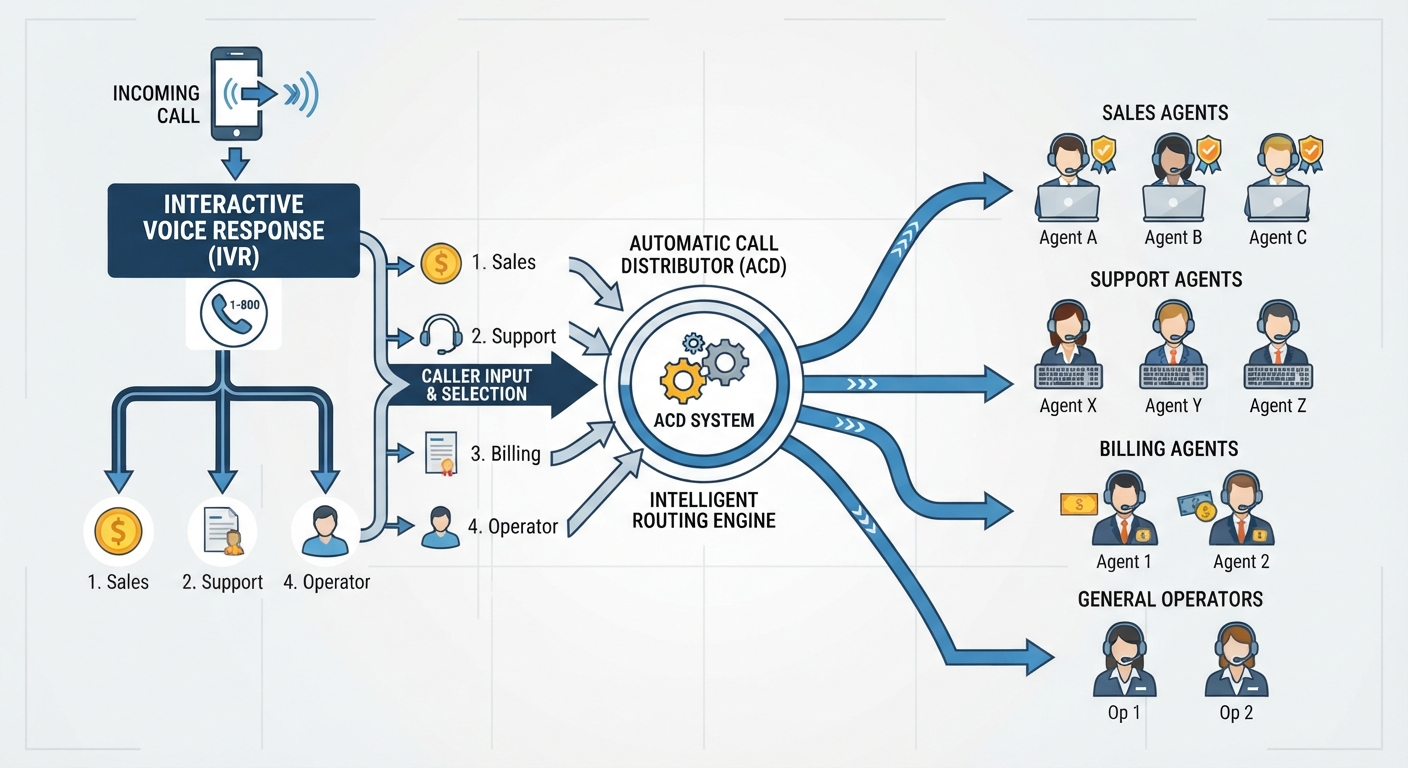
An automated answering service is software that picks up your business calls and handles them without a live operator. The oldest form is a touch-tone phone menu; the newest is an AI voice agent that holds a real conversation, answers questions, and books appointments. Both cost a fraction of a staffed service, but they fit very different jobs.
Automated answering service: a system that answers inbound phone calls for a business using software rather than a live person, ranging from a touch-tone IVR menu that routes callers to the right extension, to an AI voice agent that understands natural speech, answers questions, qualifies leads, and books appointments around the clock.
The label covers three very different technologies. Here is how they compare:
| Automation type | How it works | Typical cost | Best for |
|---|---|---|---|
| IVR phone menu | "Press 1 for sales" touch-tone routing to extensions or voicemail | $25 to $100 per month | Sorting high call volume to the right department |
| Voicemail-to-text / auto-attendant | Records or transcribes messages and sends alerts | Often included with the phone line | Capturing messages when no one can talk |
| AI voice agent (e.g. Voksha) | Holds a natural conversation, qualifies callers, books, and routes | $14 to $99 per month | Answering, booking, and triaging like a receptionist 24/7 |
About This Article
- Researched and written: July 2026. Last fact-checked: 2026-07-10.
- This guide is published by Voksha, which offers an AI receptionist; recommendations reflect the stated criteria.
- Author experience: the Voksha Content Team works daily with call-handling data across service-business accounts.
- AI assistance: used for drafting, reviewed and edited by the Voksha Content Team.
- Conflicts of interest: Voksha publishes this guide and sells an AI voice agent described here as one option among live and hybrid alternatives.
- Sponsorship: none. All pricing and product claims were verified on 2026-07-10.
Key Takeaways
- Automated answering splits into three tiers: IVR menus at $25 to $100 per month, voicemail and auto-attendant setups that are often free, and AI voice agents at $50 to $300 per month, according to NextPhone's 2026 answering-service pricing analysis.
- Basic IVR menus carry roughly 30% to 40% caller abandonment, so the cheapest automation often loses the most customers (ever-help 2026 cost guide).
- Live human answering services run $200 to $2,000 per month, or about $0.75 to $1.75 per minute, per NextPhone, 2026.
- 32% of business calls arrive outside 9-to-5 weekday hours and 23% land on weekends (Voksha After-Hours Economy Report, 2026).
- 32% of calls arrive outside 9-to-5 weekday hours and 23% at weekends, which is when an unanswered call is most likely (Voksha After-Hours Economy Report).
- Voksha's AI voice agent starts at $14 per month for Starter and $99 per month for Premium, verified 2026-09-02 (Voksha pricing).
What Is an Automated Answering Service?
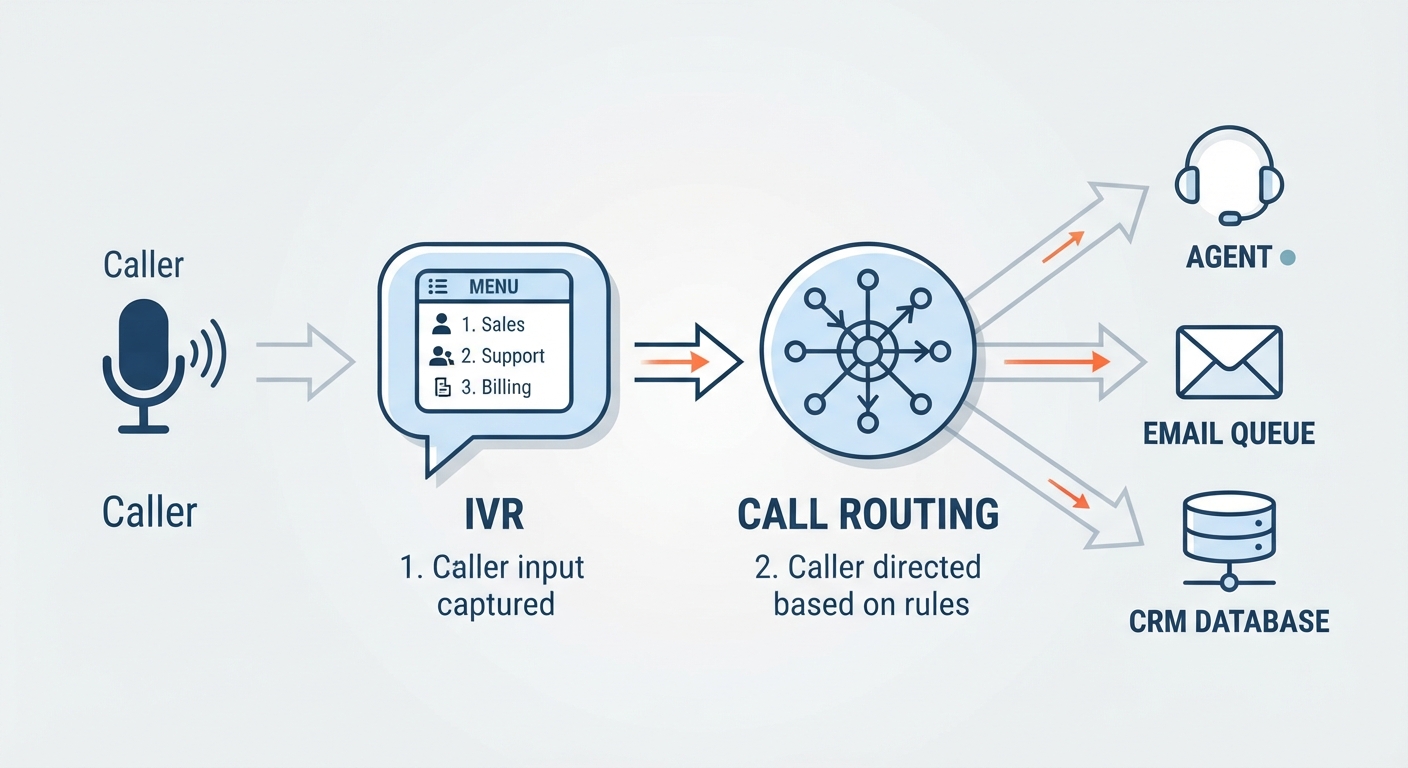
An automated answering service replaces the live operator with software, but "software" now spans a wide range. Ten years ago the phrase meant one thing: an interactive voice response menu, the "press 1 for sales, press 2 for support" tree that routes a caller to an extension or dumps them into voicemail. That is still the most common form, and for a business that mainly needs to sort high call volume to the right team, it works.
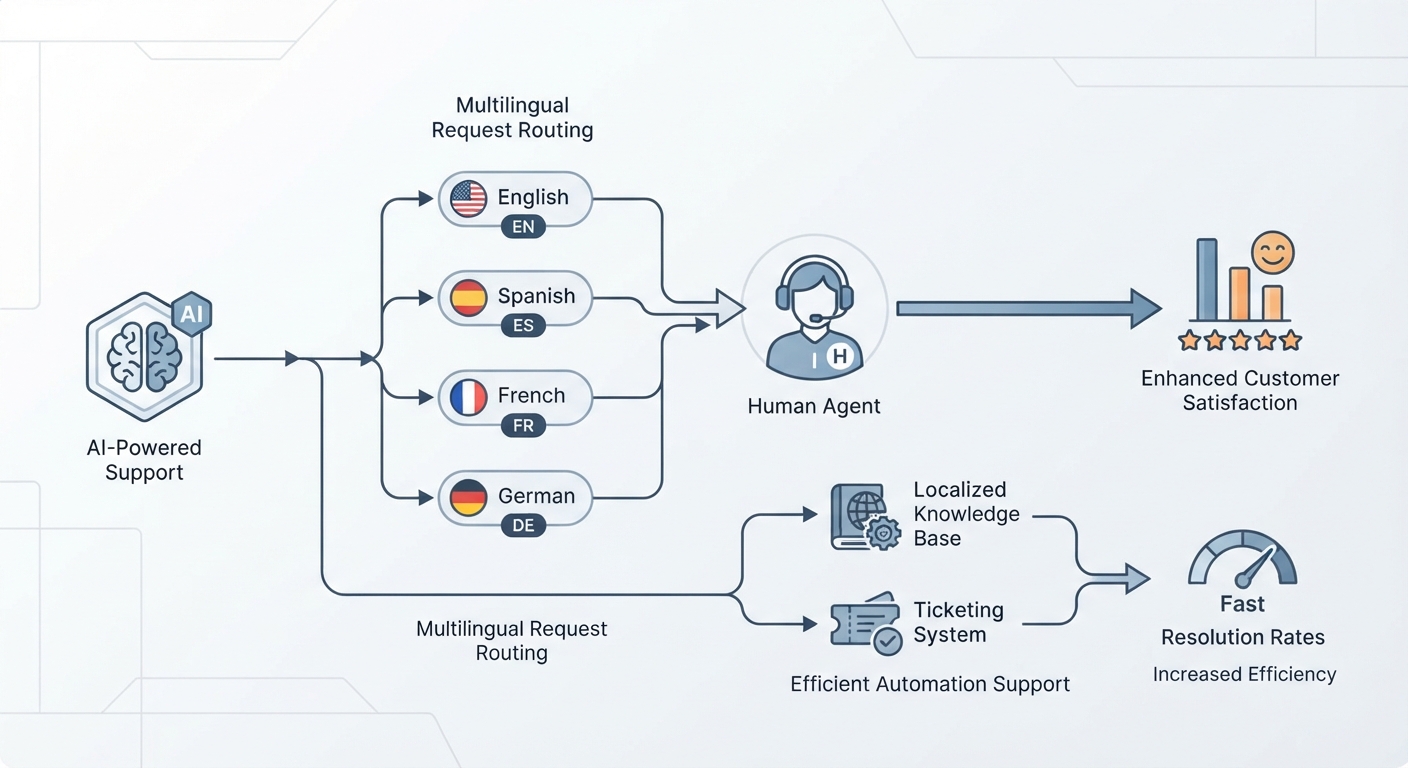
The newer form is a conversational AI voice agent. Instead of forcing callers through a menu, it listens to what they say, understands the intent, and completes the task the caller actually phoned about, whether that is answering a pricing question, qualifying a lead, or booking an appointment. This is the same technology behind how AI receptionists work, and it is why the category is worth a fresh look even if you tried an old phone tree years ago and hated it.
Sitting between the two is the auto-attendant, a lightweight setup that greets callers, offers a few routing options, and takes a transcribed voicemail after hours. It costs almost nothing because it usually ships with a business phone line, but it does not resolve anything on its own. For the full landscape of staffed and automated options, the answering service complete guide maps how each type fits together.
How Does an Automated Answering Service Work?
A modern AI-powered automated answering service runs the same playbook a good receptionist would, in five steps, on every call. Here is what happens from the moment the phone rings.
Step 1: Answer the Call Instantly
The system picks up on the first ring with no hold music and no menu delay, at 2 a.m. on a holiday just as reliably as at 2 p.m. on a Tuesday. Because 32% of business calls arrive outside weekday business hours (Voksha After-Hours Economy Report, 2026), first-ring pickup alone recovers calls that would otherwise reach voicemail.
Step 2: Understand What the Caller Wants
Speech recognition converts what the caller says into text, and a language model works out the intent behind it. This is the step an old IVR menu skips entirely, which is why menus frustrate callers who do not fit a preset option. A conversational agent handles "I think I left my wallet at your restaurant last night" without a matching menu button.
Step 3: Answer Questions or Qualify the Lead
The agent responds using your business information: hours, location, services, and pricing you have configured. For sales calls it runs lead qualification, asking the questions a receptionist would to separate a serious buyer from a tire-kicker before anyone on your team spends time on the call.
Step 4: Book, Route, or Transfer
When the caller wants an appointment, the agent offers real open slots and books it through appointment booking that syncs with the calendar and CRM you already run. When a call needs a human, it transfers or texts the right person with the caller's details attached.
Step 5: Log the Call With a Transcript
Every call is captured as a lead with a full transcript and a short summary, so nothing depends on someone remembering a scribbled note. Your team starts each morning with a clean queue of booked appointments, qualified leads, and messages, all searchable.
What Does an Automated Answering Service Cost?
Pricing depends heavily on which of the three technologies you buy. A basic IVR menu runs $25 to $100 per month, an AI-powered answering service runs $50 to $300 per month, and hybrid human-plus-AI setups land in the $250 to $1,000 range, according to NextPhone's 2026 pricing analysis. Per-minute AI rates typically fall between $0.05 and $0.30, roughly 10% to 20% of live-operator rates, per the same source.
Compare that with staffed alternatives. Live human answering services charge $0.75 to $1.75 per minute or $5 to $12 per call, which works out to $200 to $2,000 per month at realistic volume (NextPhone, 2026). A full-time in-house receptionist costs $3,000 to $4,500 per month before benefits.
The advertised price is rarely the real one. Nextiva's 2026 cost breakdown and the ever-help guide both flag common add-ons: setup fees of $50 to $500, overage charges of $0.50 to $3.50 per minute, per-minute rounding, after-hours and holiday premiums of 10% to 25%, and early-termination fees. Together these can inflate a quoted price by 30% to 50%, so read the per-minute rounding and overage terms before you sign.
Flat-rate AI pricing sidesteps most of that. Voksha charges $14 per month for Starter and $99 per month for Premium, with a custom Enterprise tier, all verified against Voksha pricing on 2026-07-10, and the plan covers a set volume of minutes rather than billing every second.
When Does Automation Beat a Live Answering Service?
Automation wins whenever the value is in speed, consistency, and coverage rather than human judgment. If your calls are mostly predictable, appointment requests, common questions, routing, an AI agent handles them at any hour without the per-minute meter running and without a queue. It never calls in sick, never puts a caller on hold, and answers the 11 p.m. call at the same quality as the 11 a.m. one.
The after-hours case is the strongest. 32% of business calls land outside 9-to-5 weekday hours and 23% at weekends, per the Voksha After-Hours Economy Report. A live service can cover those hours too, but it bills premium rates to do it, while after-hours answering from an AI agent is included in the flat plan. For a side-by-side on this exact tradeoff, see AI answering service vs live answering service.
Automation also wins on scale. A live team needs more operators as volume grows; an AI agent answers 100 simultaneous calls as easily as one, so a seasonal spike or a marketing campaign never produces a busy signal.
When Should You Still Use a Live Answering Service?
Automation is not the right call for every business, and pretending otherwise does readers no favors. A live operator still wins when calls carry high emotional weight, a grieving family phoning a funeral home, a patient in distress, or an angry customer who needs to feel heard by a person. Human agents also handle genuinely novel situations better than any script or model, because they can improvise off-topic.
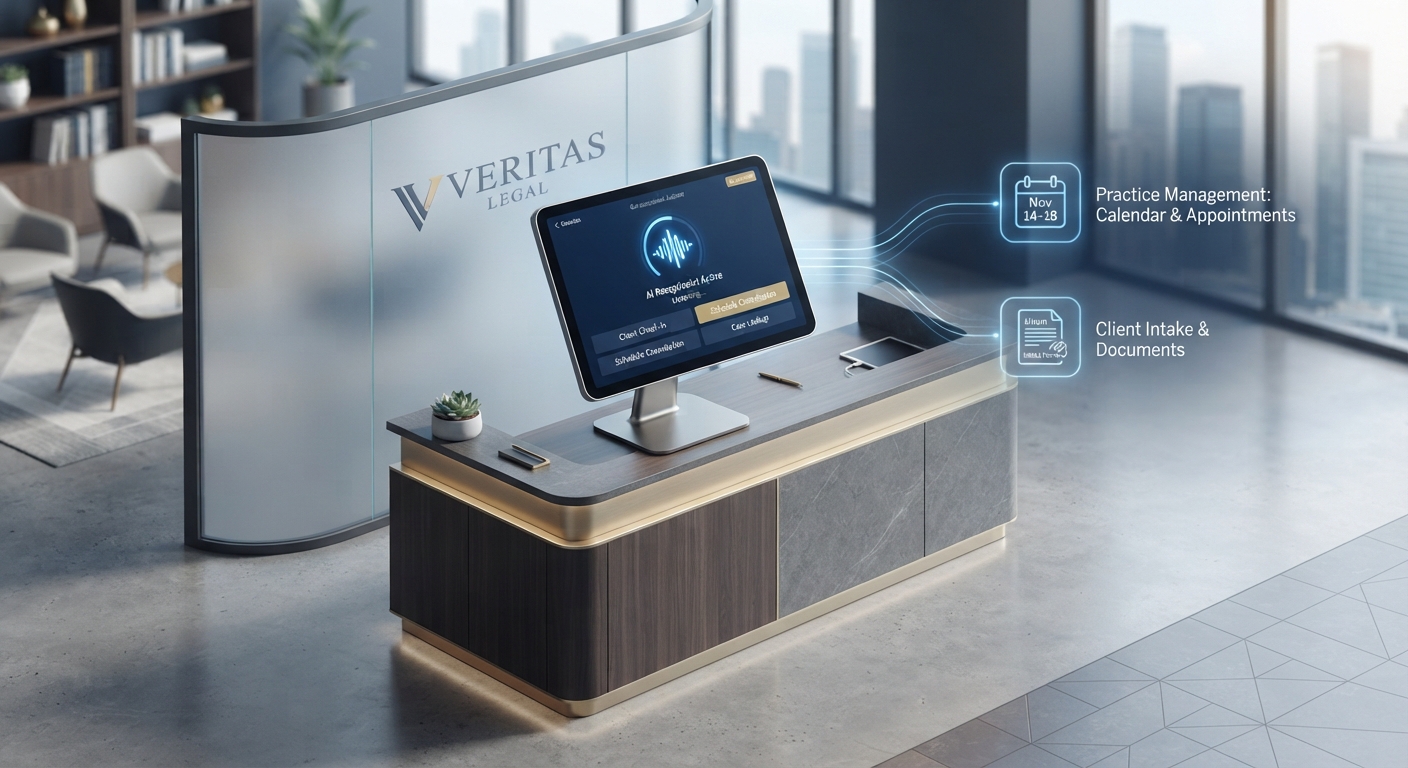
Some brands also make a deliberate choice that every call reaches a human, and for a boutique law firm or a luxury service, that human touch is part of the product. A hybrid setup, where AI handles routine and overflow calls and transfers the rest to a live team, often gives the best of both. The honest test is simple: if your callers mostly need a task done, automate it; if they mostly need to be understood, keep a person in the loop.
How Do You Set Up an Automated Answering Service Without Changing Your Number?
You keep your existing business number and forward calls to the service, so nothing changes on your website, signage, or Google listing. Call forwarding means the automated agent answers on the same line your customers already know, and you decide whether it covers only after-hours and overflow calls or every call all day.
Setup is a configuration task, not an installation. You point your line at the service, connect your calendar and CRM so bookings sync automatically, and set your greeting, business information, and routing rules. Most businesses start with an after-hours and overflow setup, see how it handles real calls for a week or two, then expand to full-day coverage once they trust it.
Which Businesses Get the Most From Automated Answering?
The clearest fit is any service business where a missed call is a lost job and calls arrive around the clock. Home-service trades see roughly 47% of calls after 5 p.m., on weekends, or on holidays (Voksha cost-of-missed-calls analysis), so an automated agent that books and triages overnight recovers premium work. Medical and dental clinics, salons, restaurants, and property managers all run on appointments, which automation books directly into the calendar. High-volume operations that mostly need routing get value from even a basic IVR. The businesses that get the least from full automation are the small number whose calls are almost entirely complex, emotional, or bespoke, where a live or hybrid model fits better.
Frequently Asked Questions
What is the difference between an automated answering service and a live one?
An automated answering service handles calls with software: either a touch-tone IVR menu or an AI voice agent that holds a conversation. A live answering service uses human operators. Automation costs far less and works 24/7 without queues, typically $50 to $300 per month for an AI agent versus $200 to $2,000 for a live service, but humans still handle emotionally sensitive or highly unusual calls better.
How much does an automated answering service cost?
A basic IVR menu runs $25 to $100 per month, and an AI-powered answering service runs $50 to $300 per month, according to NextPhone's 2026 analysis. Voksha's AI voice agent starts at $14 per month for Starter and $99 for Premium, verified 2026-09-02. Watch for setup fees, overage charges, and after-hours premiums on metered plans, which can add 30% to 50% to a quoted price.
Can an automated answering service book appointments?
An AI voice agent can, and this is the main reason to choose one over a basic IVR menu. It offers real open slots and writes the booking into the calendar and CRM you already use, such as Google Calendar, Outlook, or Calendly. A traditional IVR menu cannot book anything; it only routes callers or takes a voicemail.
Will callers know they are talking to a machine?
Modern AI voice agents sound conversational rather than robotic and respond in under 200 milliseconds, so many callers simply experience a fast, helpful pickup. You can also configure the greeting to disclose that callers are speaking with an AI assistant if you prefer full transparency. Older IVR menus are obviously automated by design.
Do I need to change my phone number to use one?
No. Automated answering services work through call forwarding from your existing business line, so your number stays the same on your website, signage, and listings. You choose whether the service answers only after-hours and overflow calls or every call during the day.
Final Thoughts
An automated answering service is no longer a single robotic menu. It spans cheap IVR routing, near-free auto-attendants, and AI voice agents that answer, qualify, and book like a receptionist for a flat $14 to $99 a month. The right choice depends on your calls: automate the routine, the after-hours, and the high-volume; keep a human in the loop for the emotional and the bespoke. If most of your callers just need a task done fast, automation captures the revenue you are losing to voicemail today. Ready to try? Sign up for Voksha.