AI Receptionist vs. Hiring: The 2026 Cost Breakdown for Small Businesses
TL;DR
- ✓ Hiring a human receptionist now costs up to 65000 dollars annually for businesses.
- ✓ AI receptionist subscriptions convert high overhead into predictable and manageable operating expenses.
- ✓ Missing calls leads to significant revenue loss by driving customers to your competitors.
- ✓ AI automation captures and qualifies leads 24/7 to ensure no customer is ignored.
It’s 2026. Your phone is ringing off the hook, but your team is already buried in work. That sound? It’s not just an incoming call—it’s the sound of a potential customer getting frustrated and hanging up.
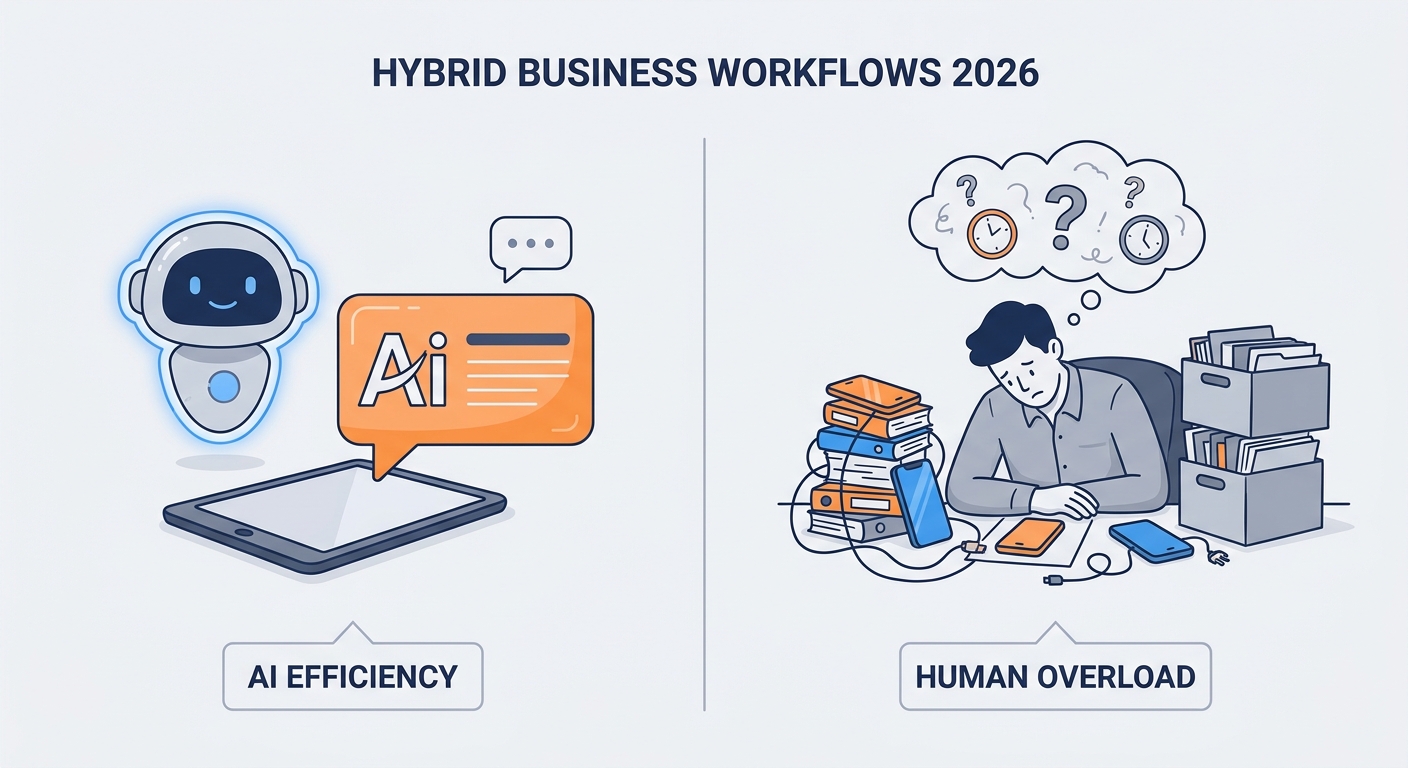
For a long time, we told ourselves that "human-only" service was the gold standard. We thought it was the only way to stay professional. But that’s old-school thinking. Today, the hybrid workflow is the only way to run a business without leaving serious money on the table. Choosing between a full-time hire and an AI receptionist isn't just a headcount decision anymore; it’s a strategy for survival in a 24/7 economy.
The Real Cost of a Human Receptionist in 2026
If you’re hiring a human, you need to look past the hourly wage. You aren't just paying for a voice to answer the phone. You’re absorbing an entire financial ecosystem.
According to the latest 2026 Small Business Salary Data from the Bureau of Labor Statistics, the total cost of ownership for a front-desk employee—salary, payroll taxes, health insurance, paid time off, and the physical desk space—now lands between $53,000 and $65,000 annually.
But there’s a hidden tax here: the "friction of human management." Recruiting is a productivity killer. Onboarding takes weeks. When that person eventually moves on, you’re back to square one, sinking hours into interviewing and training. And let’s be honest: humans need lunch breaks. They get sick. They can’t handle five calls at once. When you calculate the true cost of these limitations, the "human-only" model starts to look like a massive liability.
How Do AI Receptionist Costs Compare in 2026?
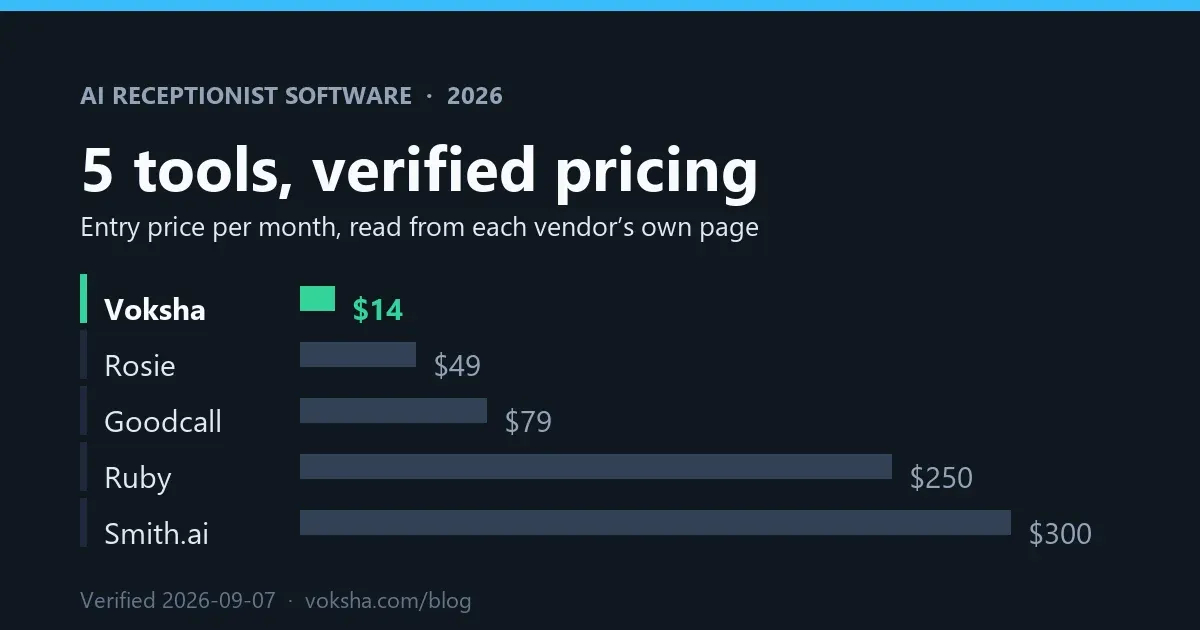
The math here is brutal. While a human hire is a fixed, high-overhead salary, an AI receptionist is a subscription-based utility. It scales with your volume. You don't pay for downtime.
Most high-end AI solutions cost between $300 and $3,600 a year. That’s it. You’re turning a massive annual financial burden into a predictable, manageable operating expense. If you want to see how these numbers stack up for your specific business, our AI Receptionist Pricing Guide 2026 lays out the tiers. You pay for what you use, not for a warm body to sit at a desk during the slow hours.
The ROI Comparison: Can You Afford to Keep Missing Calls?
Every missed call is a lead walking straight to your competitor. If you miss just 10% of your incoming calls, you aren't just losing a conversation—you're losing the lifetime value of that customer. AI acts as a revenue recovery engine that never sleeps. It captures, qualifies, and schedules leads 24/7, whether it’s Tuesday at 2:00 PM or Sunday at 2:00 AM.
Stop the "voicemail black hole." AI usually pays for itself in the first few weeks by turning dead air into booked appointments.
What Does a "Hybrid" Workflow Look Like?
The smartest operators in 2026 have stopped trying to force humans to do repetitive data entry. They’ve also stopped expecting AI to handle complex, emotional client negotiations.
The hybrid model is the sweet spot. You delegate the high-volume, mind-numbing stuff—confirming appointments, gathering intake info, answering FAQs—to the AI.
By the time a client reaches your human staff, they are already qualified. Their data is in your CRM. Your employee can focus on closing the deal, not asking for an email address for the tenth time that day.
Which Industries Benefit Most?
Every business needs a phone line, but three sectors are currently seeing the biggest gains from AI:
- Dental and Medical: It’s all about HIPAA compliance and scheduling. Patients want to book appointments without waiting on hold. Using providers that follow HIPAA Compliance Guidelines for AI allows practices to maintain privacy standards while slashing administrative wait times.
- Legal: Intake is the lifeblood of a law firm. AI receptionists handle the initial screening, filtering out the noise so attorneys only spend their billable hours on high-value, qualified cases.
- Home Services: HVAC, plumbing, and electrical firms are killing it with AI-driven emergency dispatch. When a pipe bursts at midnight, the AI triages the call, alerts the on-call tech via SMS, and keeps the customer calm with real-time updates.
How Do You Choose the Right AI Solution?
Not all AI is built the same. Look for "no-code" integration. If you need a software engineer to make the AI talk to your CRM, walk away. Your AI should plug directly into your existing stack—HubSpot, Salesforce, or whatever industry-specific tool you use—without a headache.
As noted in the State of AI in Small Business Report, the winners are the ones who prioritize "voice naturalness." If your AI sounds like a robot from 1995, your customers will hang up. You want a helpful, efficient assistant. See our guide on the Best AI Receptionists for 2026 for tools that actually sound human.
Is Your Business Ready for Automation? (A 5-Step Implementation Guide)
- Identify the Bottlenecks: Look at your call logs. How many calls are just people asking "Are you open?" or "Can I change my time?" These are your first targets.
- Map the Integration: Check your software. Do your calendar and CRM have open APIs? If they do, you’re ready to roll.
- Script the Persona: Your AI should sound like your brand. Write a flow that handles the boring stuff but leaves room for a "warm transfer" to your team.
- Test in "Shadow Mode": Keep your humans on the phones for a week. Let the AI run in the background to see how it handles calls before you flip the switch.
- Launch: Route the line. Watch the logs. Tweak the phrasing. Done.
Frequently Asked Questions
Will my clients realize they are talking to an AI?
Modern voice agents are remarkably smooth. They use natural language processing to handle pauses, filler words, and tone shifts. Most clients will just think, "Wow, this person is incredibly efficient."
Is an AI receptionist HIPAA compliant?
Yes, as long as you choose a BAA-compliant vendor. These platforms use encrypted, secure data handling that meets federal standards for health information.
How long does it take to set up?
Forget the weeks of interviewing and training. A no-code AI solution can be up and running in minutes. Sync your calendar, upload your FAQ script, and you’re in business.
Can an AI receptionist actually book appointments in my calendar?
Absolutely. The best agents are two-way bridges. They check your real-time availability via Calendly or Google Calendar, offer slots to the caller, and write the confirmed appointment back into your system instantly.
What happens if the AI encounters a question it cannot answer?
That’s the beauty of the hybrid model. If the AI gets stuck, it hits the "fail-safe." It will perform a warm transfer to a human. If nobody is available, it takes a detailed message and pings your team via SMS or email immediately.