Stop Losing Leads: How to Fix Your After-Hours Call Handling Workflow

TL;DR
- ✓ Voicemail after business hours is actively destroying your lead conversion rates.
- ✓ Modern customers demand a response within ninety seconds of their initial inquiry.
- ✓ Automated text-back systems ensure every caller feels acknowledged and prioritized instantly.
- ✓ Replacing legacy voicemail culture with intelligent routing dramatically increases your revenue.
If your business voicemail picks up after 5:00 PM, you aren't just "away from the office." You’re actively setting your marketing budget on fire.
In today’s market, "immediacy" doesn't mean within the day. It means within the next ninety seconds. When a potential client calls your firm or clinic and hears that tired, robotic, “Please leave a message after the tone,” they don’t wait. They hang up, open a new tab, and call the guy down the street who actually picks up. According to recent missed call statistics, that five-minute response window is your most critical KPI. Miss it, and you’re effectively killing your conversion rates.
It’s time to dismantle the "voicemail culture" and replace it with a high-velocity, automated workflow that captures leads while you sleep.
The "Lead Graveyard" After 5 PM
Let’s be brutally honest. When was the last time you checked your voicemail? If you haven't looked in the last 48 hours, go do it now. How many of those messages are from people who needed help—a legal consultation, an emergency home repair, a medical appointment—and were forced to shout into the digital void?
"Lead decay" is the silent killer of small business revenue. Every minute that passes between a prospect’s initial inquiry and your team’s response, the likelihood of them choosing you drops off a cliff. By the time your front desk rolls in at 9:00 AM, those prospects have already spoken to two other vendors who had the decency to answer the phone or at least send an immediate, automated confirmation.
You aren't losing leads because your service is bad. You’re losing them because your infrastructure is stuck in 2010.
Why Voicemail is Destroying Your Revenue
The "please leave a message" mantra is a relic. Today, it signals a lack of urgency. When a customer dials your number, they are in a state of high intent. They have a problem, and they want it solved now.
When your system forces them to leave a voicemail, you’re throwing a barrier between the customer and the solution. Most people simply won't do it. They don't want to play phone tag. They want to know their inquiry has been received, acknowledged, and prioritized. When you rely solely on human staff to return calls the next day, you aren't just missing the sale; you’re losing the brand equity that comes with being a company that actually respects a client's time.
The Anatomy of a Modern After-Hours Workflow
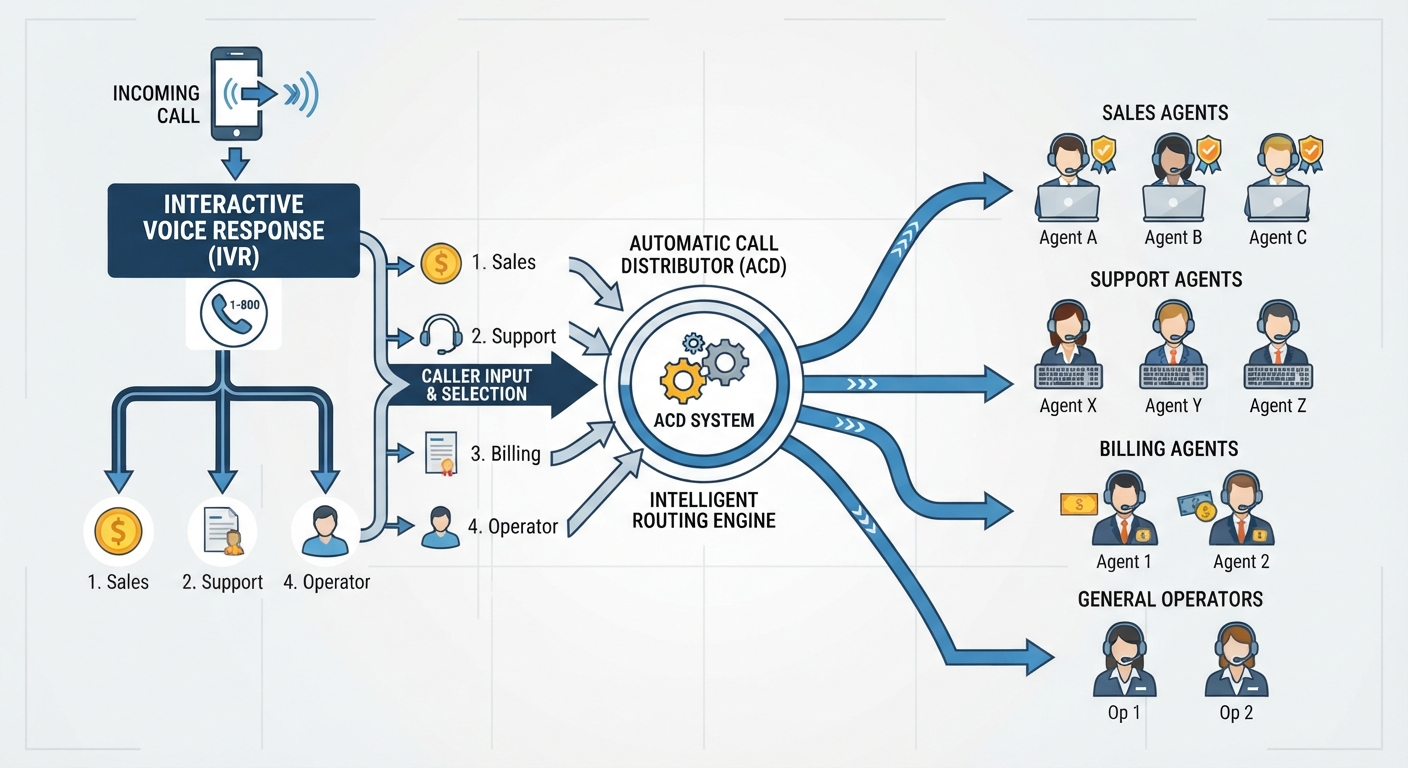
To stop the bleeding, you have to move from a reactive posture—where you wait for a human to hit "record"—to a proactive, automated orchestration. The goal is simple: every single inbound call must be touched by your system, even when your office lights are off.
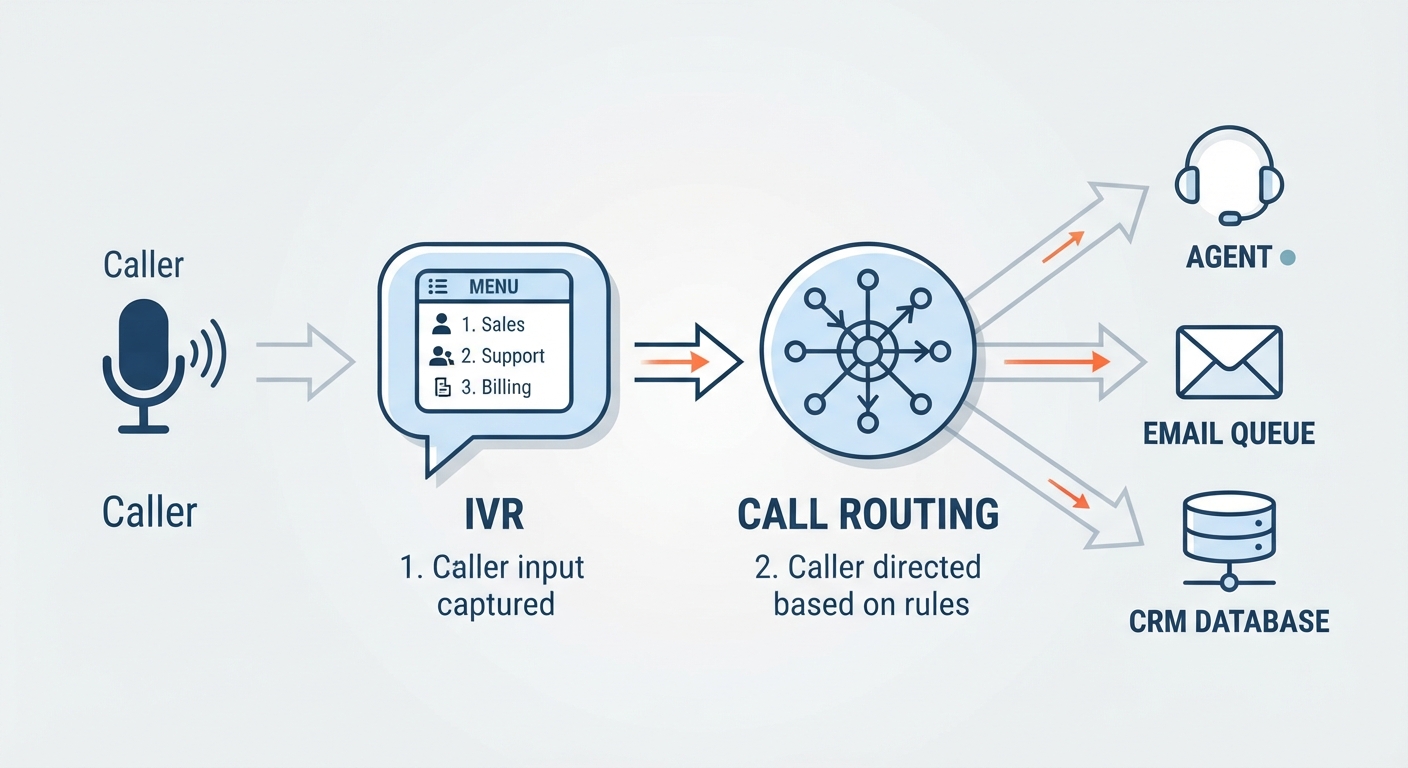
The "Text-Back" standard is your best friend here. It’s simple, elegant, and effective: if a call goes unanswered, the system immediately triggers a text message to the caller. This acknowledges that you heard them and provides a clear next step, like a link to your scheduling portal.
By integrating these steps, you transform a "missed call" into an "active lead" in your CRM before the customer has even finished walking to their car.
How Do You Choose the Right Solution?
Choosing how to handle these calls isn't just a technical decision; it’s a financial one. You have three primary paths.
The Human Receptionist This is the high-touch, high-cost route. A live person provides the ultimate level of empathy. However, the cost is often prohibitive, exceeding $50k annually when you factor in benefits and turnover. For a deep dive into the math, check out this AI receptionist vs. human cost/ROI guide.
Pure AI Automation This is the scalable, 24/7 powerhouse. For a fraction of the cost—typically between $14 and $300 a month—you get an AI agent that never sleeps, never takes a lunch break, and never gets the flu. According to detailed AI receptionist cost breakdown reports, the shift toward AI is driven by consistent performance at a price point that human teams simply cannot match.
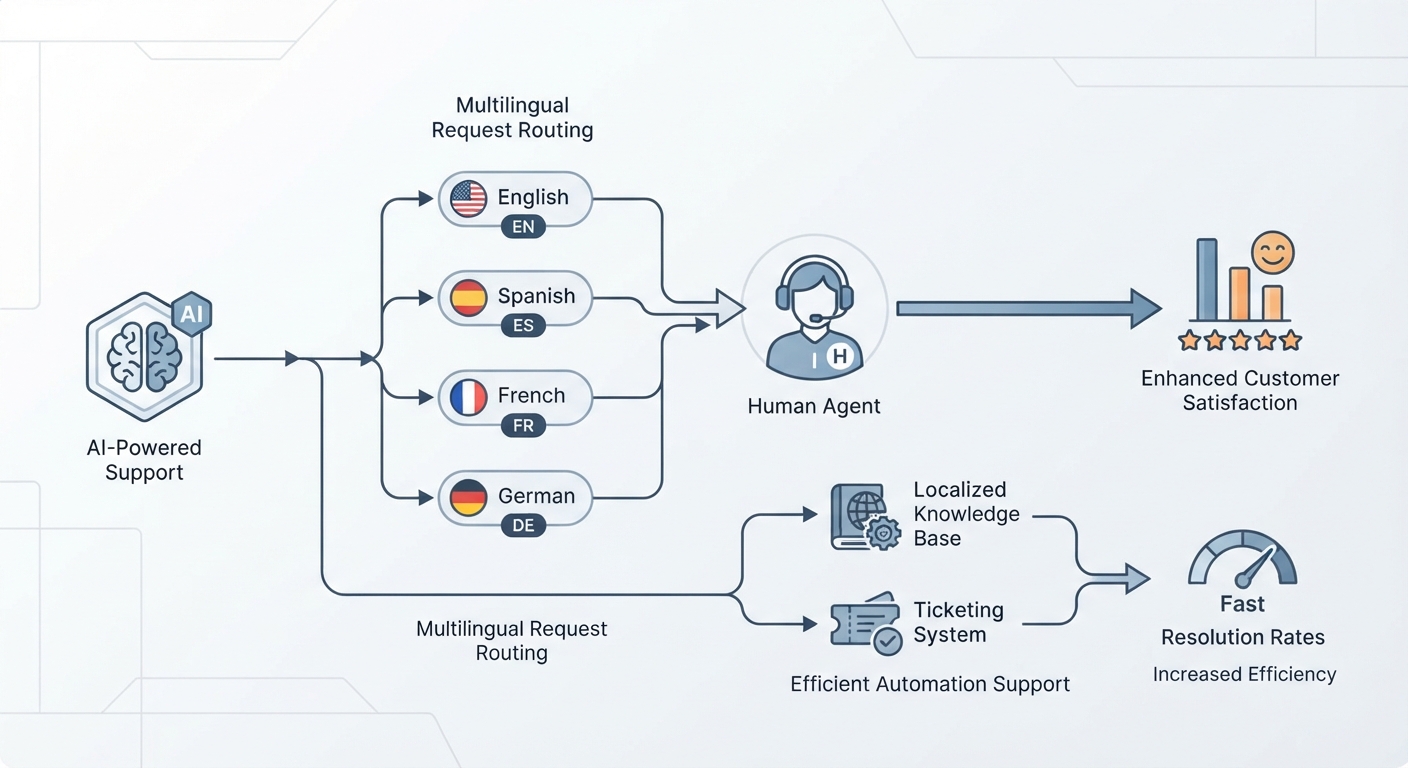
The Hybrid Model This is the gold standard for 2026. You use AI to handle the heavy lifting, the qualification, and the scheduling, but you build in "smart triggers" that alert a human for high-value or complex interactions.
The "Hybrid" Advantage: When to Use AI and When to Escalate
Not all leads are created equal. An inquiry about your office hours is a commodity; a frantic call from a client with a legal emergency or a medical complication requires a human. Your workflow should be smart enough to know the difference.
By implementing "Smart Routing," your staff is only interrupted for the leads that actually move the needle, while your AI clears the clutter of routine admin tasks.
Step-by-Step: Implementing Your Automated Workflow
Phase 1: CRM Integration Your phone system must talk to your CRM. If a lead calls and the data doesn't land in your HubSpot, Salesforce, or industry-specific database, that lead is invisible. Integration ensures every call results in a record, a tag, and a follow-up task.
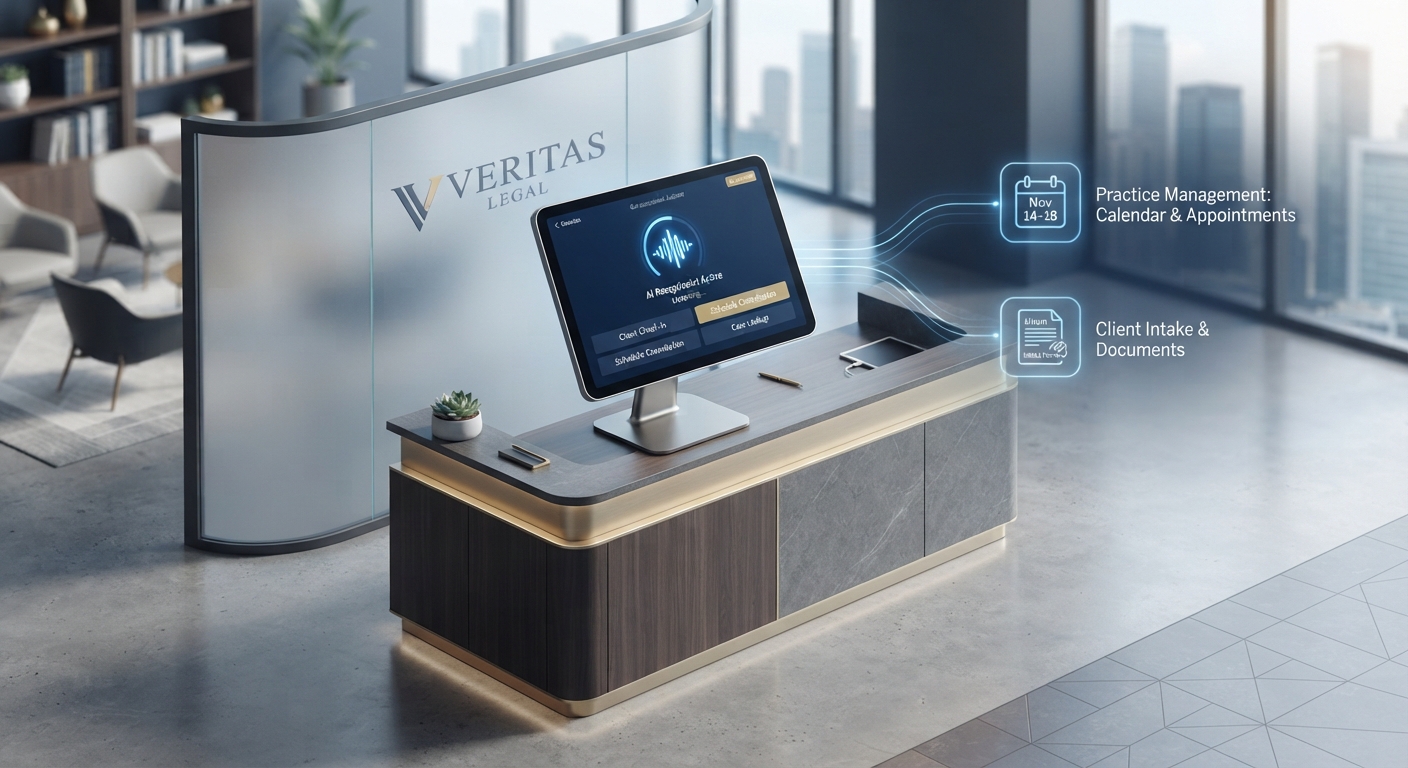
Phase 2: Crafting the Scripts The biggest mistake? Making your AI sound like a robot. Your scripts should reflect your brand voice. If you’re a high-end law firm, keep the tone professional and reassuring. If you’re a home services company, be punchy, urgent, and focused on the dispatch.
Phase 3: Privacy & Compliance If you operate in healthcare or legal, compliance isn't optional. As discussed in recent call center trends, HIPAA and GDPR compliance must be baked into your AI architecture. Always ensure your provider offers a signed Business Associate Agreement (BAA) and enterprise-grade encryption.
Industry-Specific Templates: What Should Your AI Say?
- Healthcare: "Thank you for calling [Practice Name]. We’ve received your inquiry. Because your health is our priority, I’ve logged this for our triage team. If this is a medical emergency, please hang up and dial 911 immediately. Otherwise, would you like to schedule an appointment for tomorrow morning?"
- Home Services: "Thanks for calling [Company Name]. We’re currently out of the office, but we prioritize emergency repairs. I’ve sent a text to your phone with a link to our emergency dispatch calendar. We’ll be at your door as soon as possible."
- Professional Services: "You’ve reached [Firm Name]. We understand your time is valuable. I am your virtual assistant. To better assist you, could you briefly describe the nature of your legal matter? I’ll ensure the right attorney has your details first thing tomorrow morning."
Calculating Your ROI: Is the Automation Paying for Itself?
Do the math. If your average customer lifetime value is $5,000, and you miss just two leads a week because of bad after-hours handling, you are losing $520,000 per year in potential revenue.
Compare that to the cost of an AI solution—roughly $2,000 to $3,600 per year. The return on investment isn't just positive; it’s transformative. You are essentially buying back your growth for pennies on the dollar. You can start exploring how these systems can be tailored to your specific needs at Voksha Services.
Conclusion: Future-Proofing Your Business
The shift from "missing calls" to "capturing leads" is the single most effective way to scale in 2026. By automating your after-hours workflow, you aren't just saving time—you are building a business that is always open, always responsive, and always ready to serve. Stop letting your voicemail be the place where your revenue goes to die. Start your journey toward automated reliability today.
Frequently Asked Questions
How much should a small business budget for after-hours call handling?
For an AI-based solution, you should budget between $14 and $300 per month. Human-led answering services typically range from $300 to over $1,000 per month depending on call volume and complexity.
Is an AI receptionist HIPAA compliant for my dental or legal practice?
Yes, provided you partner with a vendor that offers enterprise-grade encryption and a signed Business Associate Agreement (BAA). Always verify these credentials before inputting client data.
Will my customers get annoyed if they realize they are talking to an AI?
Data shows that customers prioritize efficiency. If the AI provides an immediate, accurate, and helpful response—such as booking an appointment or providing an instant callback—satisfaction rates remain high (often 90%+).
What is the single fastest way to stop losing leads today?
Enable a "Missed Call Text Back" feature. It ensures that the moment a call ends, the prospect receives an SMS acknowledging their inquiry, which effectively stops them from calling your competitor.
How does an AI receptionist integrate with my existing CRM?
Most modern AI receptionists utilize Webhooks or native API integrations to push call logs, transcripts, and contact information directly into your CRM, creating a seamless audit trail for your sales team.