
AI Receptionist CRM Integration: Sync Every Call to HubSpot and Salesforce
TL;DR
- ✓ Automate lead logging by syncing AI receptionist calls directly to your CRM.
- ✓ Replace manual email summaries with real-time, event-driven CRM record updates.
- ✓ Use LLM processing to extract lead intent and sentiment from voice data.
- ✓ Trigger automated sales workflows instantly upon completion of every inbound call.
If your business is still relying on a human receptionist to manually log calls—or worse, relying on an "email summary" that sits unread in an inbox—you are effectively burning leads.
Modern sales operations require a zero-manual-entry architecture where every inbound call acts as a live trigger for your CRM. By connecting your Voksha AI Receptionist Services directly to platforms like HubSpot and Salesforce, you transform raw voice data into actionable, high-intent CRM records in real-time. Stop letting leads fall through the cracks because of administrative lag.
Why the "Email Summary" Era Is Officially Dead
The old-school model of "listen, transcribe, and type" is a relic. For years, companies have been plagued by the "Data Silo" problem: phone data lived in one ecosystem, while marketing automation and sales pipelines lived in another. This disconnect created a massive visibility gap.
When a lead calls, they don't want to explain their history to three different people. And your sales team? They don't have time to hunt for context in a buried email thread.
The shift we’re seeing in 2026 is toward active, living CRM records. Instead of static transcripts, we’re moving toward dynamic data ingestion. When an AI handles the front desk, it isn’t just "answering the phone." It’s performing the role of an SDR (Sales Development Representative) by qualifying the prospect, updating their record, and assigning the next best action. If you aren't integrating your voice channel directly into your CRM, you’re operating with one eye closed.
How Does a Native AI-to-CRM Sync Actually Work?
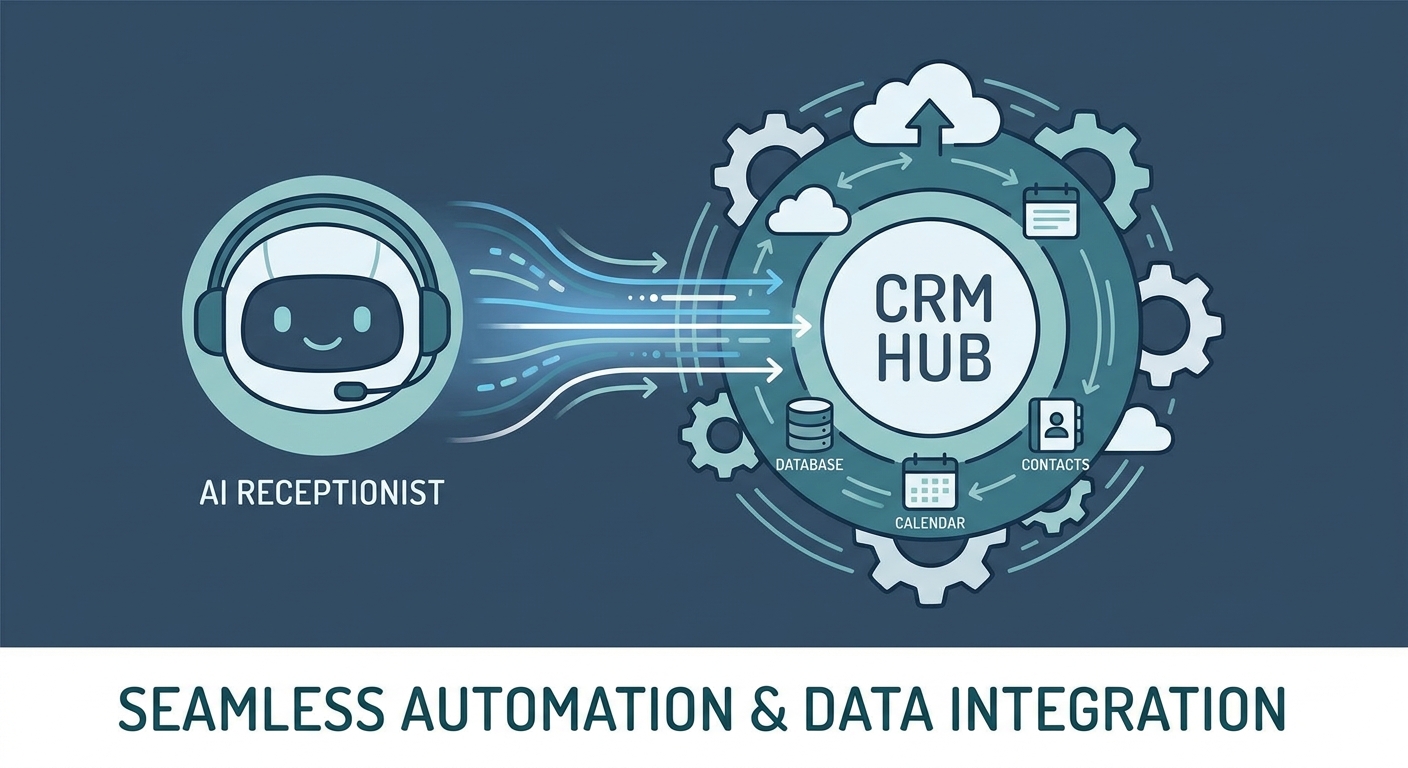
A native integration goes far beyond simple logging. It utilizes an event-driven architecture that bridges the gap between spoken language and database architecture.
When a caller interacts with an AI receptionist, the system performs a multi-stage process:
- Voice Input: The AI captures the raw audio in high fidelity.
- LLM Processing: The engine transcribes the conversation and extracts structured data—intent, sentiment, budget, and timeline.
- API Trigger: The system pushes this structured data via secure API endpoints directly to your CRM.
- Agentic Execution: The CRM receives the payload and executes pre-defined workflows, such as creating a new lead, updating a deal stage, or scheduling a follow-up call in your calendar.
This is what we call "Agentic" behavior. The AI isn't just a passive observer; it acts as a functional member of your sales team, initiating processes that would otherwise require manual intervention.
Why Automating Call Data Isn't Optional Anymore
The transition to automated call data is a fundamental shift in economic efficiency.
- 24/7 Lead Qualification: Human staff needs sleep, but your CRM is hungry for data around the clock. Real-time sentiment analysis allows the AI to tag a lead as "High Priority" if the caller expresses urgency, pushing that record to the top of your sales dashboard before the call even terminates.
- Zero-Manual-Entry: Manual data entry is the primary source of CRM rot. By automating the sync, you eliminate typos, missing fields, and human fatigue. Every call is logged with 100% accuracy, providing a clean data set for your revenue operations team.
- Enhanced ROI: When you compare the cost of specialized AI agents against legacy human answering services, the math is undeniable. As noted in The Benefits of Virtual Receptionists, the scalability of digital agents allows you to handle massive spikes in call volume without linearly increasing your overhead, often costing a fraction of a full-time employee's annual salary.
How "Agentic" Workflows Change Your Sales Game
We are entering the age of the "Agentic CRM." As highlighted in Salesforce Agentforce Trends 2026, the future of CRM is not just storing information; it is executing autonomous tasks.
An AI-integrated receptionist can now recognize a sentiment shift during a call. If a prospect says, "I'm ready to move forward," the AI doesn't just write that down—it updates the deal stage to "Negotiation" and triggers a "Contract Sent" email sequence. This creates a seamless transition from the initial handshake to the final signature, significantly reducing the "time-to-close" metric.
Step-by-Step: Setting Up Your CRM Integration
Which CRM is Right for Your AI Strategy?
Choosing between HubSpot and Salesforce often comes down to your organizational complexity. For organizations prioritizing user experience and rapid deployment, HubSpot’s "Breeze" ecosystem offers a fluid, low-friction environment. For large-scale enterprises with complex, multi-layered data requirements, Salesforce provides a more robust, albeit technical, framework for managing high-volume, agentic workflows. For a deeper breakdown, HubSpot vs. Salesforce AI Features 2026 provides the necessary context for your 2026 tech stack decisions.
How to Map Fields for Perfect Data Sync
To get the most out of your integration, you must define exactly how the AI’s observations translate into CRM data. Use this "Field Mapping Cheat Sheet" to ensure your sync is clean:
- Caller Name → Contact: First Name / Last Name
- Caller Phone/Email → Contact: Work Phone / Email
- Call Sentiment Score → Custom Object: Lead Quality Score (1-10)
- Primary Intent → Deal: Notes / Description
- Next Action Required → Task: Follow-up Date / Priority Level
- Product Interest → Deal: Product Category
Book a Demo with our team to see how these mappings look in a live environment.
Executing the Integration (HubSpot Focused)
Connecting your AI receptionist to HubSpot is a straightforward process when using native integrations. By visiting the Voksha + HubSpot Integration page, you can authenticate your account via OAuth. Once connected, select the specific pipelines you wish to sync. The integration allows you to define "Trigger Rules"—for example, only creating a new deal if the AI detects a "Purchase Intent" keyword during the conversation.
What Are the Common Pitfalls of AI-CRM Syncing?
Even with the best tools, implementation can fail if you ignore the basics of data hygiene.
- Duplicate Contacts: Ensure your sync tool uses a primary key, such as a phone number or email address, to match incoming calls to existing CRM records rather than creating a new record for every interaction.
- Industry Terminology: AI models need context. If you are in a niche industry—like medical or legal—you must train your AI with specific terminology to ensure the transcriptions and intent analysis remain accurate.
- Security and Compliance: Handling voice data requires strict adherence to SOC2 and GDPR standards. Always ensure your AI receptionist provider offers data masking, so sensitive information (like credit card numbers or PII) is scrubbed before it reaches your CRM logs.
Frequently Asked Questions
Can an AI receptionist handle complex scheduling in my CRM?
Yes. By integrating with your CRM’s calendar tools (like HubSpot Meetings or Salesforce Scheduler), the AI can read your availability in real-time and book appointments directly into your sales team's calendars during the call.
Is it secure to sync voice data to Salesforce or HubSpot?
It is highly secure. Modern AI platforms use encrypted APIs and adhere to rigorous compliance standards, including SOC2 and GDPR, ensuring that all data transferred between the voice agent and the CRM remains protected and private.
What happens if the AI fails to understand a caller?
Robust AI systems include an "intelligent routing" protocol. If the AI encounters a query it cannot resolve or a complex scenario, it is programmed to immediately hand off the call to a live human agent or route the caller to a designated department, ensuring no lead is ever abandoned.
How long does the initial integration take to implement?
Most native integrations, such as connecting your AI agent to HubSpot or Salesforce, can be completed in under 15 minutes. The process is designed to be "no-code," allowing you to map fields and set triggers through a simple point-and-click interface.
Do I need a developer to map these data fields?
No. While technical teams can certainly customize the API payloads for advanced workflows, most modern AI receptionist platforms offer intuitive, visual interfaces that allow non-technical sales managers to map fields and set automation rules without writing a single line of code.



