AI Receptionist Cost vs. Hiring a Human: A 2026 Salary Breakdown
TL;DR
- ✓ Hiring a human receptionist now costs up to 65,000 dollars annually when fully loaded.
- ✓ AI receptionists provide scalable parallel call handling for as little as 30 dollars monthly.
- ✓ Business owners lose significant revenue every time a lead goes directly to voicemail.
- ✓ AI automation eliminates bottlenecks while maintaining consistent service quality during high call volume.
In 2026, asking if you can afford an AI receptionist is the wrong question. The real problem? You’re bleeding money by keeping your front-desk operations stuck in the manual, linear stone age.
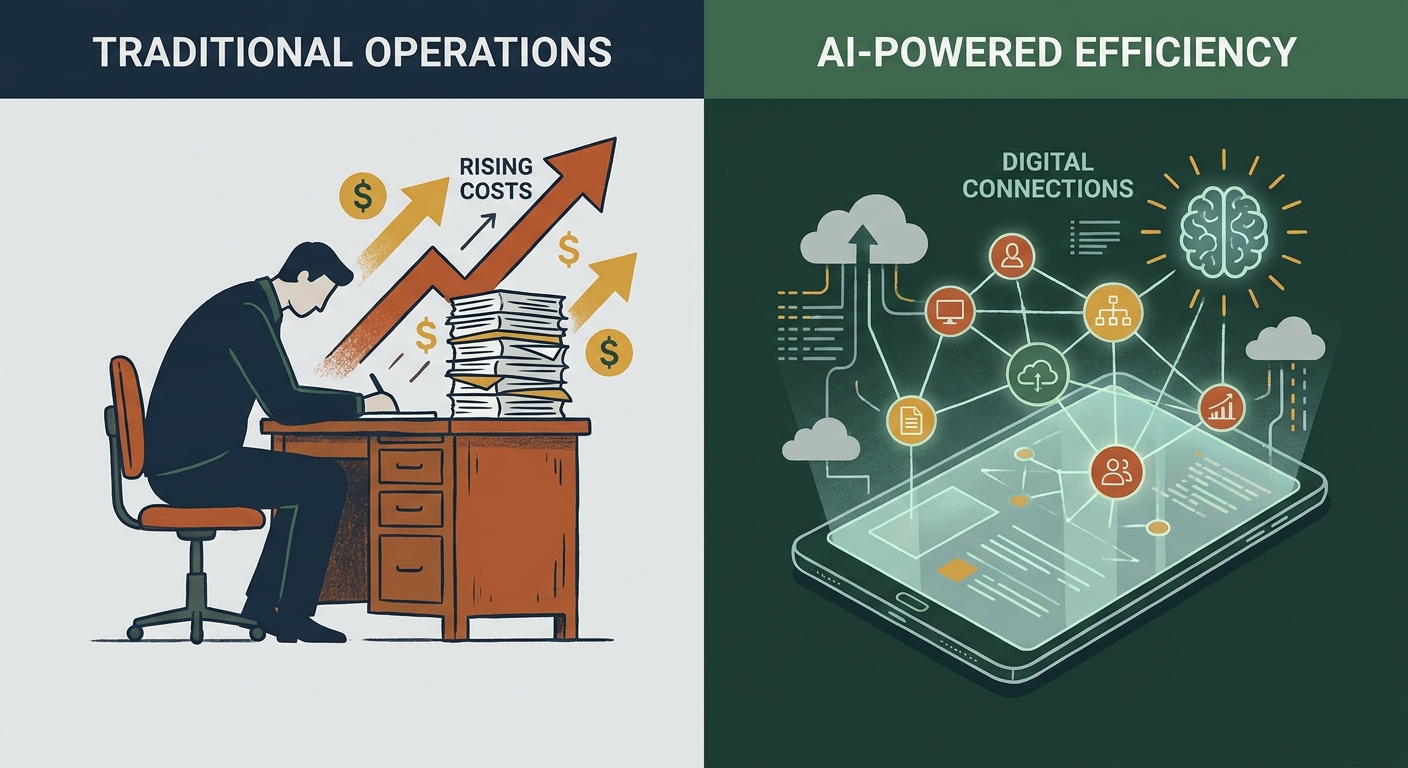
Sure, a human adds a personal touch. But biology is a bottleneck. One person, one conversation. That’s the limit. Meanwhile, the cost of that human has exploded—it’s not just the salary anymore. It’s payroll taxes, health insurance, paid time off, and the soul-crushing expense of turnover. An AI receptionist, however, is a scalable layer of infrastructure. It handles fifty calls at once for the price of a decent lunch.
The “Fully Loaded” Cost of a Human Receptionist in 2026
When you post a job, you see a salary. When you look at your P&L, you see the truth. According to Bureau of Labor Statistics (BLS) salary data, the base pay is just the tip of the iceberg. Once you factor in taxes, benefits, office space, hardware, and the hidden, often staggering costs of employee turnover, that "fully loaded" annual investment typically lands around $54,300, using BLS wage and benefits-share data (US Bureau of Labor Statistics, retrieved 2026-09-25).
This is a fixed, stubborn cost. Business is slow on Tuesday? You’re still paying. Chaotic on Monday? The cost is the same. And humans need breaks. They get sick. They quit. Every time a receptionist leaves, you lose institutional knowledge and spend weeks recruiting and training a replacement. It’s a cycle of volatility that keeps many small business owners up at night.
How Does the AI Receptionist Pricing Model Actually Work?
AI receptionists run on a different economic engine. You aren't paying for someone’s time; you’re paying for computing power and workflow automation. Most platforms use a flat monthly fee or a pay-per-minute model. In 2026, Voksha's own plans run $14 to $99 a month (Voksha pricing), rarely topping $1,200 a year even on the higher tier.
The real killer? The "Cost of Silence." Every time a lead hits your voicemail because your front desk is on another call, you’re literally lighting your marketing budget on fire. If you’re curious about your own break-even point, our AI Receptionist Pricing Guide lays it out clearly. Stop losing leads to the abyss of voicemail. The ROI usually hits within the first thirty days.
The ROI Comparison: Scaling Without Adding Headcount
The most vital metric in 2026 is "call concurrency." Humans are linear processors. They are bottlenecks by design. As soon as that second or third call rings, service quality tanks. Either the caller gets put on hold, or they get bumped to voicemail. AI works in parallel.
In the AI workflow, the system doesn't just "answer"—it executes. It performs intake, pulls client data from your CRM, and books appointments directly into your calendar without a single human keystroke. It’s not just about saving cash; it’s about increasing the throughput of your entire operation.
The Hybrid Shift: Why the Best Businesses Don't Choose One or the Other
The smartest companies today aren't replacing humans; they’re upgrading them. The "Hybrid Model" is the gold standard. The AI handles the grunt work: routine inquiries, scheduling, FAQs, and lead qualification. If a high-intent lead calls or someone insists on talking to a person, the AI performs a "warm handoff," passing the call to your staff with a neat, pre-written summary of the conversation.
If you're confused about the terminology, understanding the difference between an AI Receptionist and a Virtual Receptionist is vital. A virtual receptionist is still a human, just remote. An AI receptionist is a software-defined worker that never sleeps. This hybrid approach lets your team focus on high-value relationships while the AI handles the repetitive administrative grind.
Industry-Specific ROI: Where Does AI Save the Most?
AI’s impact isn't the same everywhere, but it’s transformative in industries where speed-to-lead is everything.
- Law Firms: Attorneys lose billable time every second they spend scheduling discovery calls. AI automates the intake process, qualifying leads and booking them before the lawyer even picks up the phone. See the AI receptionist for law firms page for specifics.
- Medical/Dental: HIPAA-compliant systems handle reminders and rescheduling. This kills the "no-show" rate that destroys private practice margins.
- Home Services: If you’re a plumber in the field, you can’t answer the phone. AI provides the 24/7 presence needed to capture emergency calls that would otherwise go straight to your competitor. The AI receptionist for plumbing services page covers this workflow in detail.
The Integration Checklist: What Should You Look for in 2026?
Before you sign anything, make sure the tech fits your stack. A "smart" receptionist that doesn't talk to your tools is just a glorified answering machine.
- CRM Compatibility: Does it integrate natively with Salesforce, HubSpot, or your specific industry software? If the AI can't update your CRM, you’re still doing manual data entry.
- Calendar Automation: It must read your availability in real-time. No double bookings.
- NLP Capabilities: The AI needs to sound like a person. If it sounds like a clunky script from a 2015 sci-fi flick, your customers will hang up.
Transition Plan: How to Move to a Hybrid Model Without Disruption
Transitioning doesn't have to be a nightmare. Start by auditing your logs. Separate the simple stuff from the calls that actually require human empathy or negotiation.
Phase one: Start with after-hours and overflow coverage. This lets your team get used to the tech without feeling like their jobs are under the microscope. Phase two: Refine the AI’s scripts based on the data you’ve collected. By phase three, your staff will likely be relieved to have their day cleared of the constant, repetitive interruptions.
Frequently Asked Questions
Will my customers be annoyed by an AI receptionist?
Modern AI is shockingly natural. Most customers actually find it preferable to waiting on hold for a human who might not have the answer anyway. As long as it's fast and offers an escape hatch to a human, people don't mind.
What is the total cost difference between an AI receptionist and a human employee?
On average, a human receptionist costs around $54,300 per year when benefits and overhead are included (US Bureau of Labor Statistics, retrieved 2026-09-25). Voksha's own plans run $168 to $1,188 per year, representing a massive reduction in fixed operating expenses.
Can an AI receptionist handle complex scheduling or intake forms?
Yes. Modern AI receptionists are designed to follow specific workflows. They can ask intake questions, verify insurance, or confirm service details, and then write that data directly into your CRM or scheduling software in real-time.
How long does it take to set up an AI receptionist?
Unlike hiring a new employee, which can take weeks of interviewing and training, an AI receptionist can be configured and deployed in a matter of hours. Once your calendar and logic flows are set, it is ready to work immediately.
Does an AI receptionist require dedicated IT staff to maintain?
No. Most platforms are "no-code" or "low-code," meaning they are built for business owners to manage. If you can navigate a basic software dashboard, you can manage your AI receptionist’s settings and workflows.