SIP Trunking and Webhook Integration for Real-Time Call Routing
TL;DR
- This guide covers how sip trunking and webhooks work together to stop missed calls and automate your small business phone system. We look at real-time routing for law firms and clinics, compare ai receptionist costs to hiring staff, and show how to use webhooks to sync phone leads directly into your crm so you never lose a customer to voicemail again.
What is sip trunking and why your business needs it now
Ever wonder why your office phone feels like a relic from the 90s while everything else is in the cloud? If you're still tied to old copper wires, you're basically paying to miss leads.
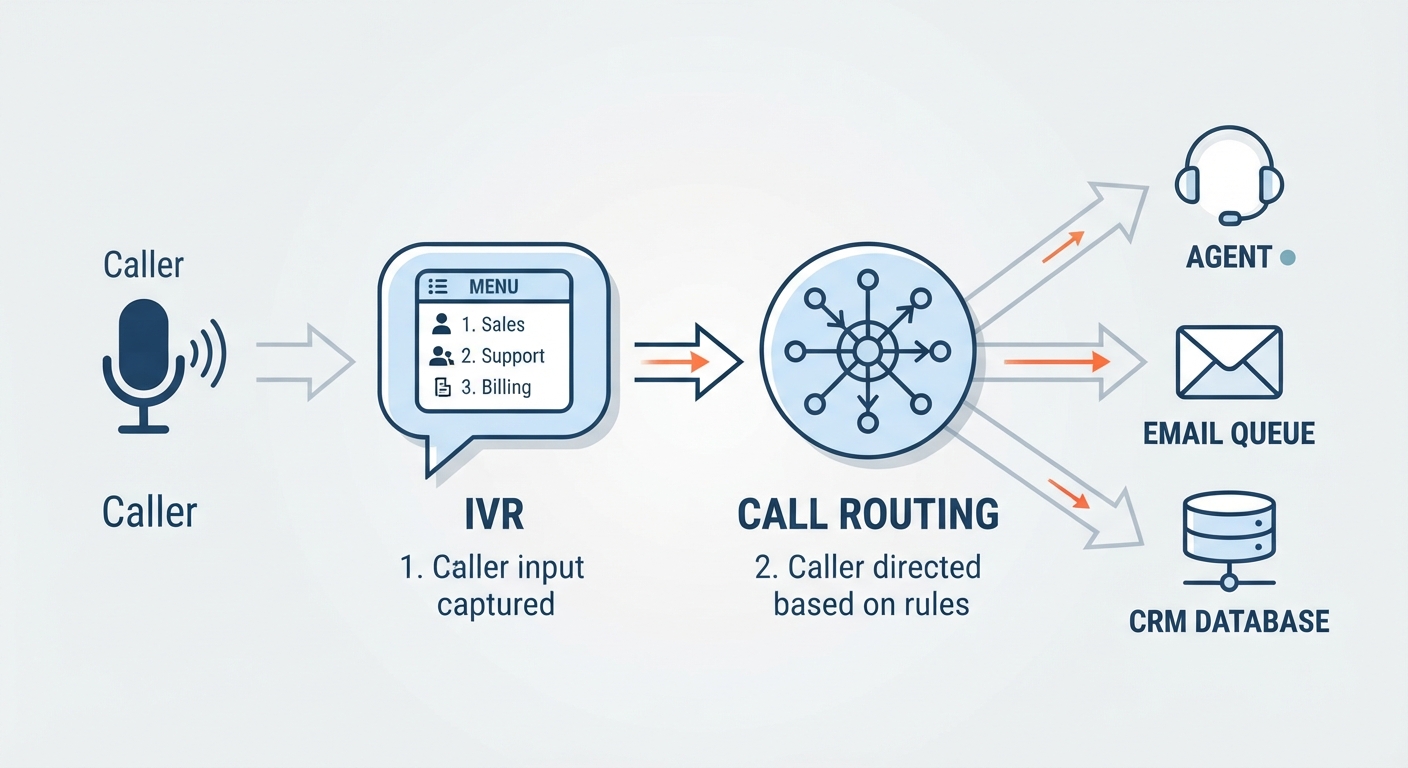
sip trunking is basically just a way to run your phone system over your internet connection instead of those old-school physical lines. It acts as a bridge between your office PBX—which is just a fancy name for your Private Branch Exchange (your internal phone switching system)—and the regular phone network. Honestly, it's a no-brainer for most small businesses because you can keep your existing hardware but get all the digital perks.
- Ditch the landline lag: Traditional lines are expensive and hard to scale. If a salon gets a rush of calls, callers just get a busy signal. With sip, you can handle way more "sessions" at once.
- Save some serious cash: You aren't paying for physical maintenance or per-line rental fees. According to a report by Gartner, businesses can often see 50% savings on their telecom bills by moving to voip and sip services. This saves you money on the actual "line" cost—the literal connection to the world.
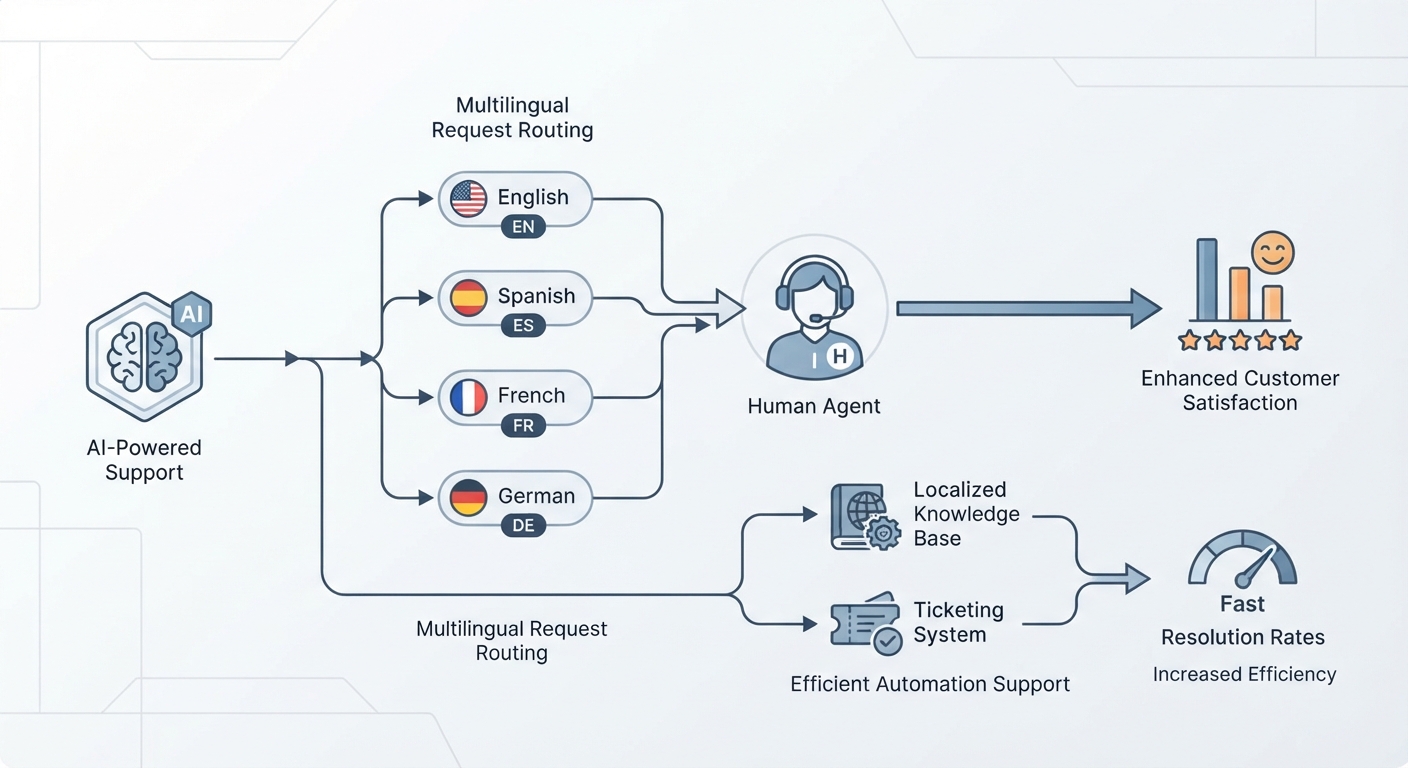
- Work from anywhere: Since it's all data-based, a law firm can route calls to a lawyer’s cell phone or a remote ai receptionist without the client ever knowing they aren't in the office.

It’s not just about saving money on the hardware though. Once your calls are digital, you can start doing some really cool stuff with how they're handled. Next, we’ll look at how intelligent call routing makes sure you never miss a high-priority client again.
Intelligent call routing for law firms and medical clinics
Let's be real—nobody likes being put on hold, especially when they're calling about a legal emergency or a toothache. If your office still relies on a basic "press 1 for reception" menu, you're probably losing people before they even speak.
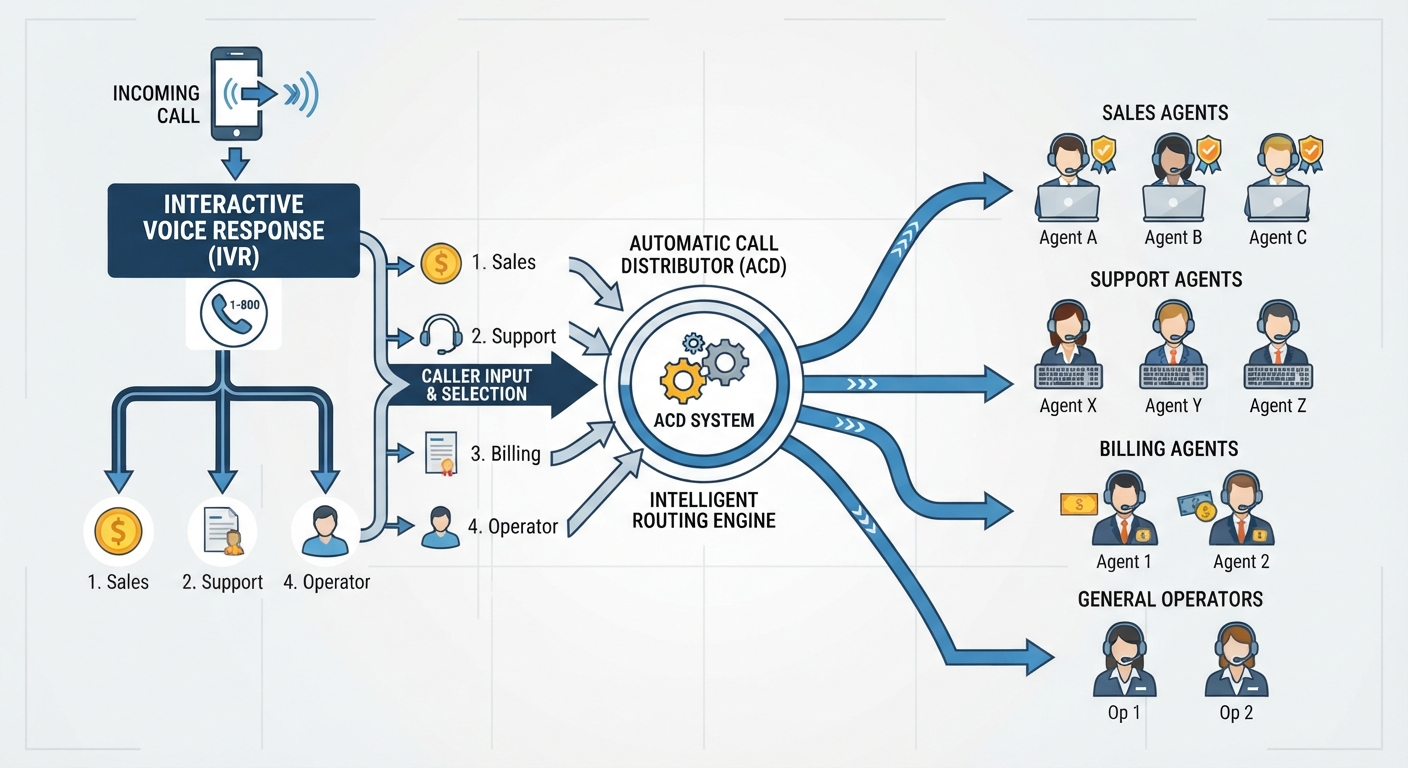
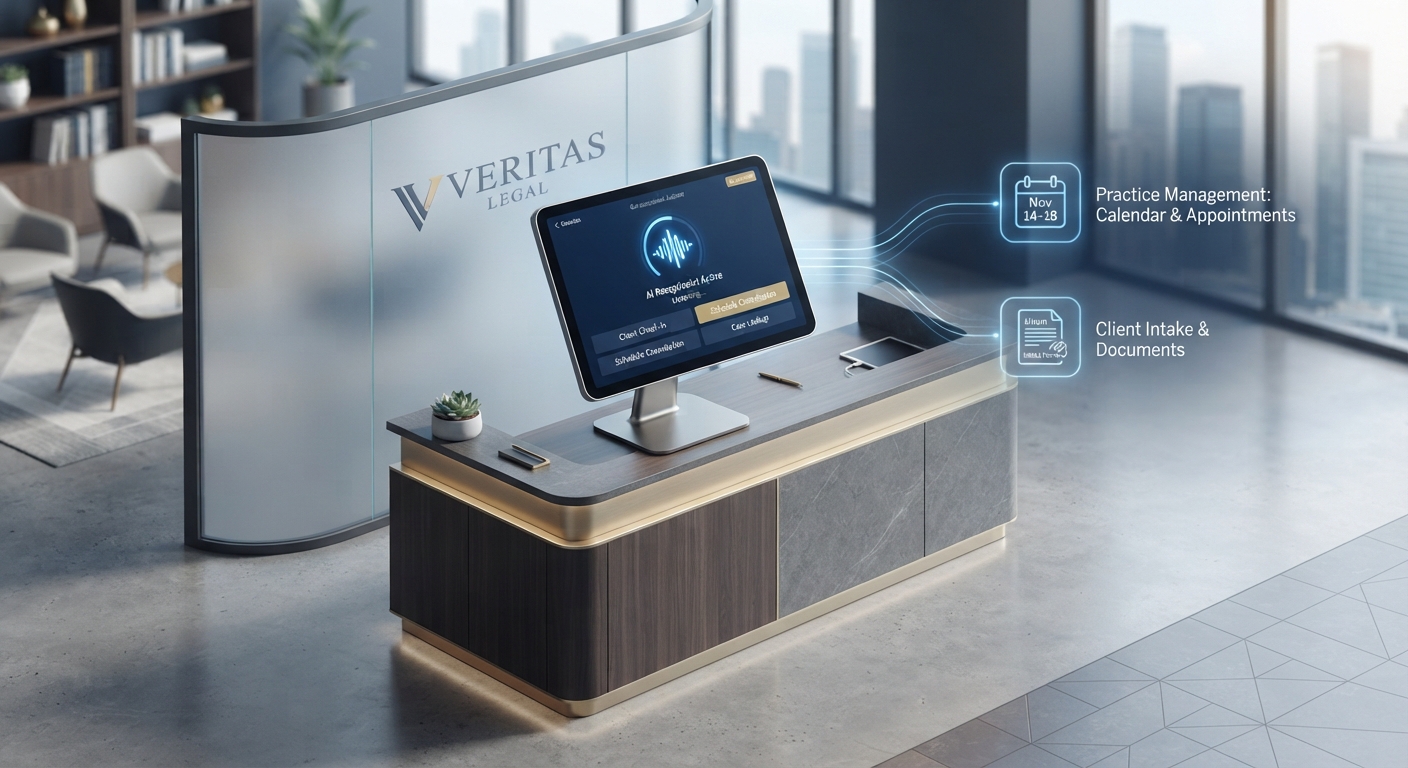
Intelligent routing isn't just about moving calls around; it's about knowing who is on the other end. For law firms, this means the ai handles the basic intake—name, case type, conflict check—while reserving your actual lawyers for the high-stakes stuff.
- Emergency filters: A medical clinic can set rules where the ai picks up, but if someone says "chest pain," the call instantly jumps to a human nurse.
- Reducing salon chaos: Salons lose a ton of money to missed calls during the mid-day rush. Instead of a busy signal, the ai can text the caller a booking link or handle the appointment right there.
- No more voicemail jail: A 2024 report by Arise suggests that nearly 2/3 of customers find it frustrating to repeat themselves to multiple agents. Smart routing keeps the data attached to the call so you already know why they're calling.
"The goal is to stop treating every caller like a stranger and start treating them like a priority."
If you're in healthcare, you're probably worried about hipaa. Most ai phone systems now offer encrypted logs and secure data handling so you aren't accidentally leaking patient info. It is way more secure than a random after hours answering service where a stranger is taking notes on a pad.
Honestly, once you automate the "boring" calls, your staff can actually focus on the people in the room. Cost-efficiency is usually the main reason people switch to these intelligent systems, so let’s look at how the numbers actually break down.
The money talk: AI receptionist cost vs hiring a human
Hiring a person to answer phones is a huge milestone, but man, those payroll taxes and benefits really bite into your margins. When you look at the raw numbers, the gap between a human salary and an ai setup is honestly kind of shocking.
It's important to distinguish the costs here. While sip trunking saves you about 50% on your actual phone bill (the "line" cost), an ai receptionist saves you on the "labor" cost.
- The big paycheck: A decent human receptionist usually wants at least $35,000 a year. Once you add health insurance, pto, and training, you’re looking at way more.
- The ai alternative: You can get an ai receptionist platform like voksha ai for about $14 a month. voksha ai is basically the software "brain" that plugs into your sip trunk to talk to customers. That’s less than a single takeout lunch for the office.
- Hidden turnover costs: According to a 2023 report by Glassdoor, it costs businesses roughly $4,000 just to hire and onboard one new employee. ai doesn't quit or need a two-week notice.
- Scaling up: If your hvac business gets slammed during a heatwave, a human can only take one call. An ai handles ten at once without breaking a sweat.
For a small law firm or a dental clinic, that extra $30k+ saved every year is basically a new marketing budget or better equipment. Next, let's look at how webhooks make all this data actually useful.
How webhooks turn a phone call into data for your crm
Imagine if every time your phone rang, a little robot scribbled down the caller's life story and shoved it right into your database. That’s basically what a webhook does—it’s a "digital nudge" that tells your software something just happened.
- Instant lead creation: When a new client calls your law firm, the ai captures their name and reason for calling. It then pings a webhook to create a new "Lead" in Clio or HubSpot before you even hang up.
- Smart routing: If a caller mentions "emergency leak" to your plumbing business, the webhook can tag that call as high priority. This lets your system alert the on-call tech immediately.
- No-show killers: For dental clinics, a webhook can trigger an automatic sms confirmation the second a patient books via the ai receptionist.
A 2023 report by Invoca shows that 76% of consumers will stop doing business with a company after just one bad experience, like being put on hold. Automating this data flow means you never leave them waiting.

Setting up this stuff used to take a dev team, but you can get an ai receptionist running in like 5 minutes now. voksha ai uses these webhooks to bridge the gap between a voice call and your actual workflow. It qualifies leads while they’re still on the line, so your staff doesn't waste time on spam.
Honestly, once you see your crm update itself in real-time, you'll wonder why you ever did data entry. Now, let's get into the actual steps to make this happen.
Step by step guide to setting up your ai phone system
You're almost there, just gotta connect the dots. Here is how you actually do it without losing your mind.
1. Get your SIP credentials First, you need a provider (like Twilio or Telnyx). Log into their dashboard and buy a phone number. Look for the "SIP Trunking" section and create a new trunk. They will give you a "Termination URI," a username, and a password. Write these down because you'll need them to link your phone line to the ai.
2. Connect to voksha ai Head over to the voksha ai dashboard. This is the platform where you actually build the "brain" of your receptionist. Go to the "Integrations" or "Phone Settings" tab and paste those SIP credentials you just got. This tells the phone network to send all incoming calls to the ai instead of a dead-end voicemail.
3. Map your call flows In the voksha ai dashboard, you'll see a visual builder. This is where you "Map flows." Drag and drop blocks to decide what the ai says first. For an hvac or dental office, you'd create a path for "Booking" and another for "Emergency." It’s basically just drawing a flowchart of how you want the conversation to go.
4. Setup and test webhooks To get the data into your CRM (like Salesforce or HubSpot), use a tool like Zapier or Make.com. In voksha ai, go to the "Webhooks" section and paste the "Webhook URL" provided by Zapier. Now, when the ai finishes a call, it sends a packet of data to that URL. Run a test call to make sure your CRM actually "wakes up" and creates a new contact automatically.
5. Watch your stats Once it's live, check your dashboard daily. Look at how many leads were captured and where people hung up. You can tweak the ai's script in real-time if you notice people getting confused at a certain step.
It's about working smarter, not harder. You got this.