Dental Office Phone Automation: Tips to Streamline Appointments and Reduce No-Shows
TL;DR
- ✓ Automate routine scheduling to prevent missed calls and lost patient revenue.
- ✓ Implement a human-AI hybrid model to maintain a personal touch during appointments.
- ✓ Transition from reactive phone management to a proactive patient communication strategy.
- ✓ Free your front desk staff to focus on high-value patient care tasks.
Every time your front desk phone rings and hits voicemail, or a patient blows off a cleaning, you aren’t just losing a few hundred bucks. You’re failing that patient.
Modern dentistry has a dirty secret: the "no-show" isn't a scheduling quirk. It’s a clinical failure. When someone skips an appointment, they don’t just walk away from a cleaning; they delay treatment that could prevent a massive, painful, and expensive crisis down the road.
The impact of patient communication on health outcomes is clear: if you aren't staying in front of your patients, you aren't finishing their treatment plans. Relying on manual, reactive phone management isn't a "traditional" way of doing business anymore. It’s a recipe for burnout. It’s time to modernize.
The $150B Problem: Why Are We Still Living in 2005?
The dental industry is bleeding revenue and patient trust because we’re operating like it’s two decades ago. Manual scheduling demands a human be glued to a headset, perfectly alert, and ready to pick up the very second a patient decides to call.
But what happens when your front desk coordinator is checking someone in, fighting with an insurance portal, or helping the dentist in the back? The phone rings. Then it rings again. Then it hits voicemail.
To the patient, that missed call is a missed opportunity. By the time your staff calls them back, that patient has already moved on—probably to the office down the street that actually picked up the phone. This creates a "scheduling bottleneck." Your chairs are empty, your staff is stressed, and your revenue is stagnant.
Across the healthcare sector, this is a $150 billion problem. Stop hoping for the phone to stop ringing and start automating the chaos.
The "Human-AI Hybrid": Why You Need It
There’s a myth floating around that automation kills the "human touch." Let’s be clear: that’s nonsense. The best practices on the market today use a "Human-AI Hybrid" model.
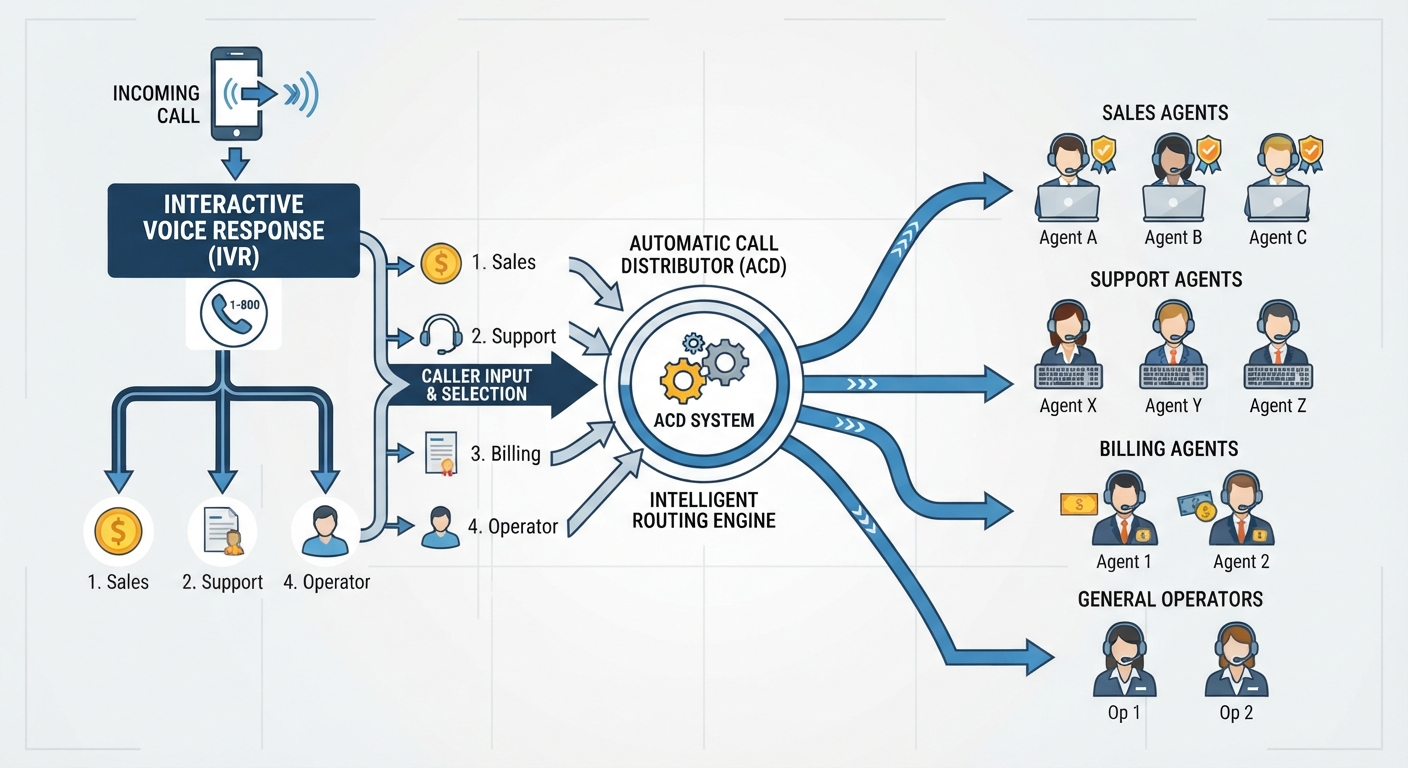
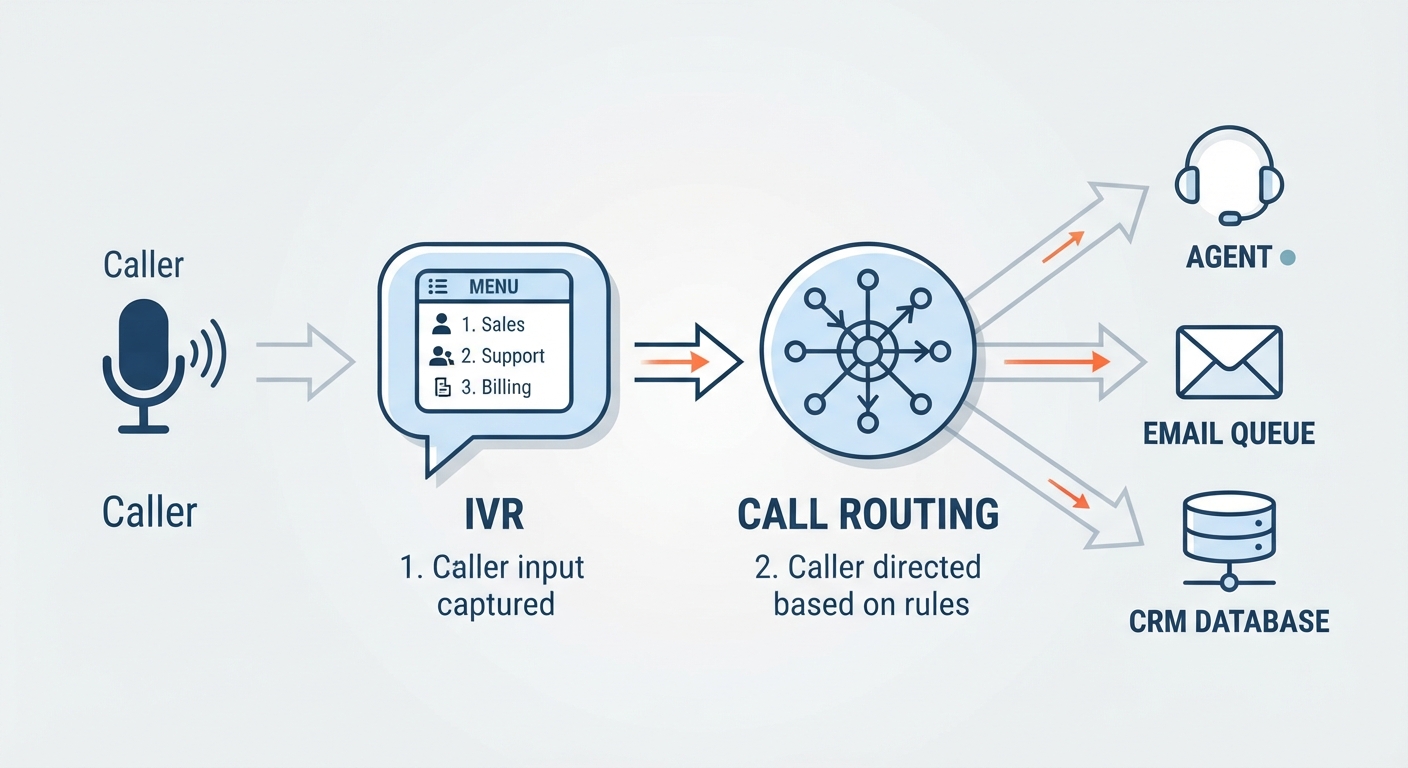
Robotic, "press 1 for X" phone trees are a disaster. They’re cold, they’re annoying, and they trap patients in a loop of frustration. You don't want that.
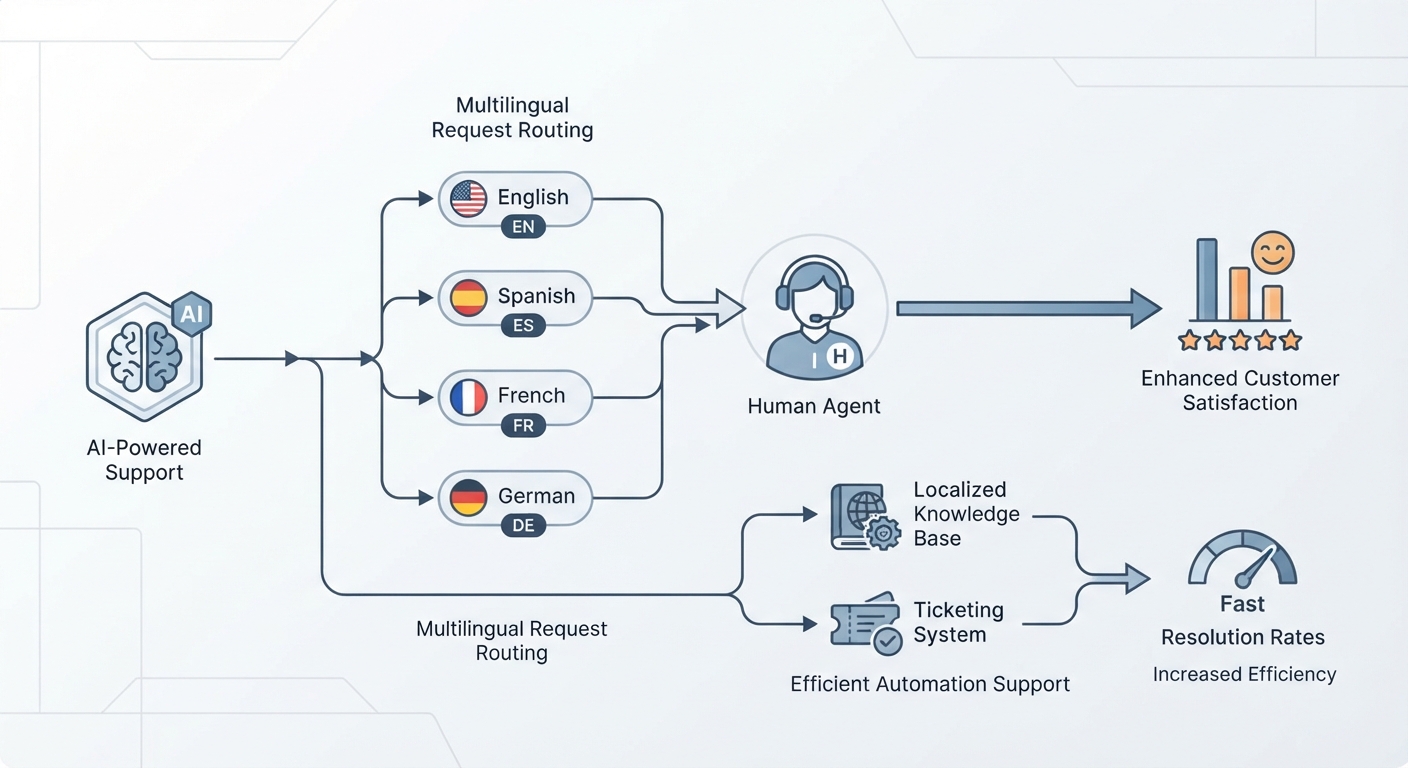
The hybrid approach uses AI Voice Solutions for Dental Practices to handle the grunt work. Confirming appointments? Done. Rescheduling? Easy. Answering basic questions about parking or office hours? The AI handles it instantly. Because these agents are trained specifically for dentistry, they sound natural, not like a calculator from the 90s.
If a patient calls in with a complex clinical question or sounds distressed, the AI knows its limits. It hands the call off to a human staff member immediately. Your team stops being glorified calendar-keepers and starts being what you hired them to be: patient experience experts.
Moving From "Reactive" to "Proactive"
Most offices are stuck in a cycle of constant reaction. You wait for the phone to ring, or you send out a generic "don't forget your appointment" blast 24 hours before they’re supposed to show up.
Automation shifts the gears to "predictive outreach." By looking at your own historical data, the system can flag the "high-risk" patients—the ones who have a history of ghosting you or wait until the 11th hour to confirm.
Once a patient is flagged, the system intervenes early. It can offer a courtesy reminder or even help them figure out transportation. You’re not just filling a hole; you’re preventing the hole from being created.
The Multi-Channel Waterfall Strategy
If you’re still using one way to reach out, you’re missing half your audience. In 2026, people communicate differently. You need a waterfall strategy.
- SMS First: Everyone lives on their phones. Texting is non-intrusive and gets the fastest response.
- Email Second: For the patients who want a digital trail or aren't glued to their texts, a professional email is the perfect backup.
- AI Voice Third: If they haven't bitten on the text or email, the AI voice agent makes the call.
It’s about meeting them where they are. According to the 2026 Guide to Reducing Healthcare No-Shows, practices that synchronize these channels see massively higher confirmation rates than those leaving things to chance.
Scripts That Don't Sound Like a Robot
The biggest fear? "I don't want my office to sound like a call center." We get it. The key is in the prompt engineering. You need your AI to sound like your practice.
Scenario A: The 24-hour reminder
- Goal: Professional but warm.
- Script: "Hi [Patient Name], this is [Practice Name] confirming your appointment tomorrow at [Time]. We’ve got this time set aside just for you and we’re looking forward to seeing you. Please reply 'Confirm' or let us know if you need to shift things around."
Scenario B: The "We Missed You" follow-up
- Goal: Gentle re-booking.
- Script: "Hi [Patient Name], we missed you today! Life gets crazy, we totally get it. We’d love to get you back on the schedule so we can stay on track with your treatment. Do you prefer mornings or afternoons next week?"
Scenario C: The last-minute opening
- Goal: Fill that empty chair.
- Script: "Hi [Patient Name], we have a rare opening today at [Time] due to a last-minute change. If you can make it in, we’d love to take care of you. Does that time work?"
The Legal Stuff: Don't Get Burned
Don't just grab a random AI tool off the shelf. That’s a massive liability. You need a signed Business Associate Agreement (BAA) with any vendor touching patient data. End-to-end encryption isn't optional—it’s the bare minimum.
If you use non-compliant software, you’re not just risking your reputation; you’re violating federal law. Check the HIPAA Compliance for Dental Practices guidelines and make sure your tech stack is airtight.
Calculating Your ROI
Look at your "Chair Utilization" rate. If your hygienist or dentist produces $300 an hour and you lose 10 hours a month to no-shows, that’s $3,000 down the drain. Every. Single. Month.
Compare that to the cost of an AI voice agent. Usually, recovering just one or two appointments pays for the entire system. It’s not an expense; it’s a revenue engine.
5-Step Implementation Checklist
- Audit your no-shows: You can't fix what you don't track. Spend 30 days watching your numbers.
- Pick a HIPAA-compliant partner: Ensure they provide a BAA and know the dental world inside out.
- Map your preferences: What do your patients actually like? Text? Email? Call?
- Train the team: Your staff needs to know when to step in. They’re the "Patient Experience Specialists" now.
- Launch and iterate: Watch the data. If you’re stuck, you can Contact Our Automation Specialists to build a custom plan.
Frequently Asked Questions
Will patients get annoyed by automated calls or texts?
Not if it's relevant. Patients actually love getting a reminder that helps them keep their schedule. The annoyance only comes when you send spam or irrelevant info. Keep it helpful, and they’ll thank you for it.
Is AI-powered phone answering truly HIPAA compliant?
Yes, but only if you choose a specialized provider. A compliant agent uses encrypted data storage, ensures no PHI is left on local devices, and signs a BAA with you. Don't skip the BAA.
How does an AI receptionist compare to hiring a virtual human assistant?
An AI receptionist works 24/7, never takes a break, and handles dozens of calls at the same time. A virtual assistant is great for high-level tasks, but they’re limited by time zones and human capacity. You need both to be truly efficient.
How do I handle last-minute cancellations without losing revenue?
Automated waitlists are your best friend. When someone cancels, the system automatically pings the next person in the queue. You can fill a gap in minutes instead of hours.
How long does it take to implement an AI phone system in a busy practice?
The tech integration usually takes just a few days. The "fine-tuning"—getting the AI to sound like your team—takes about two weeks. It’s a fast, high-impact transition.