AI Receptionist Setup Guide: From Voicemail to Intelligent Call Routing
TL;DR
- ✓ Replace outdated voicemail with AI to capture leads 24/7.
- ✓ Use the 70/30 hybrid model for routine tasks and human routing.
- ✓ Improve customer experience with immediate and helpful automated responses.
- ✓ Prepare your AI by training it with internal FAQs and pricing data.
If your business still leans on a standard voicemail greeting after hours, you’re basically handing your hard-earned leads to your competitors on a silver platter. It’s 2026. The "five-second rule" isn't a suggestion; it’s the law of the land. If a potential client doesn't hear a live voice or get an intelligent, helpful response within five seconds, they’re gone. They’ll hang up, hit the back button, and click the next link in their search results.
Stop treating your phone system like a digital graveyard. By swapping out that passive, dated voicemail for an AI receptionist, you turn a silent revenue leak into a 24/7 machine that qualifies leads, locks in appointments, and provides real answers while you sleep.
Why Your Voicemail is Costing You a Fortune
The modern consumer has zero patience for the "please leave a message after the beep" charade. It’s archaic. Data from 2026 Small Business Communication Trends shows that 80% of callers hang up the second they hit an automated voicemail. That’s not just a missed call. That’s a lost retainer, a missed mortgage payment, or a service contract that just walked out the door.
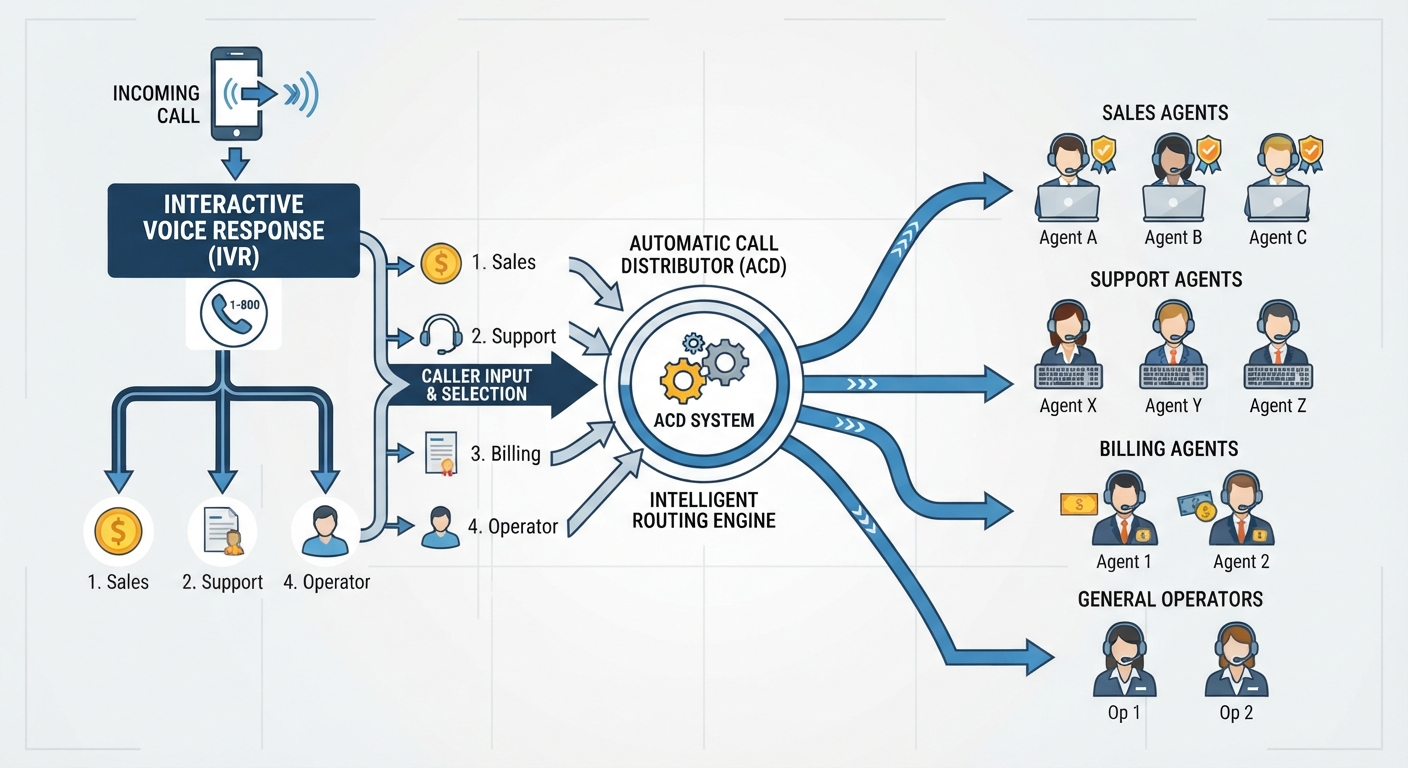
When you push a caller into a voicemail box, you’re telling them one of three things: your business is closed, your team is disorganized, or you simply don’t care. In a world where customers demand Amazon-level immediacy, the voicemail box is where small business growth goes to die. Moving from passive storage to active, intelligent routing isn't just a "nice-to-have" upgrade—it’s the absolute bare minimum for survival.
The 70/30 Hybrid Model: Intelligence Meets Empathy
The smartest way to deploy voice automation is the 70/30 Hybrid Model. The math is simple. Roughly 70% of business inquiries are predictable, repetitive stuff: "What are your hours?", "Where are you located?", or "Can I book a time?" Your AI handles these with surgical precision.
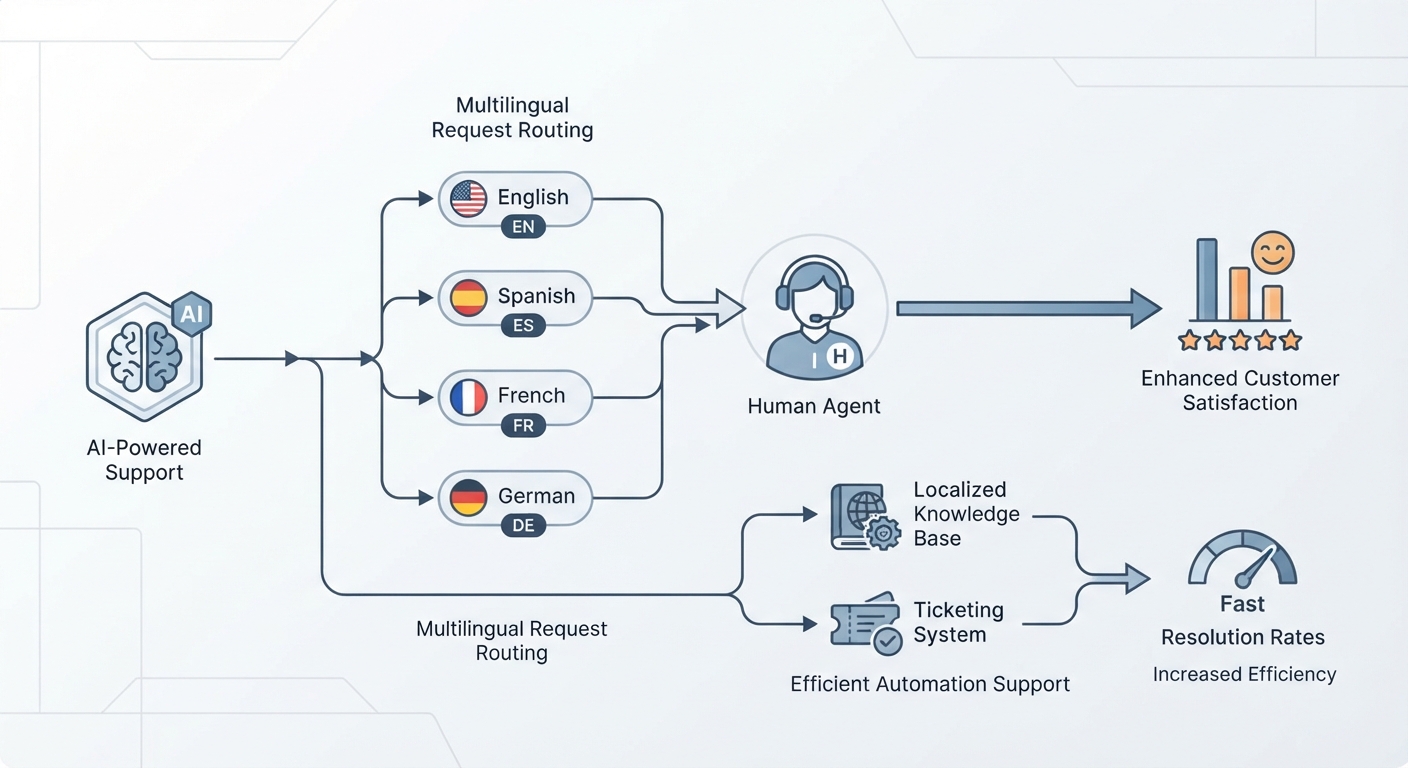
The remaining 30%—the angry billing dispute, the urgent crisis, or the high-value prospect hunting for a custom quote—get intelligently routed to a human.
Transparency is the key here. Don’t play games. Don’t try to trick people into thinking they’re talking to a person when they aren't. A simple, "Hi, I’m the digital assistant for [Business Name]; how can I help you?" builds instant trust. It respects the caller's time and shows you’ve invested in technology to actually serve them better.
Prep Work: Training the Machine
Before you flip the switch, you have to feed the machine. AI is only as sharp as the data you give it. Start by dumping your internal FAQs, pricing sheets, and brand voice guidelines into a clean, structured document. If your AI doesn't know your cancellation policy or your specific service area, it can't represent you.
Next, define your "Red Lines." This is your library of trigger keywords. If a caller says "emergency," "lawsuit," "cancellation," or "billing dispute," the AI needs to bypass the script immediately. Instead of trying to solve the problem, it should offer to connect them to a human or escalate the matter to a priority ticket. This keeps you from falling into the "frustration loop"—that infuriating cycle where a customer feels ignored by a machine during a crisis.
The Weekend Setup Sprint
You don't need a team of expensive software engineers to modernize your intake. You can build a rock-solid system over a single weekend.
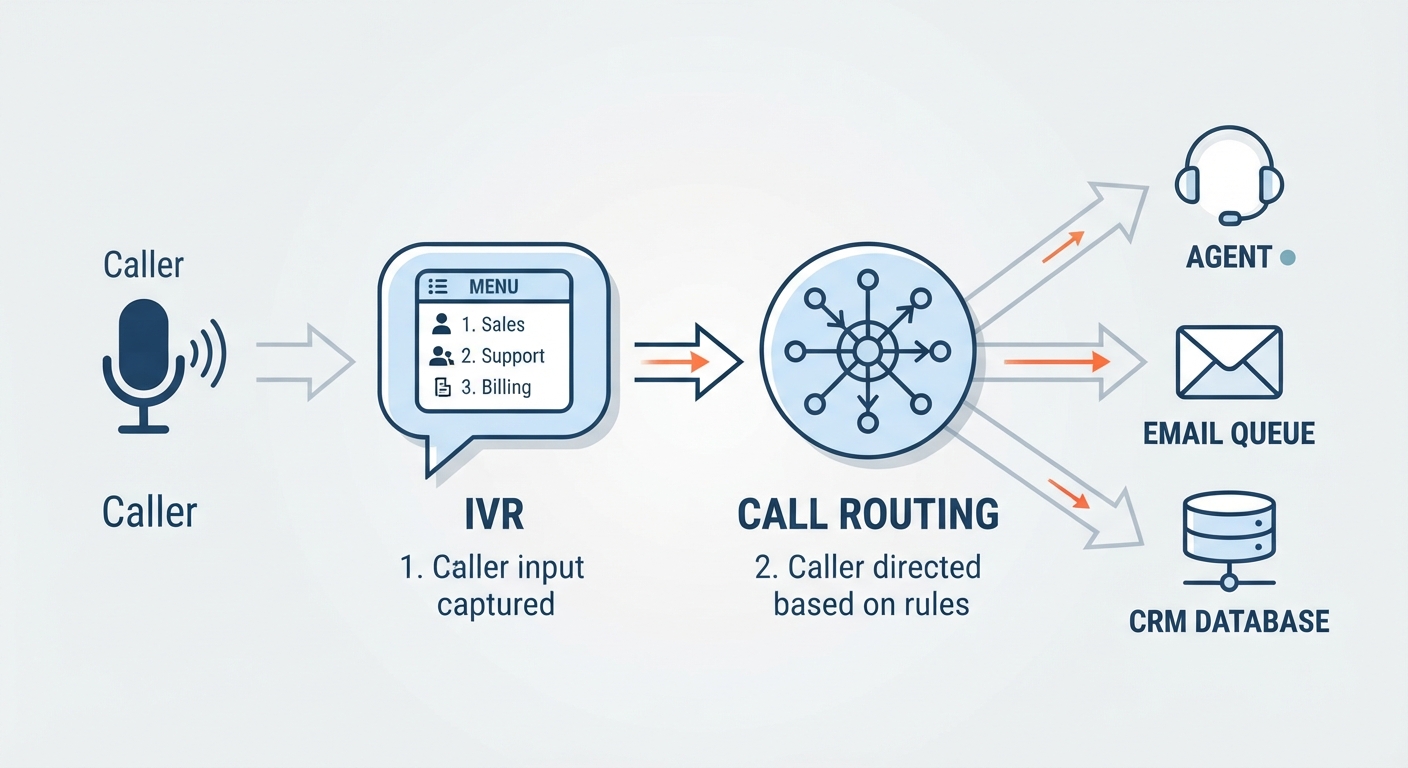
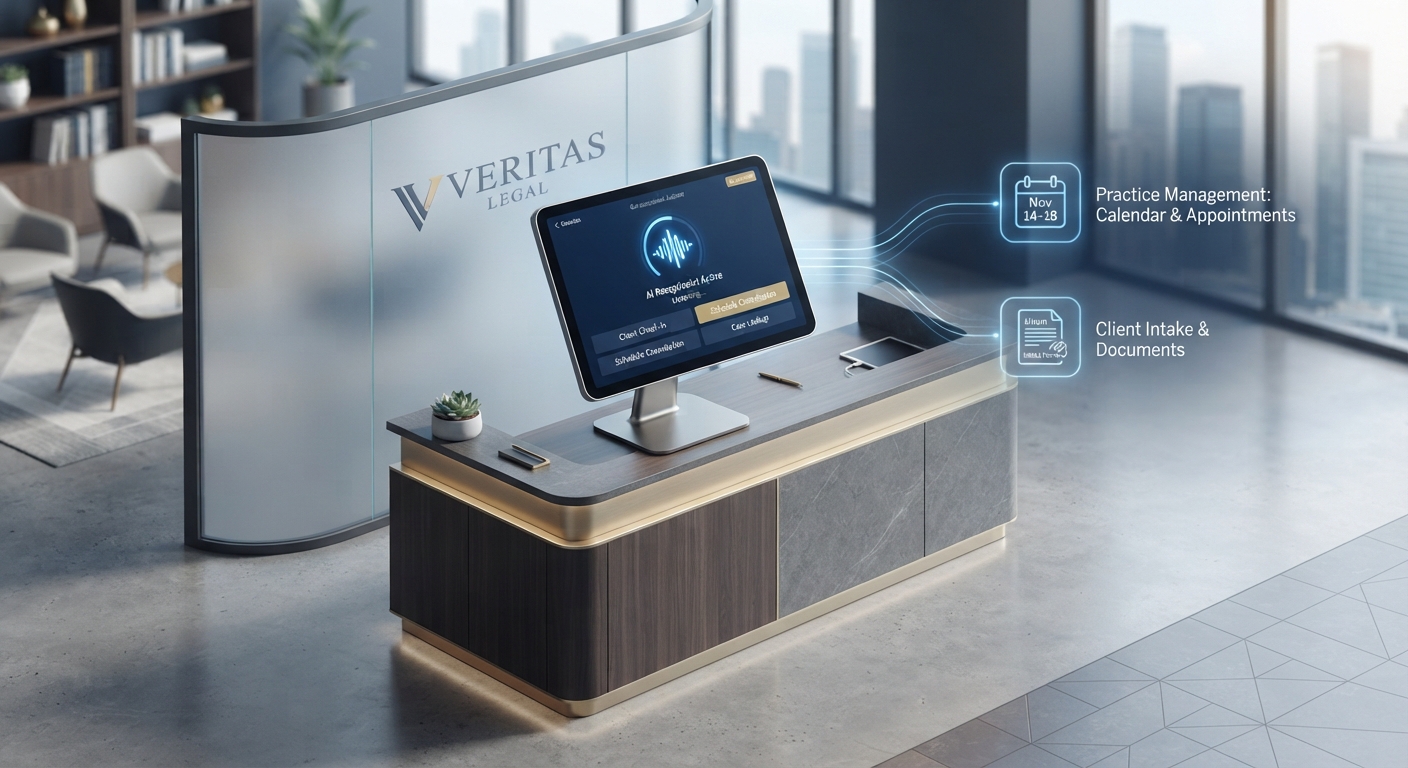
Step 1: The Integration Foundation Your AI isn't an island. It has to talk to your tech stack. By connecting your CRM and calendar, the AI can check real-time availability and book appointments without you ever glancing at your inbox. For those needing custom workflows, Custom AI Automation Solutions can bridge the gap between your legacy software and modern voice agents.
Step 2: Scripting for Success Don't write a script—write a conversation. Use industry-specific prompt templates to train the AI’s "brain." If you’re a dental practice, focus on insurance verification. If you’re a contractor, focus on site surveys. The more specific you are in the training, the more accurate the AI will be.
Step 3: The "Burner Phone" Testing Protocol Never launch to real customers without a stress test. Get a secondary number, route it to your new AI, and try to break it. Ask it the same question five different ways. Try to trick it with "Red Line" keywords. If you want to see how to execute this without a hitch, check out our How to Set Up an AI Receptionist (2026 Guide).
Security and Compliance: Playing by the Rules
For the medical, legal, and financial sectors, security is the big hurdle. But the tech has caught up. You must insist on platforms that provide a Business Associate Agreement (BAA) and use enterprise-grade, end-to-end encryption. Before you sign anything, consult the official guidance on HIPAA compliance to make sure your provider meets federal standards. If they can’t provide a BAA, walk away. Period.
| Feature | Human Receptionist | AI Receptionist | Hybrid Model |
|---|---|---|---|
| Cost | High (Salary/Benefits) | Low (Subscription) | Moderate |
| Availability | Business Hours | 24/7/365 | 24/7/365 |
| Lead Conversion | High (with human touch) | High (Speed) | Highest (Best of both) |
| Emotional Intelligence | Excellent | Limited/Developing | Superior |
Measuring the ROI
Stop looking at your phone system as a utility bill and start seeing it as a revenue stream. An AI agent is a profit engine. Let’s do the math: Calculate the value of a single lead. Now, count how many calls you currently send to voicemail. If you get 50 calls a month after hours and you convert 20% of them with an AI, you’ve just added 10 new clients to your pipeline—while you were sleeping. The cost of the AI is a rounding error compared to the lifetime value of those leads. As noted in the latest research on The Future of Conversational AI, the barrier between human and machine interaction is thinning rapidly. The businesses that embrace this now will hold a massive competitive advantage over the ones waiting for the "perfect" time to upgrade.
Frequently Asked Questions
Will customers be annoyed by talking to an AI?
Generally, no. Most customers are frustrated by being ignored or sent to voicemail. When an AI answers immediately, provides accurate information 24/7, and politely offers to escalate to a human if needed, customer satisfaction scores actually tend to go up.
How do I handle sensitive or emergency calls?
Use "Red Line" logic. You program the AI to recognize specific trigger words—like "emergency," "urgent," or "dispute"—and instruct it to immediately transfer the caller to a designated emergency line or alert a staff member via SMS.
Is an AI receptionist HIPAA compliant?
It depends on the provider. You must exclusively select platforms that offer a Business Associate Agreement (BAA) and utilize encrypted storage. Never assume a tool is compliant; verify the documentation before handling any protected health information.
How long does the setup process actually take?
A basic setup can be achieved over a single weekend. However, the "perfection" of your agent comes through iterative training. Spend your first week monitoring logs, adjusting your prompts, and refining your "Red Line" triggers for maximum accuracy.
Can the AI handle complex CRM updates?
Yes. Modern AI agents are capable of "intelligent writes." This means they don't just capture data; they can log a call, update a contact field, or schedule an appointment directly into your CRM or calendar software without manual intervention.