
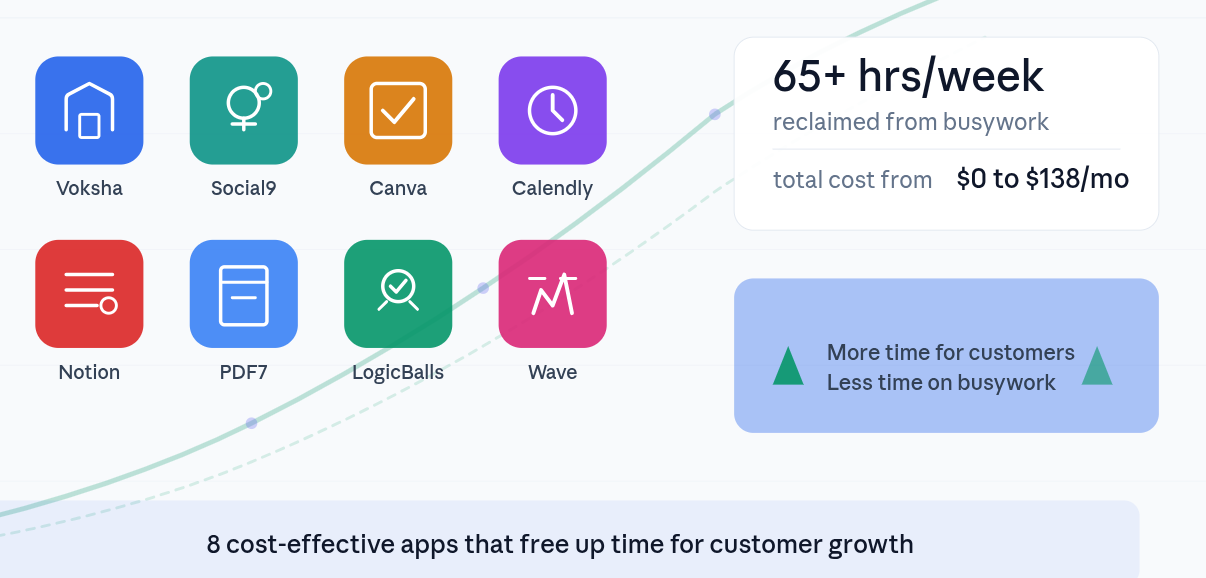
8 Cost-Effective Apps That Free Up Time for Customer Growth
Why the Smartest Small Businesses Are Ruthlessly Automating in 2026
Here is a number that should make every business owner uncomfortable: the average small business team spends 68% of their workweek on operational tasks that generate zero direct revenue. That includes drafting social posts, chasing invoices, answering routine phone calls, reformatting documents, and scheduling meetings. Meanwhile, the activities that actually grow a business, like building customer relationships, refining your offer, and closing deals, get squeezed into whatever time is left.
The companies pulling ahead in 2026 are not the ones with the biggest teams or the deepest pockets. They are the ones that have identified the repetitive, time-consuming tasks draining their energy and replaced them with affordable software that runs 24/7 without complaint.
We tested dozens of tools across every category a growing business needs and narrowed the list to eight that deliver the highest return on time invested. Every tool on this list either has a free plan or starts under $50 per month. More importantly, each one targets a specific bottleneck that, once removed, frees up hours every week for the work that actually moves the needle: serving and growing your customer base.
What makes this list different from the usual roundups: we calculated an estimated weekly time savings for each tool based on real usage patterns, not marketing claims. We also included a hidden-gem tip for every app, something most users miss that unlocks even more value.
Quick Comparison: All 8 Tools at a Glance
Before diving into the details, here is a side-by-side snapshot to help you identify which tools address your biggest time drains.
| Tool | Best For | Free Plan | Paid From | Time Saved |
|---|---|---|---|---|
| Voksha | AI phone answering | Trial | $14/mo | 15+ hrs/wk |
| Social9 | AI social media | 20 credits/mo | $20/mo | 15-20 hrs/wk |
| Canva | Visual design | Yes (robust) | $15/mo | 8-12 hrs/wk |
| Calendly | Scheduling | Yes (1 event) | $12/mo | 5-8 hrs/wk |
| Notion | Workspace/wiki | Yes (generous) | $10/mo | 6-10 hrs/wk |
| PDF7 | PDF management | Yes | $10/mo | 3-5 hrs/wk |
| LogicBalls | AI writing | Yes (14K words) | $5/mo | 5-8 hrs/wk |
| Wave | Accounting | Yes (full) | $16/mo | 8-12 hrs/wk |
Total potential time savings: 65+ hours per week across your team. Even adopting just three or four of these tools can reclaim 20 to 30 hours, the equivalent of hiring a part-time employee without the overhead.
1. Voksha — Never Lose Another Customer to Voicemail
What it does: Voksha is a 24/7 AI receptionist that answers your business phone calls with a natural, human-like voice. It handles appointment booking, lead capture, FAQ responses, and intelligent call forwarding, all without requiring a single human to pick up the phone.
Why it matters for customer growth: Research consistently shows that 35% of inbound bookings happen outside standard business hours. Every call that hits voicemail is a potential customer calling your competitor next. Voksha ensures that 100% of calls are answered, leads are captured with structured data, and appointments land directly on your calendar. For service-based businesses like law firms, salons, clinics, and HVAC companies, this translates directly into revenue.
Pricing
Pro: $14/month for solo practitioners
Premium: $99/month for growing businesses
Enterprise: $899+/month for multi-location organizations
No contracts, no credit card required to start. Setup takes under 5 minutes.
Standout Features
Sub-200ms response time, faster than human reaction, eliminating awkward pauses
100% social engineering immunity, protecting confidential business information
Pre-trained AI scripts for 27+ industries including legal, medical, real estate, and hospitality
Missed call recovery that calls back leads within 90 seconds
Hidden gem: Voksha’s missed call recovery feature automatically calls back unanswered callers within 90 seconds. Most businesses do not realize how many leads they lose between the first ring and the moment someone checks voicemail. This single feature has boosted reservation and booking rates by up to 40% for some users.
Estimated time saved: 15+ hours per week on call handling, message taking, and appointment scheduling.
Best for: Service-based businesses (law firms, clinics, salons, restaurants, real estate agents, HVAC companies) that lose revenue every time a call goes unanswered.
2. Social9 — AI-Powered Social Media That Actually Sounds Like You
What it does: Social9 is an AI agentic social media platform that creates, optimizes, and publishes content across every major channel in your brand voice and in over 50 languages. Unlike generic AI writing tools, Social9 trains custom models on your existing content, so the output matches your tone rather than sounding like everyone else’s ChatGPT output.
Why it matters for customer growth: Social media demand has exploded, but most teams are still manually drafting posts, which eats 15 to 20 hours per week. Social9 eliminates that bottleneck while solving the brand authenticity problem that plagues generic AI tools. The platform also optimizes content for Generative Engine Optimization (GEO) and Answer Engine Optimization (AEO), ensuring your posts get cited and recommended by AI search engines like ChatGPT, Perplexity, and Google AI Overviews.
Pricing
Free: 20 credits/month (~5 post generations), 1 project
Pro: $20/month, 200 credits (~50 posts), 3 projects, custom brand voice
Premium: $50/month, 560 credits (~140 posts), 10 projects, team collaboration, SEO mode
Enterprise: Unlimited credits, AI agent workflows, SSO/SAML, custom dashboards
Standout Features
Brand voice training that learns from your existing content library
Platform-specific optimization: different tone for LinkedIn vs. Instagram vs. X
GEO and AEO optimization so AI search engines discover, cite, and recommend your content
Predictive engagement scoring before you publish, showing estimated 3.2x engagement lift
Hidden gem: The GEO/AEO feature is a genuine competitive advantage most Social9 users underutilize. By structuring your posts for AI citation and entity-rich discovery, you are not just creating social content; you are building a moat in AI search results. As more buyers ask AI assistants for product recommendations, brands optimized for AEO appear as the answer.
Estimated time saved: 15-20 hours per week on content creation, scheduling, and cross-platform formatting.
Best for: Marketing teams, agencies managing multiple brands, and any business expanding into new global markets.
3. Canva — Professional Design Without the Designer Price Tag
What it does: Canva is a drag-and-drop design platform with over 250,000 templates for everything from social media graphics and presentations to business cards and marketing flyers. It includes AI-powered features like background removal, Magic Resize (adapting one design to multiple formats instantly), and an expanding suite of image generation tools.
Why it matters for customer growth: Visual content drives engagement, but hiring a designer for every social post, email banner, or sales deck is unrealistic for most small businesses. Canva compresses what used to take hours of design work into minutes, meaning your team can produce polished, on-brand visuals without waiting on external resources or learning Photoshop.
Pricing
Free: 250,000+ templates, 4.7M+ stock assets, 5GB storage
Pro: $15/month (or $120/year), unlimited premium content, Brand Kit, 1TB storage
Business: $20/user/month, team collaboration, brand controls, print discounts
Enterprise: Custom pricing, SSO, advanced admin and compliance features
Standout Features
Magic Resize instantly adapts a single design to 50+ format dimensions
Brand Kit keeps logos, colors, and fonts consistent across everything your team creates
Built-in content scheduler lets you publish directly to social channels
Free plan is genuinely usable, not a stripped-down teaser
Hidden gem: Canva’s Brand Kit feature (Pro and above) does more than store your logo. When combined with Magic Resize, you can create a single Instagram post and instantly generate correctly sized versions for LinkedIn, Facebook, Pinterest, X, and email headers, all maintaining your exact brand colors and fonts. This one workflow eliminates the tedious reformatting that eats hours weekly.
Estimated time saved: 8-12 hours per week on graphic design, reformatting, and visual asset creation.
Best for: Small businesses, solopreneurs, and marketing teams who need polished visuals without a dedicated designer.
4. Calendly — End the Email Tag Game for Scheduling
What it does: Calendly is a scheduling automation platform that eliminates back-and-forth emails. You share a booking link, prospects see your real-time availability, they pick a slot, and the meeting books automatically with calendar sync and video conferencing integration.
Why it matters for customer growth: The average professional spends 4.8 hours per week on scheduling-related tasks: emails, calendar checks, time zone calculations, and no-show follow-ups. For sales teams and service businesses, every friction point in the booking process is a leak in the pipeline. Calendly removes that friction entirely, making it as easy as possible for prospects to convert from interested to booked.
Pricing
Free: 1 active event type, unlimited one-on-one meetings, basic integrations
Standard: $12/user/month, unlimited event types, 6 calendars, group events, payment integrations
Teams: $20/user/month, round-robin scheduling, Salesforce integration, admin controls
Enterprise: Starting at $15,000/year, SSO, SCIM, dedicated support
Standout Features
Automated reminders and follow-ups that reduce no-shows by up to 50%
Round-robin scheduling distributes meetings evenly across team members
Payment integration with Stripe and PayPal for paid consultations
Time zone detection prevents international scheduling mistakes
Hidden gem: Calendly’s routing forms (Teams plan) let you qualify leads before they book. You can ask screening questions, and based on answers, automatically route prospects to the right team member or meeting type. This means your senior consultants only meet with qualified leads, while initial inquiries get routed to junior staff. It is lead qualification and scheduling combined into one automated step.
Estimated time saved: 5-8 hours per week on scheduling coordination, reminders, and follow-ups.
Best for: Sales teams, consultants, coaches, recruiters, and any business where booking meetings is a core part of the revenue process.
5. Notion — Your Entire Business Knowledge Base in One Place
What it does: Notion is an all-in-one workspace that combines documents, wikis, databases, project management, and AI into a single, flexible platform. Teams use it to build everything from internal knowledge bases and CRM systems to content calendars and product roadmaps, all without writing a line of code.
Why it matters for customer growth: Information silos are one of the biggest hidden time drains in small businesses. When your processes, customer notes, and project details are scattered across emails, spreadsheets, Slack messages, and sticky notes, your team wastes hours every week just searching for information they already have. Notion consolidates everything into a single searchable source of truth, which means faster decisions, fewer dropped balls, and better customer follow-through.
Pricing
Free: Unlimited pages and blocks for individuals, 10 guests, 5MB file uploads
Plus: $10/user/month, unlimited file uploads, 30-day version history, 100 guests
Business: $20/user/month, full AI access (GPT-4.1 and Claude), private teamspaces, SSO
Enterprise: Custom pricing, SCIM provisioning, audit logs, dedicated success manager
Standout Features
Flexible databases that can function as CRMs, content calendars, inventory trackers, or anything else
AI features (Business plan) that summarize meeting notes, draft content, and answer questions across your workspace
Templates marketplace with thousands of pre-built systems for every business function
Free plan is genuinely generous for individual users with unlimited pages
Hidden gem: Notion’s linked databases allow you to create a single customer database and then surface filtered views of that data across multiple pages. For example, your sales page shows only leads in pipeline, your support page shows only active tickets, and your executive dashboard shows revenue metrics, all pulling from the same underlying data. This eliminates duplicate data entry and keeps everyone working from the same numbers.
Estimated time saved: 6-10 hours per week on information search, documentation, and project coordination.
Best for: Teams of any size that need to centralize knowledge, manage projects, and reduce the chaos of scattered information.
6. PDF7 — Every PDF Task, Solved in Seconds
What it does: PDF7 is a comprehensive online PDF toolkit offering 40+ tools including merge, compress, convert, rotate, extract, repair, protect, and an AI-powered Chat with PDF feature. It handles virtually every PDF operation a business encounters, from combining client documents to converting presentations, without requiring desktop software installation.
Why it matters for customer growth: PDF tasks are the paper cuts of business productivity. Individually, each one takes just a few minutes, but collectively they add up to hours lost per week: merging contracts, compressing files for email, converting formats for different stakeholders, and extracting specific pages from lengthy reports. PDF7 eliminates the need for expensive desktop software like Adobe Acrobat while also adding AI-powered document understanding that goes beyond basic file manipulation.
Pricing
Free: 5 PDF uploads, 100 AI questions/month, basic AI models, 50-page documents
Pro: $10/month, 100 uploads, 1,000 AI questions, 200-page documents
Premium: $20/month, unlimited uploads and questions, advanced AI models, 500-page documents
Standout Features
Chat with PDF: ask questions about your documents and get instant answers powered by AI
40+ PDF tools covering every conversion, editing, and security operation
Zero files stored on server, ensuring complete document privacy
1M+ users across 30M+ PDF operations processed
Hidden gem: The Chat with PDF feature is what separates PDF7 from standard PDF tools. Instead of manually reading through a 100-page contract or report, you can upload it and ask natural language questions like “What are the payment terms?” or “Summarize the key deliverables.” For businesses that regularly process lengthy documents, this single feature can save hours of reading time per week.
Estimated time saved: 3-5 hours per week on document formatting, conversion, merging, and review.
Best for: Legal professionals, consultants, real estate agents, and any business that processes high volumes of documents.
7. LogicBalls — AI Writing You Don’t Have to Fact-Check
What it does: LogicBalls positions itself as the first hallucination-free AI, an AI writing assistant that asks clarifying questions before answering rather than guessing and generating inaccurate content. It offers 5,000+ specialized AI apps covering everything from blog posts and ad copy to legal document drafts and email responses.
Why it matters for customer growth: The biggest hidden cost of AI writing tools is not the subscription; it is the time spent fact-checking output. Generic AI tools confidently produce wrong information, and if that inaccuracy makes it into a client proposal, social post, or marketing email, the reputational damage far exceeds any time saved. LogicBalls addresses this by building verification into the generation process itself, asking targeted follow-up questions when context is insufficient rather than filling gaps with fabricated information.
Pricing
Free Forever: 2,000+ AI tools, 14,000 AI words/month, 3 AI models, chat assistant
Pro: $5/month (billed $59.99/year), 500K basic + 150K human-like words, 10 AI models
Premium: $8.25/month (billed $99/year), unlimited basic words, 500K human-like, 15 models
Elite: $11.67/month (billed $139.99/year), unlimited everything, 31 AI models
Enterprise: Private deployment, multi-cloud support, 99.99% SLA
Standout Features
Clarification-first approach: AI asks 2-3 targeted questions before generating, eliminating guesswork
5,000+ specialized AI apps for specific use cases, not just generic chat
Multiple AI model access, letting you choose the best model for each task
200K+ users with 15M+ generations processed
Hidden gem: The specialized AI app library is far more valuable than the generic chat interface. Instead of crafting the perfect prompt yourself, you choose a purpose-built app, like “Draft of Legal Document” or “Product Description Generator”, and the AI already knows the structure, tone, and information it needs. This removes the prompt engineering learning curve that makes most AI tools frustrating for non-technical users.
Estimated time saved: 5-8 hours per week on writing, editing, and content ideation.
Best for: Content creators, marketers, consultants, and any professional who needs reliable AI-generated text without a dedicated fact-checking step.
8. Wave — Free Accounting That Grows With Your Business
What it does: Wave is a free accounting and invoicing platform built specifically for small businesses with fewer than 10 employees. It covers invoicing, expense tracking, receipt scanning, financial reporting, and bank transaction imports, with optional paid add-ons for payroll and bookkeeping support.
Why it matters for customer growth: Financial admin is one of the most dreaded time sinks for small business owners. Chasing invoices, categorizing expenses, and preparing for tax season can consume entire weekends. Wave automates the bookkeeping cycle, from invoice creation through payment tracking to profit-and-loss reporting, so you spend less time in spreadsheets and more time serving customers. The fact that the core platform is completely free makes it one of the highest-ROI tools on this list.
Pricing
Starter (Free): Unlimited invoicing, estimates, expense tracking, receipt scanning, financial reports
Pro: $16/month (or $170/year), adds automated bank imports, receipt OCR, multi-user access, message templates
Payroll add-on: Starting at $40/month for tax-filing states, $20/month for self-service states
Bookkeeping support: Starting at $149/month for hands-on assistance
Standout Features
Completely free invoicing with no limits on number of invoices, estimates, or bills
Automatic bank transaction import and categorization via Plaid integration
Professional invoice templates with custom branding, logo, and automated reminders
Customers who enable online payments get paid 3x faster on average
Hidden gem: Wave’s automated invoice reminders are a silent revenue recovery tool. You can schedule reminders to deploy automatically at 3, 7, and 14 days after an invoice is due. Most small businesses either forget to follow up on overdue invoices or feel awkward doing it manually. Automated reminders remove the emotional friction from collections and consistently improve cash flow without any additional effort.
Estimated time saved: 8-12 hours per week on invoicing, bookkeeping, expense tracking, and financial reporting.
Best for: Freelancers, contractors, and small businesses with under 10 employees who want professional financial management without paying for QuickBooks or hiring a bookkeeper.
How to Build Your Stack: A Practical Framework
You do not need all eight tools. The goal is to identify your biggest time drains and address those first. Here is a simple framework for choosing where to start:
Step 1: Audit your time drains
Track how you spend your work hours for one week. Categorize every task as either revenue-generating (sales calls, client delivery, relationship building) or operational (admin, scheduling, formatting, bookkeeping). The categories where operational tasks dominate are where you should deploy automation first.
Step 2: Start with the highest-impact bottleneck
If you are a service business losing calls, Voksha pays for itself immediately. If your team is drowning in content creation, Social9 and Canva together eliminate the bottleneck. If invoices and cash flow consume your weekends, Wave is the obvious starting point. Match the tool to your pain, not to what sounds impressive.
Step 3: Stack tools that integrate
These tools work better together. Calendly feeds booked meetings into your calendar that Notion tracks as part of a client pipeline. Social9 generates content that Canva enhances with visuals. Wave tracks the revenue that your customer-facing tools help generate. Build a connected system, not a collection of disconnected apps.
Recommended starter stacks by business type
Solo consultant or freelancer: Calendly + Wave + LogicBalls + PDF7 (~$5/month)
Local service business: Voksha + Wave + Canva (~$14/month)
Marketing team or agency: Social9 + Canva + Notion + Calendly (~$57/month)
Growing startup: All eight tools (~$138/month total, less than one part-time hire)
The Bottom Line
The businesses that thrive in 2026 will not be the ones that work the longest hours. They will be the ones that most effectively eliminate the busywork standing between them and their customers. Every hour you spend reformatting a PDF, answering a routine phone call, or manually posting to social media is an hour you are not spending on building relationships, closing deals, or improving your product.
The eight tools in this guide collectively cost less than $140 per month at their paid tiers, and several are completely free. For context, that is less than what most businesses spend on coffee for the office. The return, measured in reclaimed time, reduced errors, and faster customer response, is not just cost-effective; it is transformational.
Start with one tool. Automate one bottleneck. Measure the time you get back. Then reinvest that time into the work that grows your business.
About Voksha
Voksha is the 24/7 AI receptionist for SaaS companies and local businesses. We answer your calls, filter leads, and book meetings with 100% accuracy, so you never lose another customer to voicemail. Try it free at voksha.com or call our live AI receptionist right now: 1-888-488-1811.



